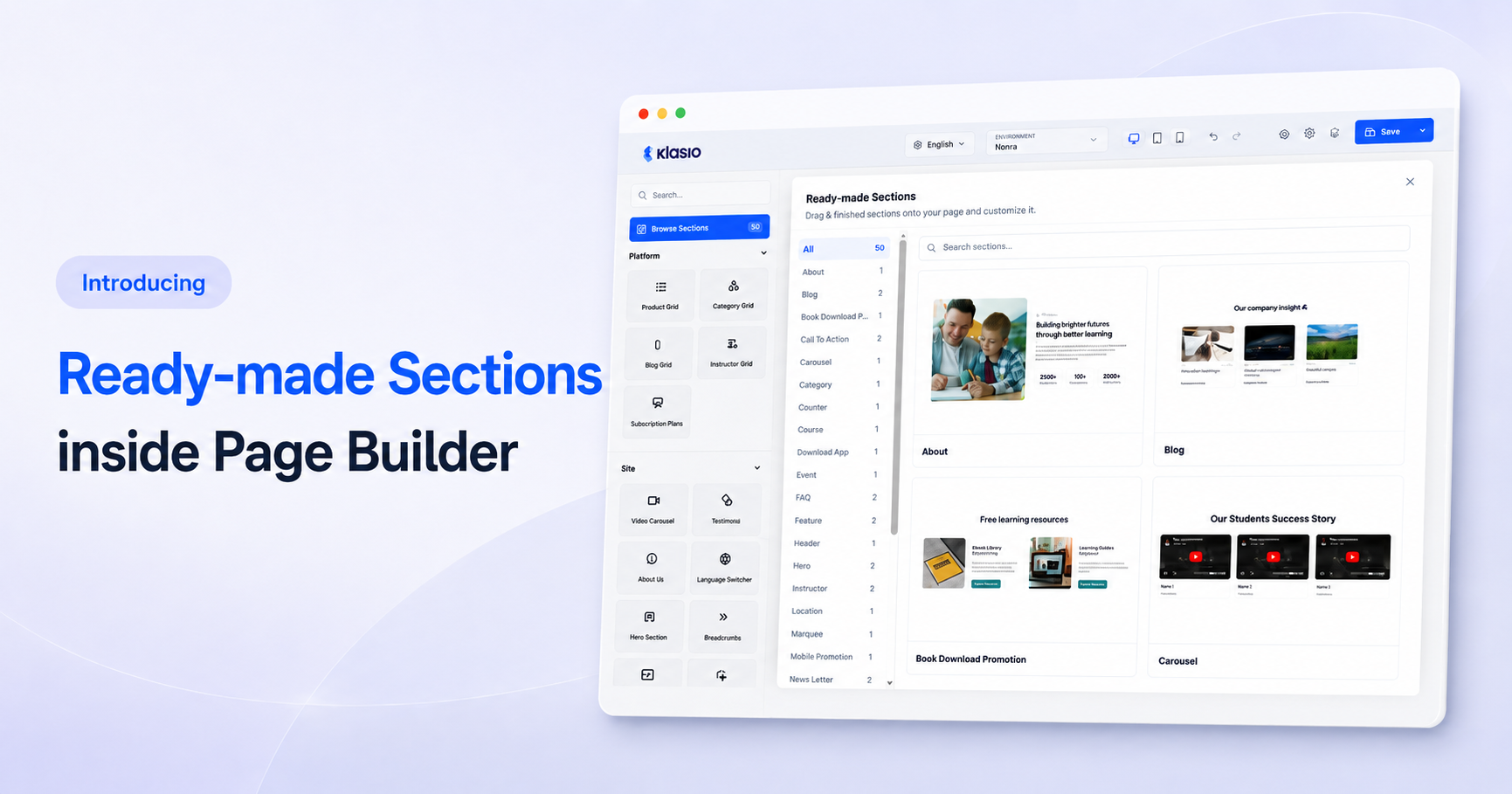
We’ve been listening to your feedback and shipping updates across the Klasio site builder, badges, and assignments. This time, the biggest addition is Ready-made Sections, which lets you build a page from 50 finished designs instead of starting every section from scratch. We also added automatic student badges and an instructions panel on the assignment submission page.
Build Pages Faster With Ready-made Sections
The Page builder now includes a Ready-made Sections library. Click Browse Sections, pick from 50 pre-designed sections across categories like Hero, About, Blog, FAQ, and Call to Action, then drag one onto your page. Swap in your own text and images, and the section is live.
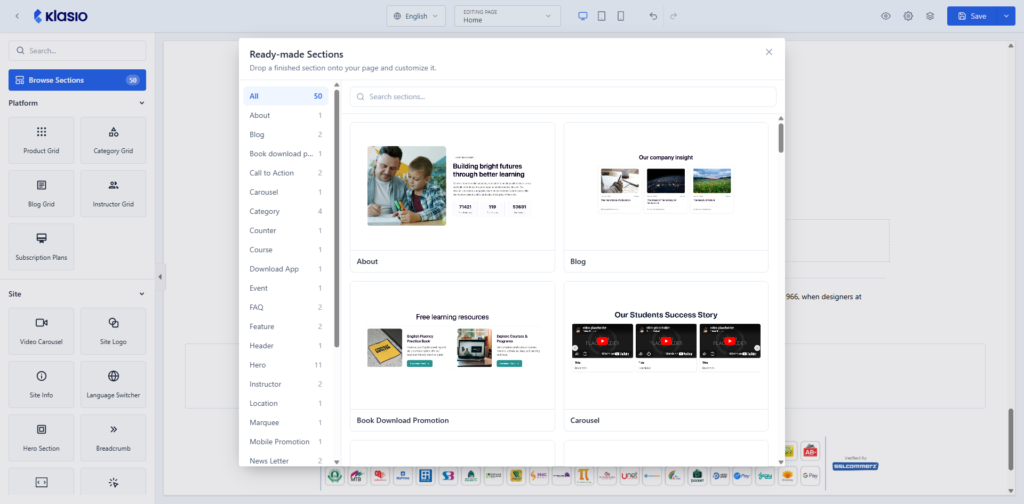
Assembling a landing page used to mean placing every heading, image, and button element by element. That work is done before the section touches your page, so a new page comes together in minutes instead of an afternoon.
Award Badges to Your Students Automatically
You can now create badges that Klasio awards to your students on its own. Go to Settings, then Badges, and click Create Badge. Set a name, upload a badge image, pick a trigger event like Course Complete, and set a threshold for how many times the event must happen before the badge is earned. Earned badges appear in a new Badge column on your Students page under People.
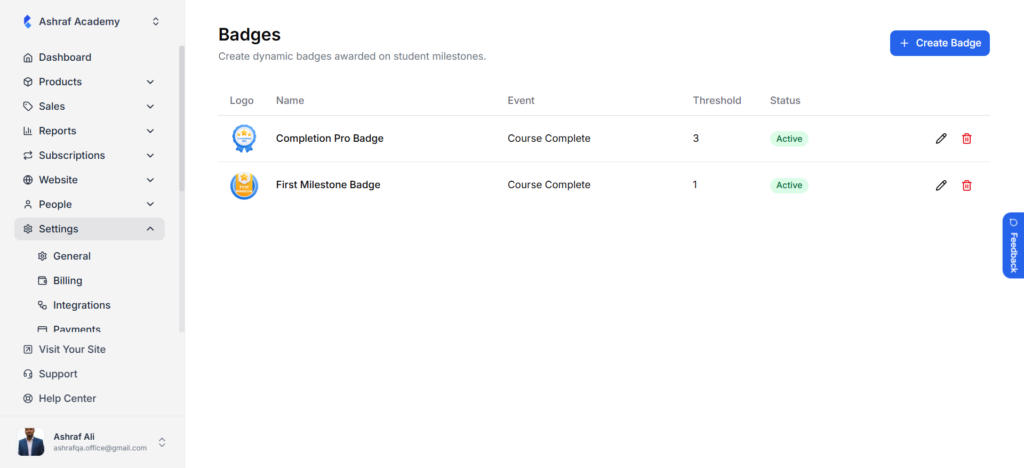
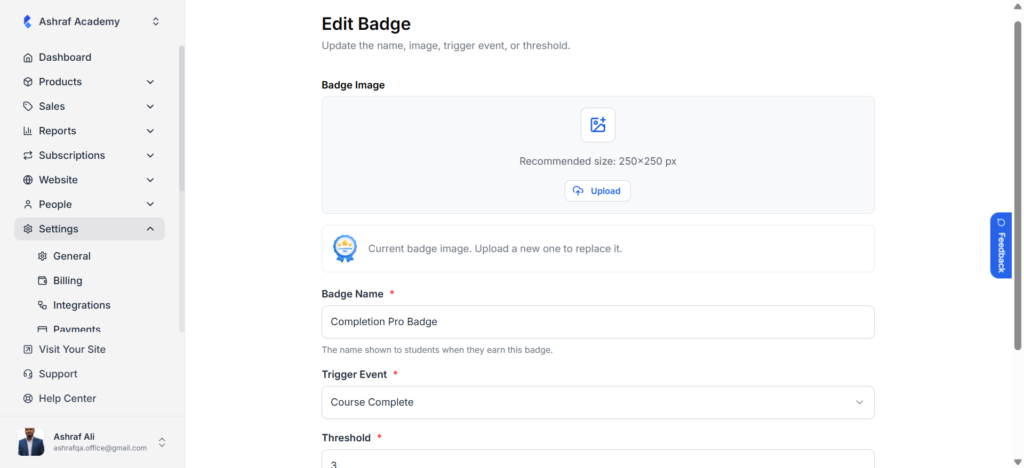
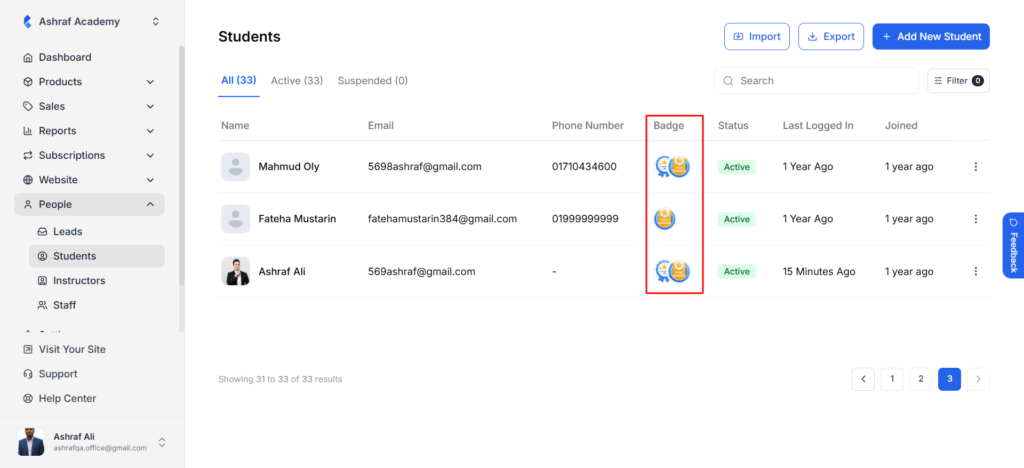
Recognizing student progress used to mean manual emails or a third-party gamification tool. Now the reward goes out the moment a student earns it, and your most engaged students are visible at a glance in the Students list.
Show Assignment Instructions on the Submission Page
Your students now see an Assignment Instructions panel directly on the assignment submission page. The instructions you write for an assignment appear right above the submission editor, so students read the requirements in the same place they write their answer.
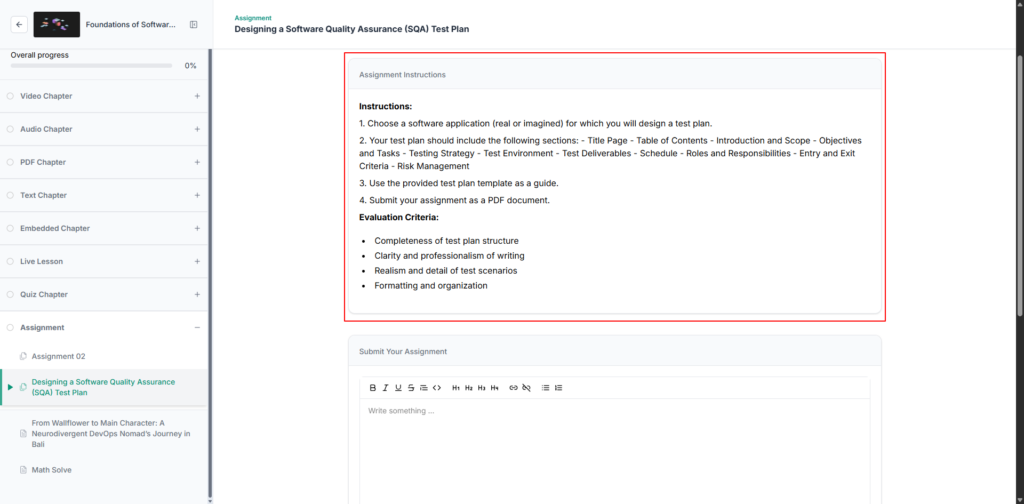
Students used to scroll back to the lesson to recheck requirements mid-submission. That back-and-forth is gone, which means fewer incomplete submissions landing in your review queue.