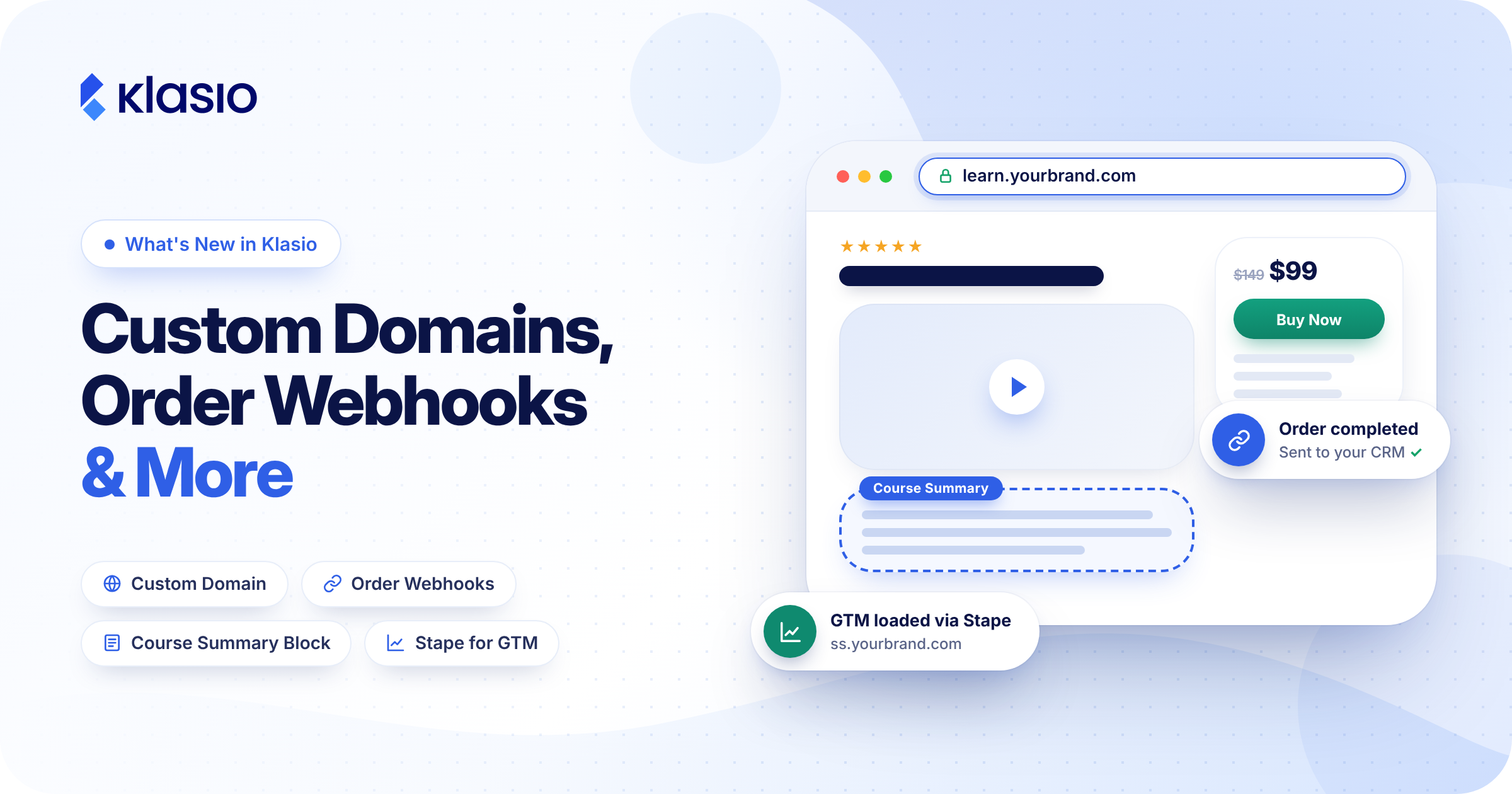
We’ve been listening to your feedback and shipping updates across your site settings, sales data, the page builder, and tracking. This time, the biggest upgrade is self-serve Custom Domain Setup. You can now connect your own domain to your academy yourself, without contacting our team.
We also added webhooks for new and completed orders, a Course Summary block for your course details page, and Stape support in our Google Tag Manager integration.
Connect Your Custom Domain Yourself
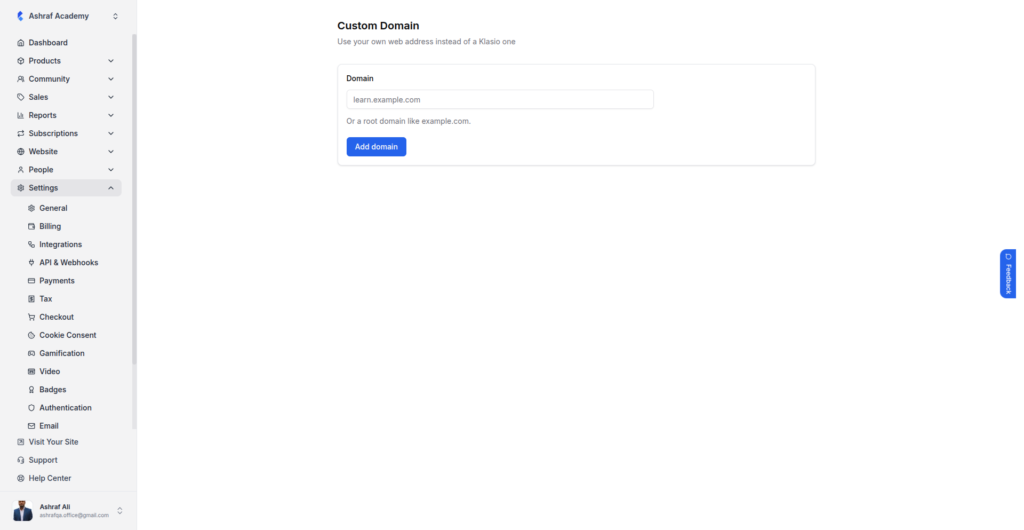
Setting up a custom domain used to mean contacting our dev team and waiting for them to configure it for you. Now you can do it yourself, in a few clicks, whenever you’re ready.
Go to Settings, then Custom Domain, enter your domain, and click Add domain. Use a subdomain like learn.example.com if your main website lives somewhere else. Use a root domain like example.com if your academy is your whole site.
Launching a new academy, moving to a new brand, or adding a second domain no longer waits on a support ticket. Your academy goes live on your own address on your schedule.
Send New and Completed Orders to Your Other Tools
Klasio webhooks already fire on enrollments, course completions, and certificates. Now they fire on orders too. Go to Settings > API & Webhooks and add a webhook. Paste the URL from Pabbly Connect, Zapier, Make, or your own server. Then choose the new order event, the completed order event, or both.
A sale used to reach your CRM only when someone exported it or typed it in by hand. Now it gets there the second it happens. Your CRM tags the buyer, your books log the sale, and your onboarding sequence starts before you’ve finished reading the order notification. No end-of-week exports, no spreadsheet of “orders to sync later.”
Add a Course Summary Block to Your Course Details Page
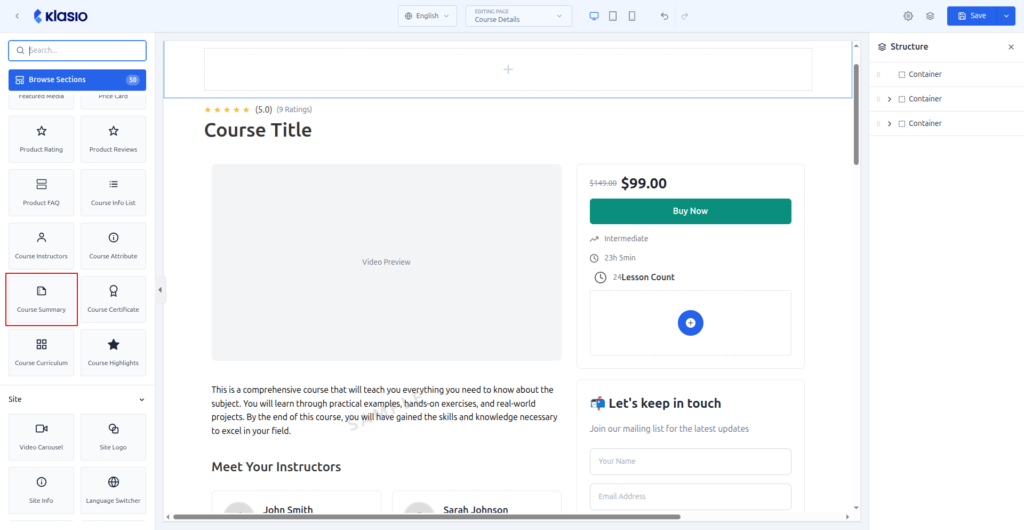
The page builder now includes a Course Summary block. Open the Course Details page in the editor, find Course Summary in the blocks panel, and drag it onto the page.
Most visitors don’t read a sales page from top to bottom. They scan for one answer: is this course for me? That answer used to sit somewhere inside a long description and a full curriculum, and plenty of visitors left before they found it. Now you can put it near the top of the page. The students your course fits keep reading toward the Buy Now button.
Capture More Conversions With Stape in Google Tag Manager
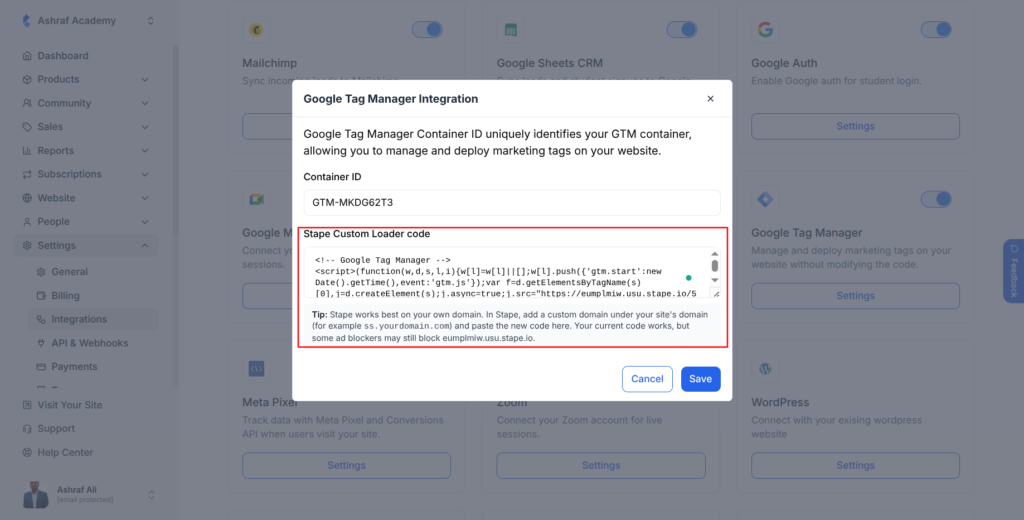
The Google Tag Manager integration now supports Stape. Go to Settings, then Integrations, and open the Google Tag Manager settings. Paste your code into the new Stape Custom Loader code field and click Save.
Ad blockers and browser privacy settings stop the standard GTM script on part of your traffic. A student clicks your ad and buys your course, and your ad platform never hears about it.
Loading GTM through Stape means more of those purchases reach Meta, Google Ads, and the rest of your tracking. Your campaigns stop looking less profitable than they really are.
For best results, add a custom domain in Stape under your own site’s domain, like ss.yourdomain.com, and paste the code Stape generates. Ad blockers already know Stape’s default domains, but a subdomain of your own site is much harder for them to catch.