
A student finishes your course and asks, “What should I take next?”
Now you can answer that before they even ask. With Learning Paths, you can lay out the whole journey, from the first lesson to the final goal. This update also lets you see your plan usage at a glance and sort your student lists your way.
Learning Paths: Give Your Students a Clear Roadmap
Earlier, you could bundle your courses together. Your students got everything at once, but they still had to figure out where to start and what came next. Many got stuck or lost interest halfway.
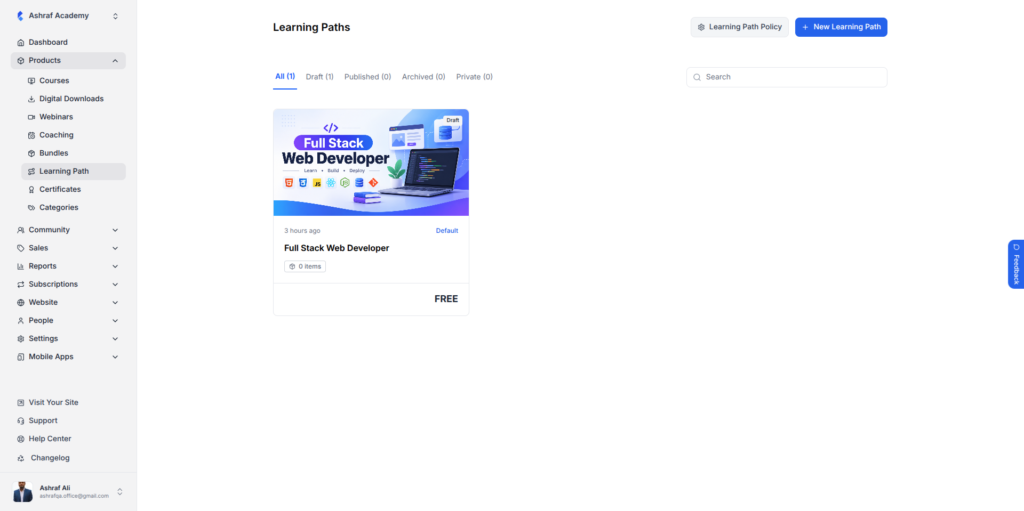
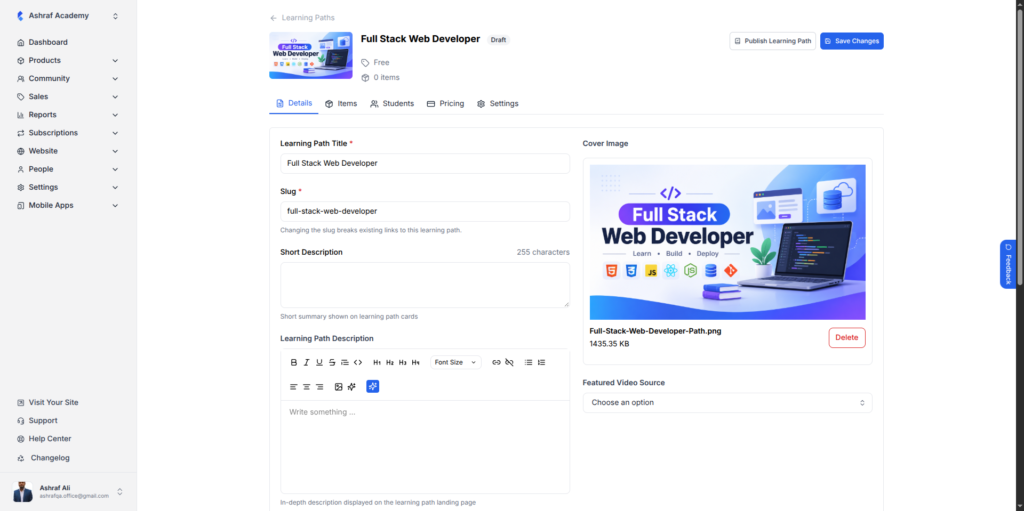
Now you can create a Learning Path from Products → Learning Path. Pick your items, put them in order, and give the path a clear goal, like “Full Stack Web Developer.” Each path has its own Details, Items, Students, Pricing and Settings tabs, so you can add a cover image and description, see who’s enrolled, and choose free or paid. Keep it as a draft, publish it, make it private or archive it.
Your students always know their next step, so they’re more likely to keep going. You also get a new way to sell bigger, outcome-based programs.
Usage & Limits: Know Where You Stand
Earlier, you had no easy way to check how much of your plan you’d used. You usually found out you’d hit a limit right when you were adding a staff member or uploading a file.
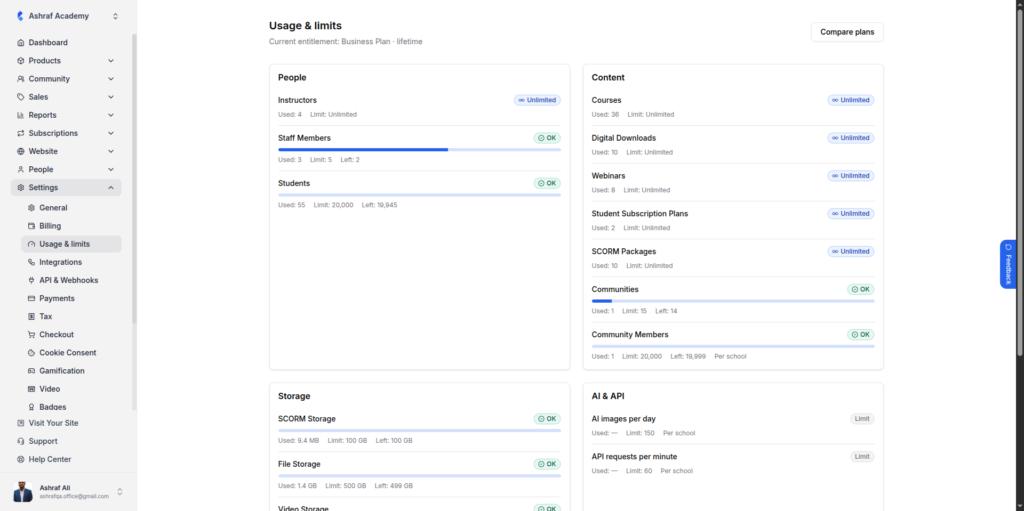
Now you can open Settings → Usage & Limits and see your current plan and usage across four areas: People, Content, Storage, and AI & API. Each item shows what you’ve used, your limit and what’s left. Progress bars show you when something is close to full. If you need more room, Compare plans is one click away.
You’ll see a limit coming and can plan ahead.
Sort Your Students on Enrollments and Digital Access
Earlier, your Enrollments and Digital Access pages showed students in a fixed order. When your list was long, finding the right person meant lots of scrolling.
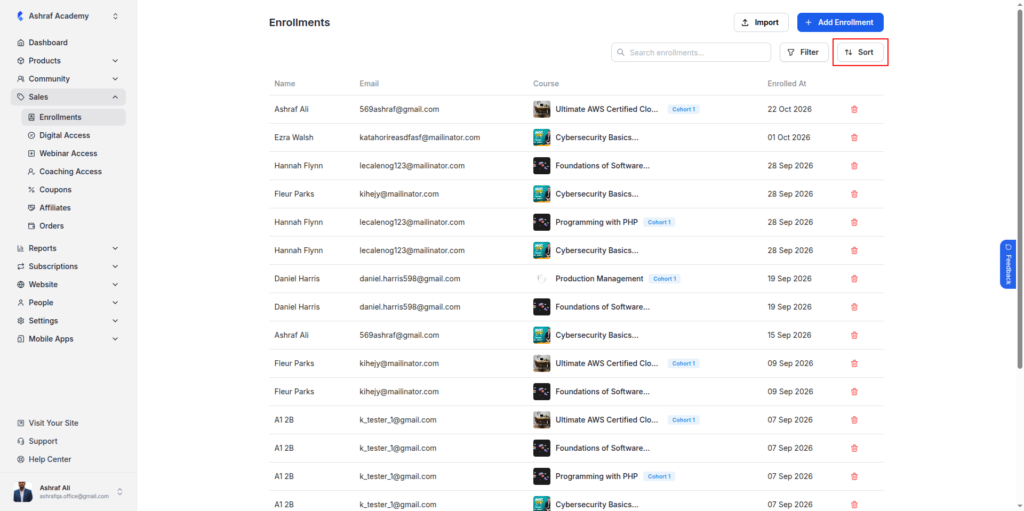
Now you’ll find a Sort button next to search on both pages. Reorder your list however suits the task and get to the students you need faster.


