BFCM was big for us.
We shipped major features, welcomed a wave of new creators, and saw real usage at scale.
And as always happens after a big launch, the next phase wasn’t about more features; it was about making everything smoother, clearer, and more reliable.
December was a quality-of-life month at Klasio. Here’s what we focused on:
Mobile Experience: Now Much Smoother for Students
A large portion of students access courses from their phones, especially in emerging markets. So we doubled down on mobile usability.
Here’s what’s improved:
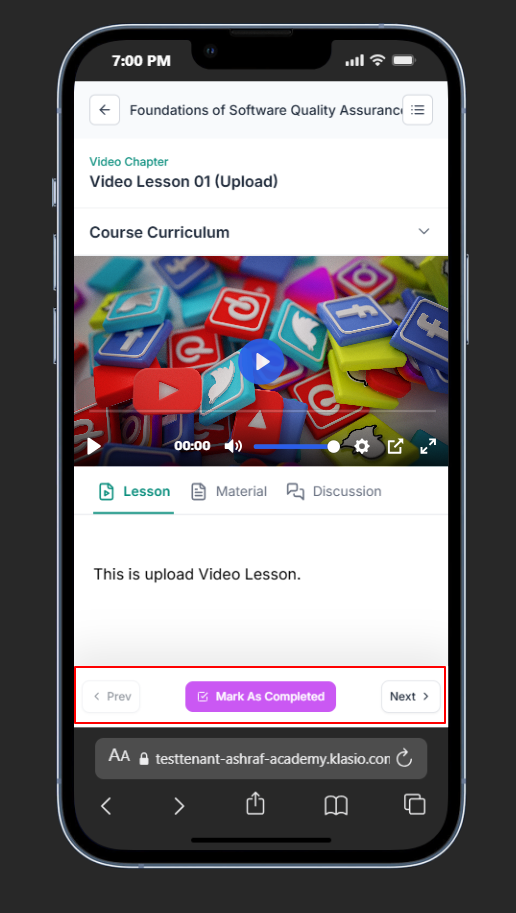
Cleaner navigation bar for mobile learners
A redesigned, simplified navigation bar for easier mobile browsing. This update ensures that students can quickly find key sections of your academy without being overwhelmed by a cluttered interface on a small screen.
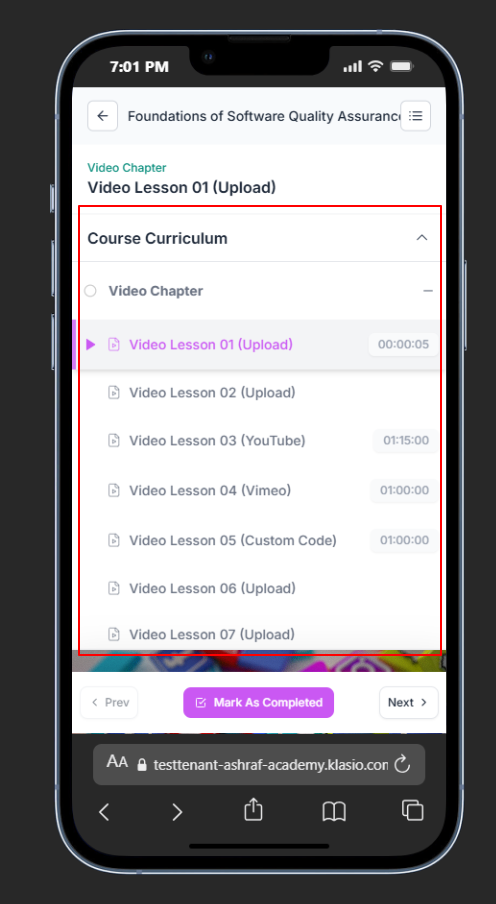
Collapsible curriculum that’s easier to browse on small screens
The course curriculum can now be collapsed, improving navigation and usability on smaller phone screens. Students can easily focus on the current lesson while keeping the overall course structure organized and accessible with a tap.
Better spacing, hierarchy, and flow across lesson pages
Optimized layout and design on lesson pages for improved readability and focus on mobile devices. We’ve fine-tuned the hierarchy and spacing to make long-form content less intimidating and more comfortable to read on the go.
Overall student experience improvements on mobile web
General performance and usability enhancements across the entire mobile web platform for students. This includes faster loading times and smoother interactions, ensuring a premium learning experience regardless of the device.
These changes don’t scream “new feature,” but they remove friction where it matters most.
More Control for Instructors & Admins
After onboarding many new academies during BFCM, we saw clear patterns in what admins needed next: control, safety, and flexibility.
Here’s what’s improved:
Enable or disable lesson discussions (course-level control)
Instructors can now toggle the discussion section on or off for individual lessons. This gives you course-level control to manage student engagement, allowing you to focus conversations where they are most valuable.
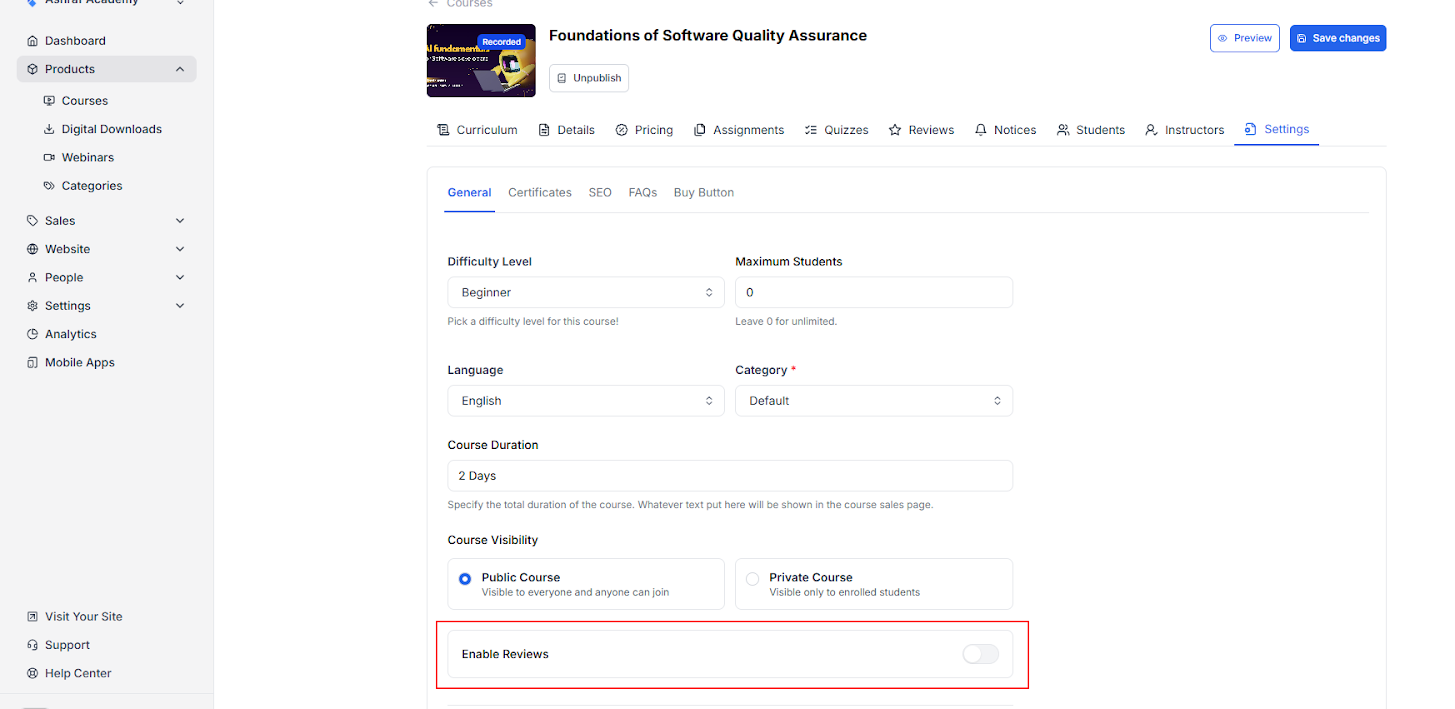
Disable course reviews when they’re not needed
Admins can now disable the course review feature for specific courses as required. This is particularly useful for private, corporate, or experimental courses where public feedback is not desired.
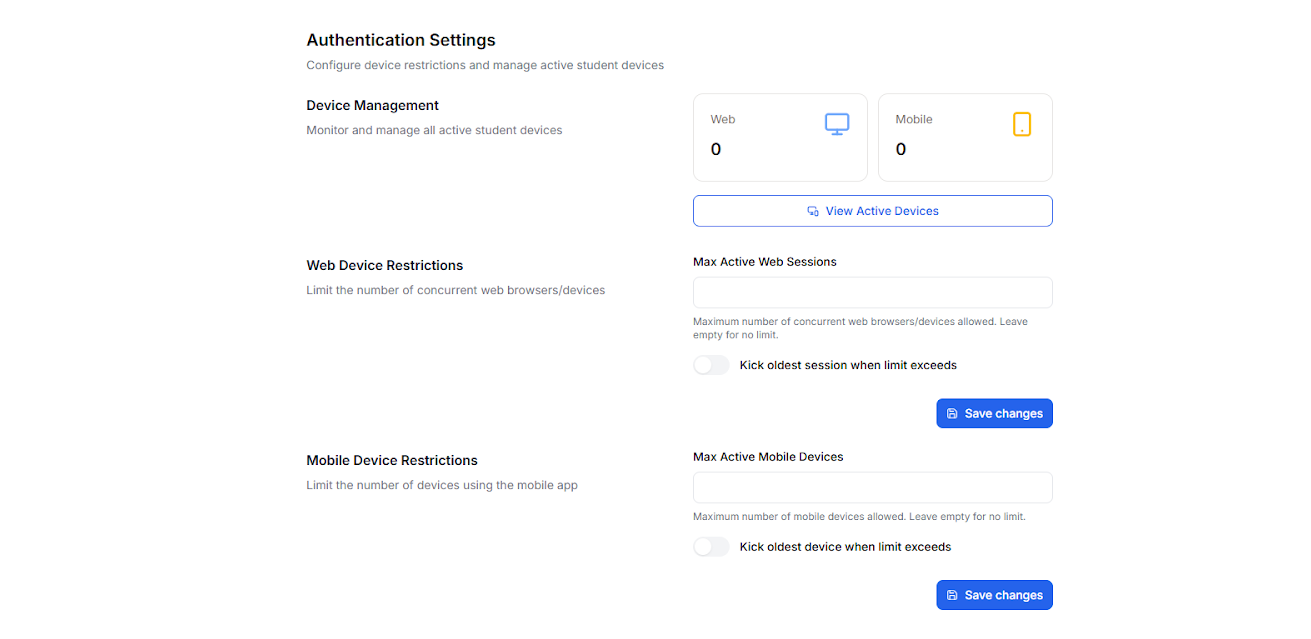
Device-based login restrictions for better account security (experimental)
An experimental feature allowing for restrictions on the number of devices used to access an account for better account security. This helps prevent unauthorized sharing of accounts and protects your valuable course content.
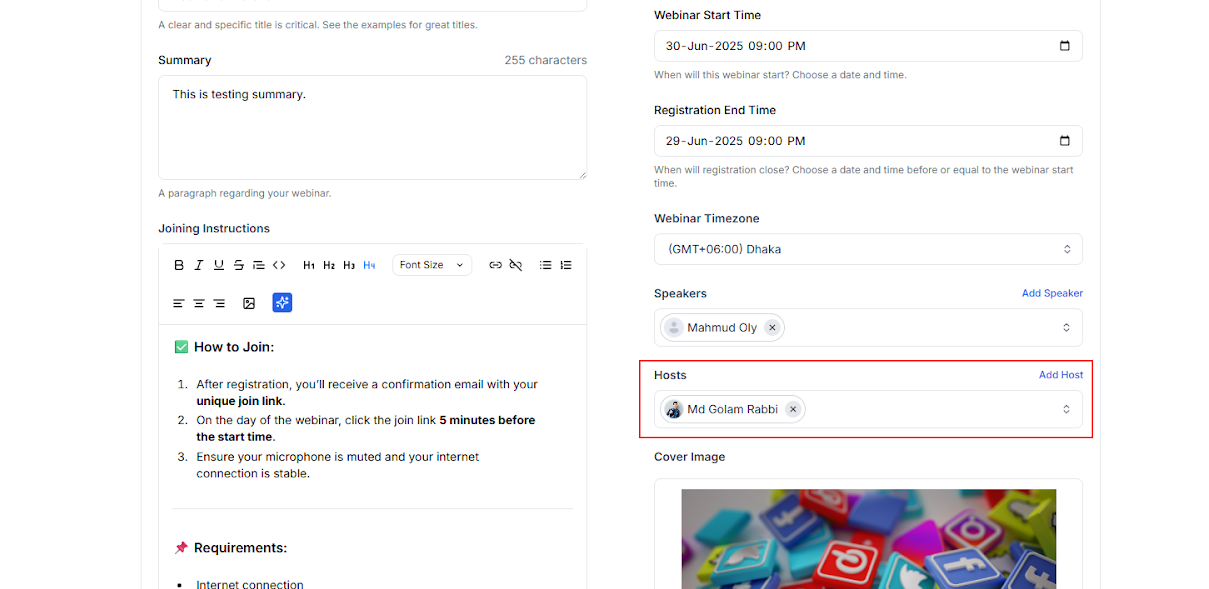
Host added to webinars for clearer roles
Explicitly defines the host role in webinars for better management and clearer responsibilities. This small but important change ensures that the right person has the necessary controls during a live session.
Stability, Cleanup & Edge-Case Fixes
December was also about fixes. We addressed some edge cases that only show up at scale:
- Fixed student import issues for a specific use case
- Fixed missing delete options for unpurchased downloads
- Improved enrollment filtering behavior after deletions
- Cleaned up obsolete forms and modal components
UI & UX Refinements Across the Board
Small UI improvements add up fast when used daily:
- Better visibility for product card summaries
- Improved digital download details page (template-specific fixes)
- Integrated course reviews directly into the course overview in the student dashboard
- Corrected copy and typographical issues in key settings pages
The goal was consistency, predictability, and less cognitive load.
Why This Matters
Big launches create momentum, but polish creates trust. December was about:
- Listening closely to real usage
- Removing friction instead of adding complexity
- Making Klasio feel calmer, faster, and more reliable
This is how we want to build: ship big → listen → refine → repeat.
And we’re just getting started!