
The online learning industry is no longer just a trend; it’s a multi-billion dollar revolution. Everyone, from industry experts to creative entrepreneurs, is turning their unique knowledge into scalable online courses, building authority and creating new revenue streams. You have the expertise. You have the passion. But one critical question stands in your way: Which tool do you actually use? So, learning about the top tools for creating online courses is the right track to go first.
Choosing your course creation platform is the single most important technical decision you’ll make. The right tool can automate your sales, create a seamless learning experience, and make you look like a pro. The wrong one can mean technical headaches, frustrated students, and wasted months.
The market is flooded with options, all-in-one platforms, WordPress plugins, simple video hosts, and online marketplaces. The “best” one? It’s not the same for everyone. In this guide, we’ll cut through the noise and compare the top tools for creating and selling your online course, so you can find the perfect fit for your goals and budget.
Synopsis…
- Your choice of course platform dictates the student experience, administrative overhead, and profitability; it’s the foundation of your digital business.
- Be mindful of fees: Monthly subscription plans on platforms like Klasio offer 0% commission, while their one-time Lifetime Deals carry a low percentage commission, offering predictable, scalable pricing.
- Match your platform to your goal: use simple all-in-one tools (like Teachable) for speed, powerful marketing suites (like Kajabi) for sales funnels, or true LMS platforms (like LearnWorlds) for educational integrity.
- For ultimate control, use a WordPress plugin like LearnDash, but be prepared for the added technical responsibility of self-hosting and maintenance.
- Marketplaces like Udemy offer instant audience access, but you sacrifice control over branding, pricing, and ownership of your valuable student data.
How the Right Tools Define Your Course’s Success
It’s tempting to think your course’s success hinges entirely on your content. While high-quality content is non-negotiable, it’s only half the story. The software you choose is the entire infrastructure that delivers your content, manages your students, and processes your payments.
Think of it less like a simple toolbox and more like the foundation, plumbing, and electrical wiring of your entire digital business. If the foundation is cracked, it doesn’t matter how great the furniture is.
Your platform choice is critical because it directly impacts every part of your business:
- The Student Learning Experience: This is the most important factor. Is the platform easy to navigate? Can students track their progress? Does it look professional and modern, or clunky and dated? A confusing or buggy interface creates friction, leading to frustrated students, high drop-off rates, and refund requests. A seamless, intuitive platform makes your content feel more valuable and keeps students engaged.
- Your Administrative Headache (or Lack Thereof): How much time do you want to spend being your own IT support? The wrong tools will have you wrestling with broken integrations, payment gateways, and student login issues. The right tools work for you in the background, automating enrollment, content delivery, and progress tracking so you can focus on creating and teaching.
- Monetization and Profitability: Your platform directly controls how you make money. A limited tool might only allow for one-time payments. A flexible platform, however, unlocks multiple revenue streams by supporting subscriptions, payment plans, course bundles, memberships, and automated upselling. Don’t let your software limit your earning potential.
- Brand Perception and Professionalism: Your course platform is your digital storefront. When a student pays you, they expect a premium experience. A clean, fast, and reliable platform builds trust and reinforces the quality of your brand. A glitchy or amateur-looking one instantly devalues your expertise, no matter how great your videos are.
- Scalability and Future Growth: The tool that works for your first 10 students might collapse under the weight of 1,000. What happens when you want to add a second course? Or build a community? Or launch an affiliate program? A good platform grows with you. The wrong choice will box you in, forcing a painful and expensive migration just when your business starts to take off.
In short, your tools don’t just host your course; they actively define its potential for success. This isn’t a decision to take lightly.
How to Choose the Right Online Course Platform
It’s easy to get drawn in by a platform’s slick design or its promise of being “easy to use.” But while usability is important, it’s just the starting line.
To build a sustainable and profitable course business, you need to dig deeper. The platform you choose is your business partner, your salesperson, and your classroom all rolled into one. Comparing pricing, core features, and customer support isn’t just a good idea—it’s essential for finding a tool that will grow with you.
Here’s a breakdown of what really matters.
1. Pricing: Look Beyond the Sticker Price
A platform’s price tag directly impacts your profitability and long-term sustainability. But the advertised monthly fee is rarely the full story. You must investigate the true cost:
- Subscription Tiers: What features are locked behind more expensive plans? Will you be forced to upgrade just to get a critical function (like payment plans or affiliate-tracking)?
- Transaction Fees: Does the platform take a percentage of every sale? “Free” or low-cost plans often come with a 5-10% transaction fee, which can eat into your profits as you scale.
- Hidden Costs: Are there extra charges for hosting more videos, enrolling more students, or using “add-on” features?
- Revenue Sharing: If you’re using a marketplace (like Udemy), they might take a significant cut (30-60%+) of your revenue in exchange for marketing to their audience.
The Bottom Line: Find a pricing model that aligns with your goals. A simple monthly fee with zero transaction fees is often the most predictable and scalable option for an independent creator.
2. Core Features: Your Teaching & Selling Toolkit
Your platform needs to excel at two distinct jobs: teaching your students and running your business. Don’t settle for a tool that only does one of them well.
Look for a robust Learning Management System (LMS) with key instructional features:
- Multimedia Integration: Can you easily upload and organize videos, audio files, PDFs, and text-based lessons?
- Assessment Tools: Can you create quizzes, assignments, and surveys to track student comprehension and gather feedback?
- Student Engagement: Does it offer discussion forums, progress tracking, and course completion certificates to keep students motivated?
Just as importantly, it must have the e-commerce and marketing features to sell your course:
- Checkout & Payments: Does it offer a simple, high-converting checkout page? Can it accept credit cards and PayPal? Can you offer payment plans and subscriptions?
- Landing Page Builder: Can you create an effective sales page for your course directly on the platform?
- Marketing Integrations: Does it connect seamlessly with your email marketing service (like Mailchimp or ConvertKit) and other essential tools?
3. Customer Support: Your Lifeline When Things Go Wrong
This is the one factor everyone ignores… until 3:00 AM when their checkout page breaks during a major launch.
A platform’s customer support is a direct window into how much they value their creators. Before you commit, find out:
- What channels do they offer? Is it just an email form, or do they have live chat, phone support, or a dedicated community forum?
- What are their support hours? Are they available 24/7, or only during business hours in a different time zone?
- What do real users say? Check third-party review sites and forums. Do creators praise the support team’s speed and expertise, or do they complain about slow, unhelpful responses?
Excellent support is an insurance policy for your revenue and your reputation. It ensures that when a technical issue inevitably arises, it’s a minor speedbump, not a complete business roadblock.
Expert Pick Top Tools for Course Creation
Platform #1: LearnWorlds
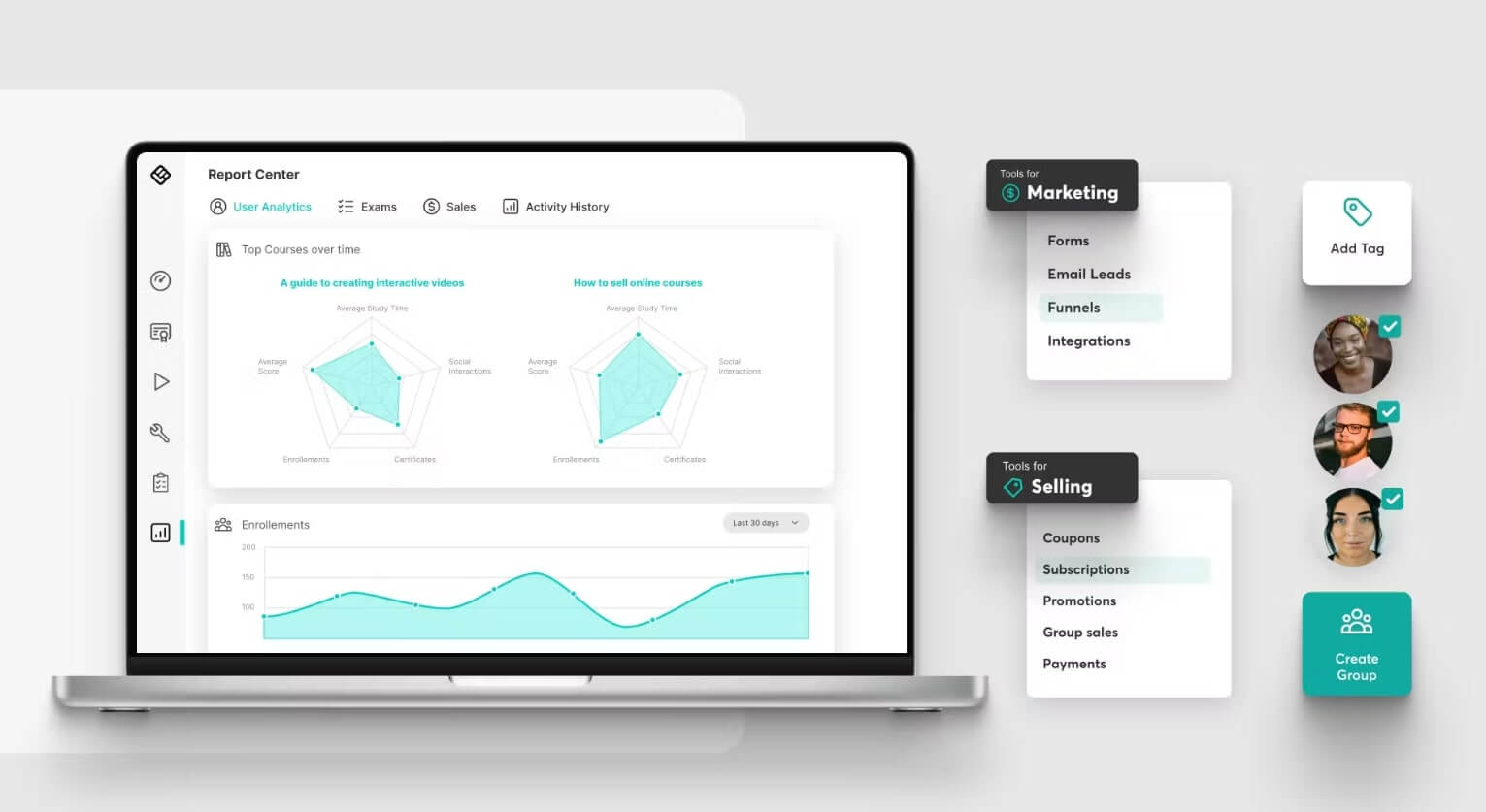
LearnWorlds is a high-end, all-in-one platform for creators who want to build a premium, feature-rich online academy. It goes beyond simple video lessons, offering things like interactive video, AI-powered course creation, robust analytics, and even the ability to build your own branded mobile app. Think of it as a tool for building a serious, professional online school, not just a single course.
Best for Entrepreneurs, professional trainers, and businesses who want a powerful, white-label solution to train employees or sell a wide range of engaging courses.
LearnWorlds Pricing LearnWorlds offers a 30-day free trial. Its paid plans include:
- Starter: $29/month (This plan has a $5 fee per course sale, so it’s best for testing)
- Pro Trainer: $99/month (No transaction fees)
- Learning Center: $299/month (No transaction fees)
- Learning Center + Mobile App: $598/month
All plans offer unlimited courses. (Information retrieved from LearnWorlds’s pricing page in August 2025.)
LearnWorlds Support LearnWorlds provides responsive 24/7 online support and includes an onboarding session for new customers. They also have their own “LearnWorlds Academy” with courses for creators, free guides, and a detailed support desk with tutorials.
Pros & Cons
| Pros | Cons |
| User-friendly interface | No free plan (only a free trial) |
| Advanced course-building features | Does not support TinCan and xAPI |
| Strong built-in marketing & sales tools | Limited gamification options |
| Can create a white-label mobile app | |
| Supports social media logins | |
| Supports SCORM and HTML5 files | |
| AI-powered course creation tools | |
| Widely praised customer support |
Platform #2: Thinkific
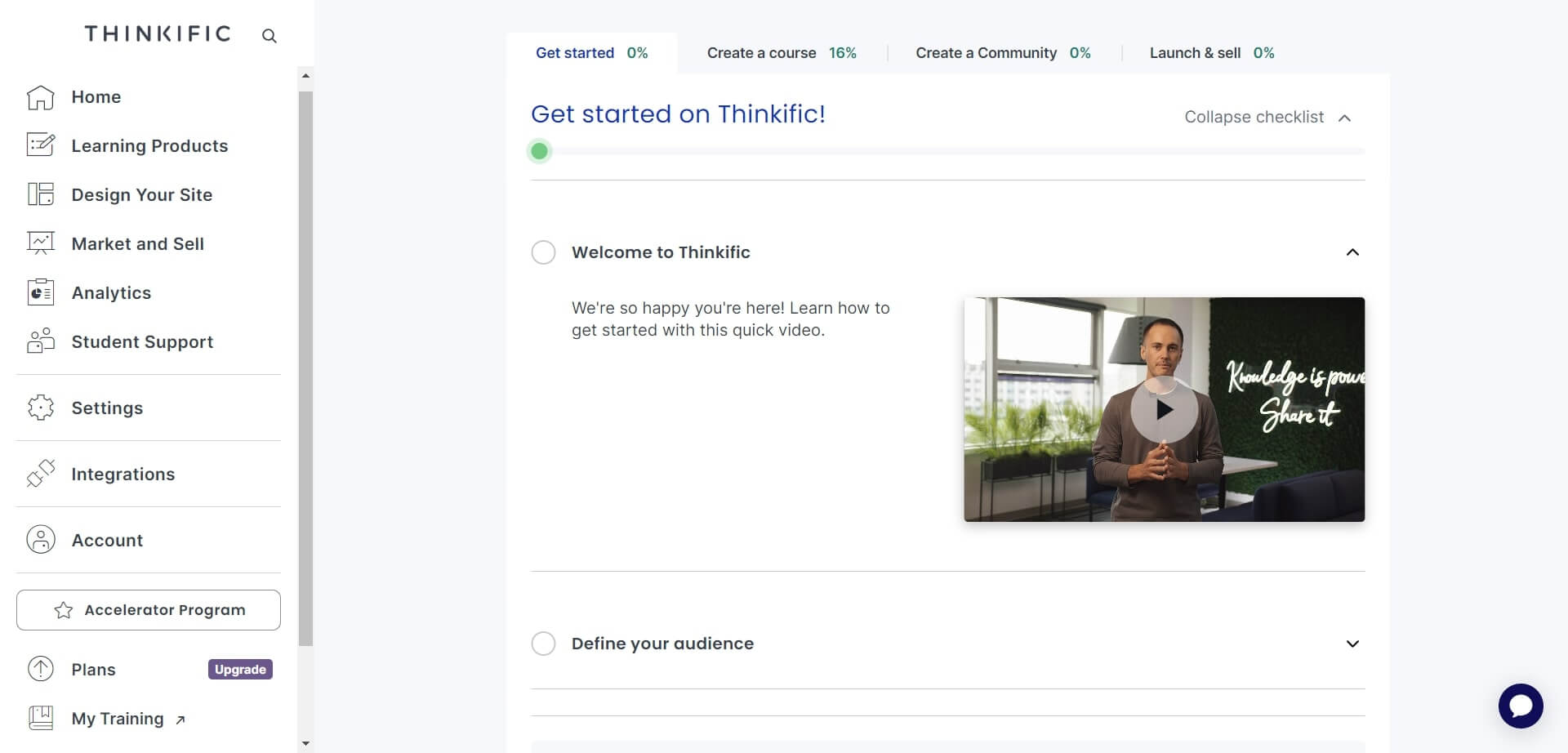
Thinkific is one of the most popular and long-standing standalone course platforms. It gives you all the tools you need to build, market, and sell your courses from your own branded website. It’s known for its user-friendly course builder, which lets you easily add videos, quizzes, and discussions. It also gives you the power to create your own custom landing pages and integrates with all the major payment gateways.
Best for
Solopreneurs, small-to-medium businesses (SMEs), and any online trainer who wants a reliable, all-in-one platform without needing a lot of technical skill.
Thinkific Pricing
Thinkific offers a 14-day free trial. Subscription plans include:
- Basic: €36/month
- Start: €74/month
- Grow: €149/month
- Plus: Custom pricing for enterprise needs
(Information retrieved from Thinkific’s pricing page in August 2025.)
Thinkific Support
Thinkific provides a large help center with articles and tutorials, a training site with courses, and a community forum. They also offer the option to hire a certified “Thinkific Expert” if you need hands-on help building your site.
Pros & Cons
| Pros | Cons |
| Includes a landing page builder | Limited control over some website design elements |
| Good built-in sales and marketing tools | Can be difficult to structure very complex courses |
| Integrates with hundreds of apps via Zapier | Does not support SCORM, TinCan, or AICC |
| 24/7 support available | Lacks built-in social/community features |
| Philosophy leans more toward sales than deep learning features |
Platform #3: Teachable
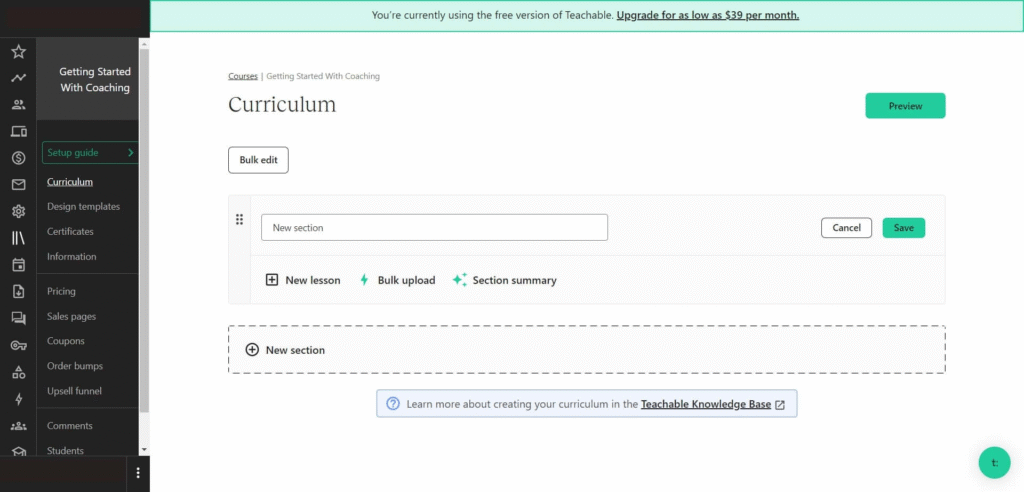
Teachable is famous for its simplicity. It’s one of the best platforms for first-time creators who want to get their course online and start selling fast without being overwhelmed by technical options. It provides a clean, drag-and-drop editor to build your lessons and customize your “school.” It handles all the basics well, including video lectures, quizzes, sales pages, coupons, and even an affiliate program for your students.
Best for
New course creators, solopreneurs, coaches, and creatives who prioritize ease of use and speed-to-market over deep customization.
Teachable Pricing
Teachable offers a 7-day free trial. Its paid plans include:
- Starter: $39/month (This plan has a 5% transaction fee on sales)
- Builder: $89/month (No transaction fee)
- Growth: $189/month (No transaction fee)
- Advanced: $399/month (No transaction fee)
(Pricing information retrieved from Teachable in August 2025.)
Teachable Support
Teachable has a standard knowledge base with how-to guides and tutorials to get you started, as well as a blog and podcasts for creator tips.
Pros & Cons
| Pros | Cons |
| Extremely simple and easy-to-use interface | Limited learning and assessment features |
| Has a landing page editor and basic blogging | Does not support advanced learning activities (like SCORM) |
| Good built-in e-commerce features | Limited customization for landing pages and branding |
| Includes a built-in email marketing tool | Customer support is often cited as not very responsive |
| Offers a generic mobile app for all schools |
Platform #4: Kajabi
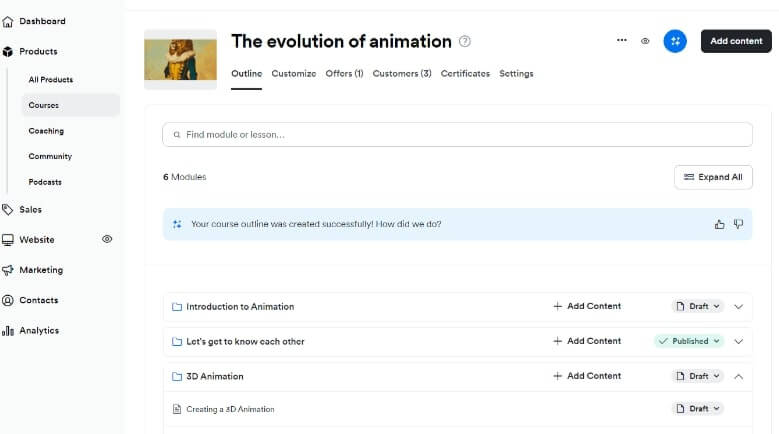
Kajabi is the “king” of all-in-one marketing platforms. It’s built for entrepreneurs who want to run their entire business from one dashboard. It doesn’t just host courses; it provides best-in-class tools for email marketing, sales funnels (called “Pipelines”), landing pages, a full website builder, and webinar hosting. The course creation part is just one piece of a much larger marketing machine.
Best for
Digital entrepreneurs, marketers, and creators who are serious about sales funnels and want a single, powerful (and expensive) tool to manage everything—courses, email, website, and checkout.
Kajabi Pricing
Kajabi offers a 14-day trial. Its paid plans include:
- Kickstarter plan: $89/month
- Basic plan: $149/month
- Growth plan: $199/month
- Pro plan: $399/month
- Enterprise: Contact sales
(Pricing information retrieved from Kajabi in August 2025.)
Kajabi Support
Kajabi offers online support during business hours. They have a detailed Help Center with guides, videos, and a “Kajabi glossary” to answer most questions.
Pros & Cons
| Pros | Cons |
| Offers a 14-day free trial | Can be complicated to set up |
| Powerful built-in email marketing automation | One of the most expensive options on the market |
| Excellent sales pipeline/funnel building tools | Limited control over some website design aspects |
| Allows you to create a full course website | Lacks deep learning features; focuses more on sales |
| Includes upsells, blogging, and custom checkouts |
Platform #5: Klasio
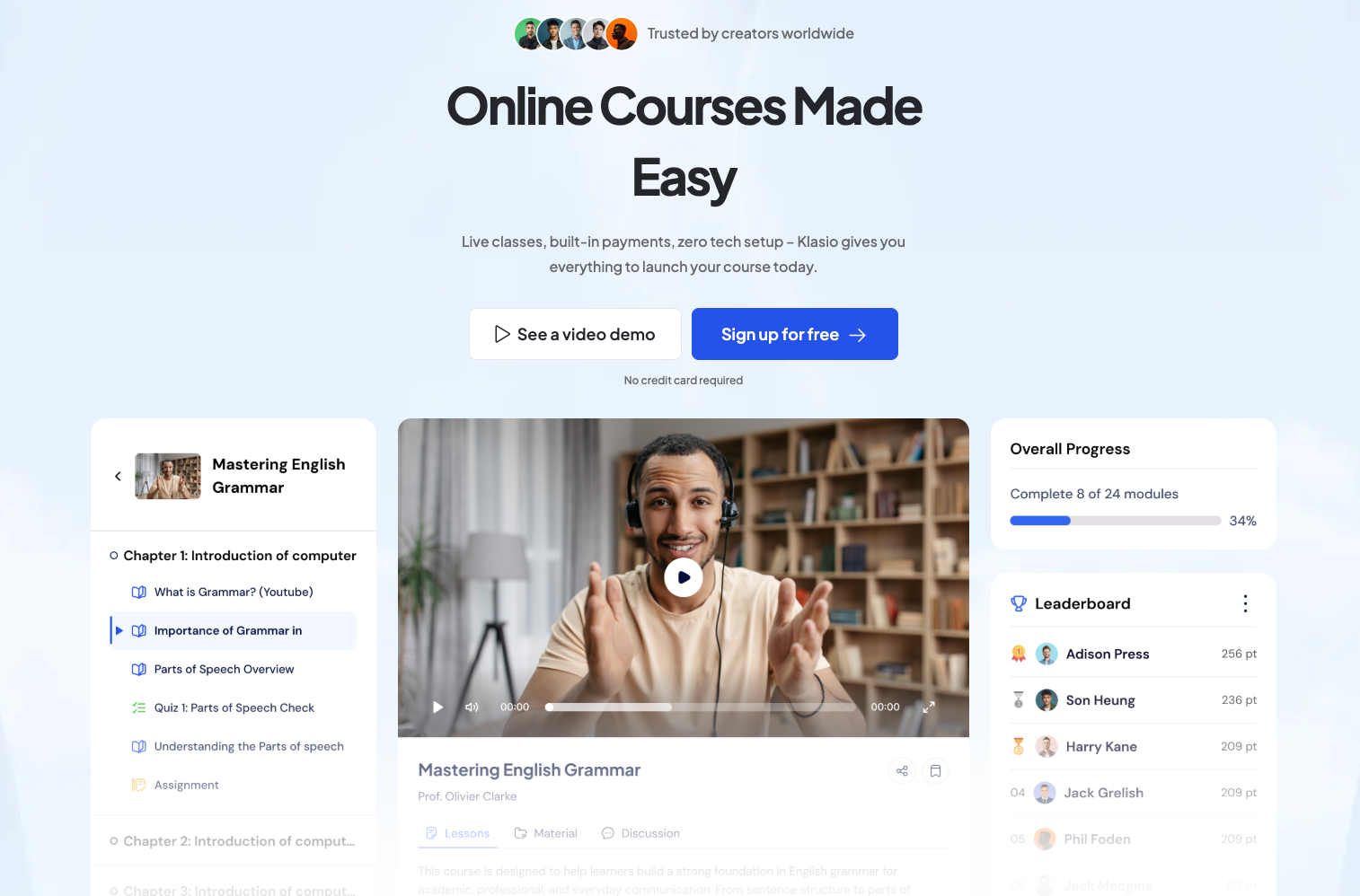
Klasio is an all-in-one Learning Management System (LMS) designed for coaches, educators, and creators to build and sell online courses. Unlike marketplaces like Udemy, Klasio allows you to build your own branded online academy with full control over pricing and student data. It focuses on simplicity and AI-powered course creation.
Best for
Educators, coaches, and small to mid-sized teaching businesses who want to build a professional, branded online school quickly without technical knowledge, and retain control over their student data and revenue.
Klasio Pricing
Klasio offers flexible plans, including both monthly subscriptions with 0% commission and Lifetime Deals (LTDs) with a low commission.
| Plan Type | Example Monthly Pricing | Commission | Key Features (Varies by tier) |
| Monthly Subscription | Free to $149/month | 0% Commission | Full course platform, student mobile app, custom domain (on paid plans), unlimited students (on most paid plans). |
| Lifetime Deal (LTD) | One-time payment | Low percentage (e.g., 3% to 1% depending on the plan) | Pay once, access core features and updates forever, includes commission on sales. |
Note: The monthly plans are commission-free, making them attractive for high-volume sellers who prefer a predictable subscription cost. The LTD plans offer a high long-term value for a one-time fee.
Klasio Support
Klasio provides a Help Center, tutorial videos, and a thorough knowledge base. Many reports also note they offer 24/7 customer support for a smooth experience.
Pros & Cons
| Pros | Cons |
| 0% commission on monthly subscription plans | Limited customization options on the free and lower-tier plans |
| You control all pricing and discounts | Platform is currently only in English (though course content can be in any language) |
| You build your own brand/academy and own your student data | May have fewer advanced features compared to highly complex, high-cost enterprise LMSs |
| AI-Powered Course Builder for fast outlining and content creation | |
| Mobile App for students to learn on the go | |
| No technical knowledge or coding required |
You might find this video helpful for a visual overview of the platform: Klasio Review – 2025 | This AI Course Builder Launches Courses Fast. This video provides a detailed review of Klasio, focusing on its AI-powered features and ease of use for course creators.
Platform #6: LearnDash
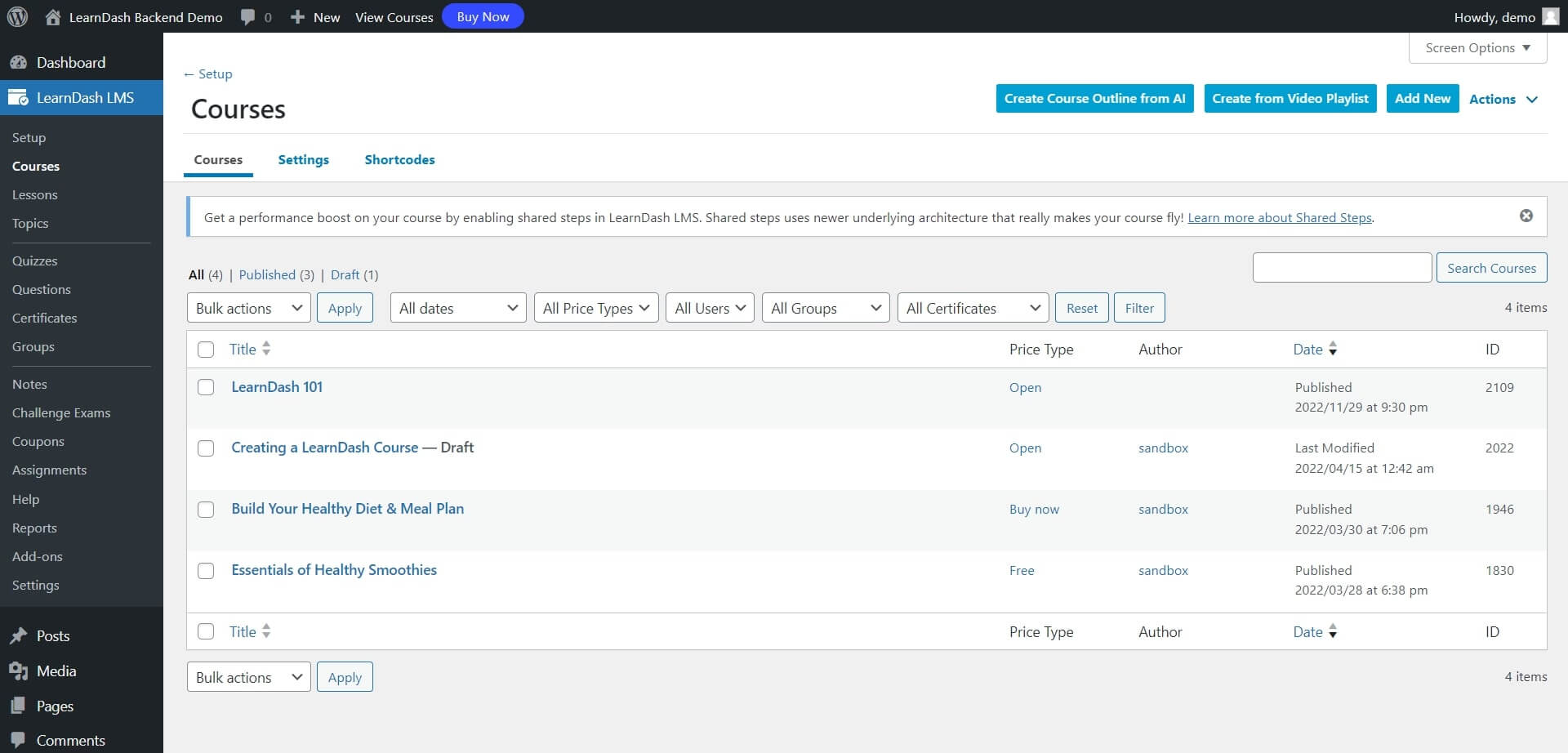
LearnDash is not a standalone platform; it’s the most popular and powerful WordPress plugin for creating courses. This means you must have your own WordPress website to use it. In exchange for that technical setup, you get unlimited control and customization. It features a great drag-and-drop course builder, advanced quizzing, drip-feed content, and robust gamification with badges and certificates.
Best for
Companies, educational institutions, and WordPress-savvy creators who want to build a completely custom, scalable learning platform on their own website.
LearnDash Pricing
You can get LearnDash in two ways:
- LearnDash Plugin (for your existing site):
- 1 site: $199/year
- 10 sites: $399/year
- Unlimited: $799/year
- LearnDash Cloud (a fully hosted site):
- Monthly: Starts at $39/month
- Yearly: Starts at $29/year
(Pricing information retrieved from LearnDash in August 2025.)
LearnDash Support
LearnDash offers support during business hours. Outside of those hours, you can use their extensive knowledge base for guides and articles.
Pros & Cons
| Pros | Cons |
| Has a free trial | Can get expensive as you add more third-party add-ons |
| Automated email notifications | Not SCORM-compliant out of the box |
| Great gamification (certificates & badges) | No built-in video conferencing tools |
| Integrates with any WordPress payment tool | Requires you to manage your own WordPress site |
| Connects to all your favorite marketing plugins |
Platform #7: LifterLMS
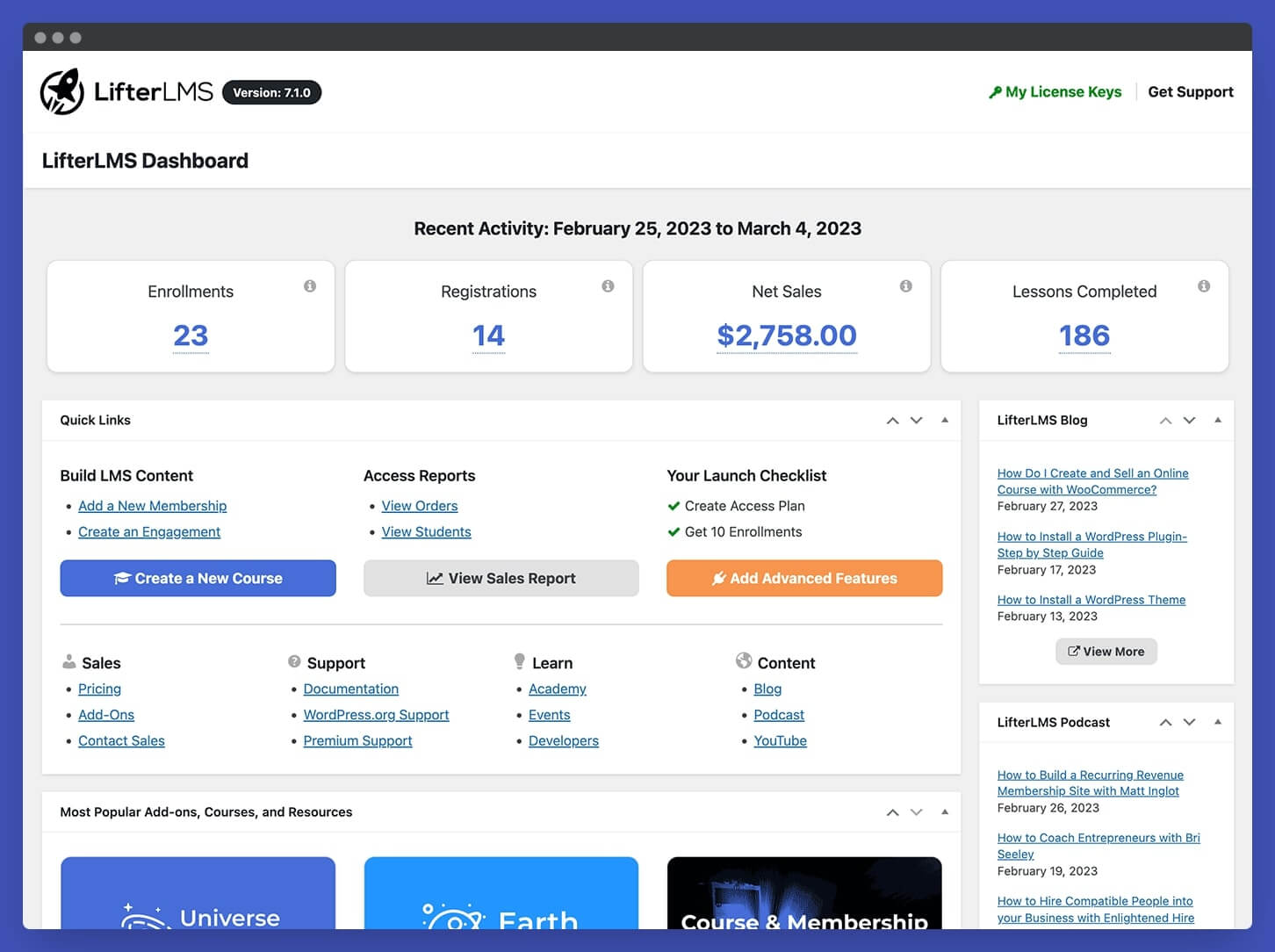
LifterLMS is another powerful WordPress plugin and a main competitor to LearnDash. It’s built on a “freemium” model. The core plugin is free and allows you to build basic courses. You then buy premium add-ons for things like advanced quizzes, payment gateways (PayPal, Stripe), and email marketing integrations. This “à la carte” model lets you build a custom system with only the features you need.
Best for
Small-to-medium businesses, training organizations, and DIY creators who want to start for free on WordPress and add paid features as they grow.
LifterLMS Pricing
LifterLMS has a free core plugin and paid “Bundles” for add-ons:
- Core Plugin: $0
- Earth Bundle: $149.50/year
- Universe Bundle: $249.50/year
- Infinity Bundle: $749.50/year
(Pricing information retrieved from LifterLMS in February 2025.)
LifterLMS Support
If you are a paying customer, you can submit a support ticket. Free users must rely on the community forums for help.
Pros & Cons
| Pros | Cons |
| Core plugin is free to start | The cost of individual add-ons can add up quickly |
| Automated email notifications | Not SCORM-compliant |
| Offers course certificates and badges | No native video conferencing tools |
| Integrates with PayPal, Stripe, and WooCommerce | Can be complex for non-technical users |
| Connects with marketing tools like MailChimp |
Platform #8: Udemy
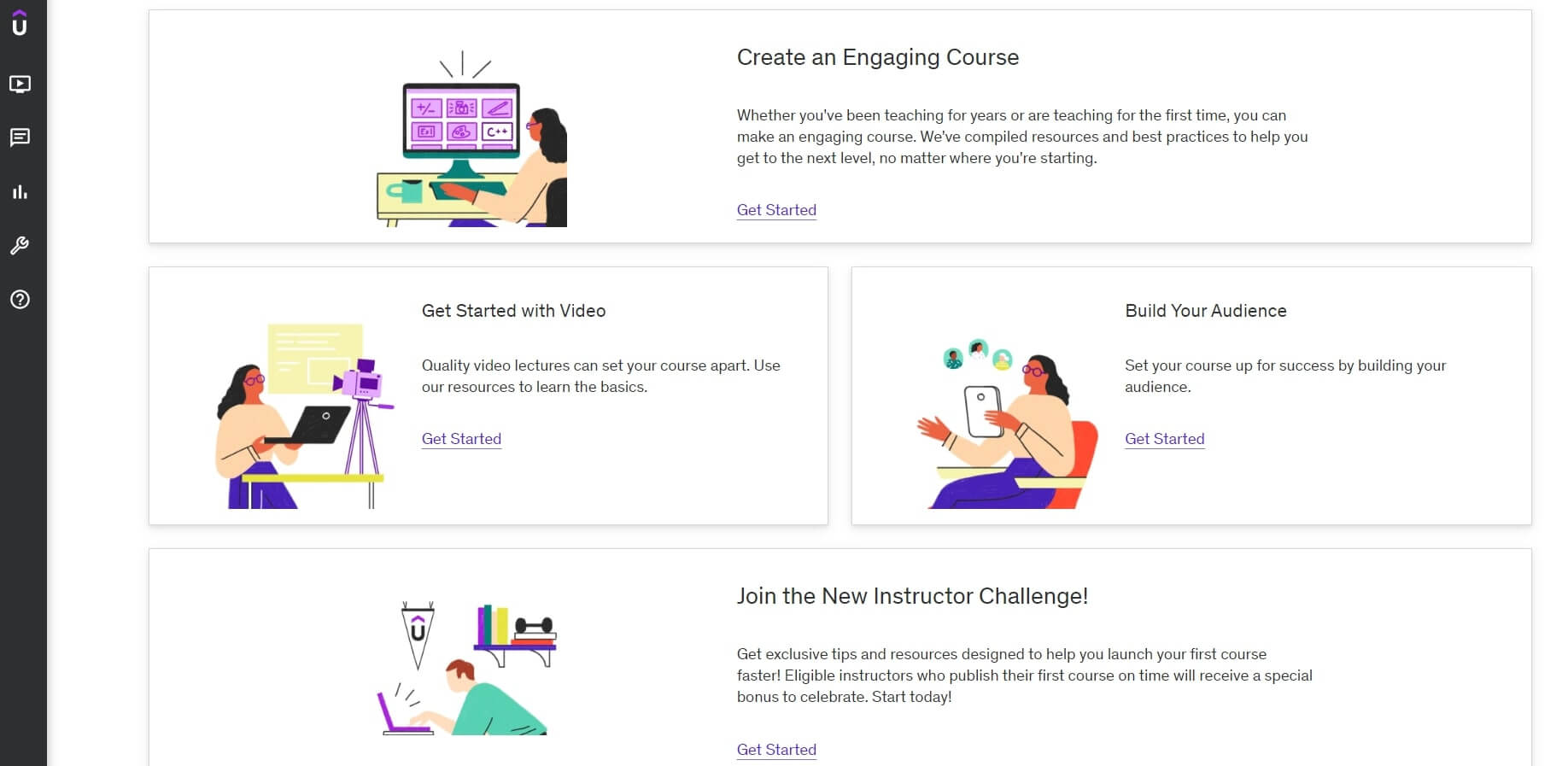
Udemy is not a platform you use to build your own school; it’s a massive online course marketplace. You create your course and upload it to their site, and they sell it to their audience of millions of students. The trade-off is simple: you get access to a huge audience, but you give up control over pricing, branding, and your student data.
Best for
New instructors who have no existing audience or email list and want to test their course ideas and (potentially) earn some passive income.
Udemy Pricing
It’s free to become a premium instructor. Udemy’s pricing is based on a commission model:
- You keep 97% of the revenue when a student buys your course using your personal coupon or referral link.
- You keep 37% when a student finds your course through Udemy’s paid advertising or affiliate network.
- You keep 50% on sales from organic search on the Udemy site.
- Note: Udemy controls all pricing and runs site-wide sales that can discount your course to very low prices.
(Pricing information retrieved from Udemy Support in August 2025.)
Udemy Support
Udemy has a Help Center for both instructors and students, with separate support for their “Udemy Business” clients.
Pros & Cons
| Pros | Cons |
| User-friendly and simple to upload content | Extremely high competition from other creators |
| No setup cost | You have no control over pricing or discounts |
| Access to a huge, global marketplace of students | You cannot build your own brand |
| No technical knowledge required | You do not own your student data or email list |
| Has a popular mobile app for students | Very limited interaction with your students |
Platform #9: Coursera
Coursera is an elite marketplace, similar to Udemy but for a different audience. It partners directly with top-tier universities and industry-leading companies (like Google, Meta, and IBM) to offer professional certificates and even online degrees. You cannot simply sign up and sell a course. You must be a professor at a partner university or an expert affiliated with a partner company.
Best for
Professors at partner universities and industry experts at major corporations who are selected to create content for the platform. This is not for solo creators.
Coursera Pricing
It is free for instructors who are selected to teach. Instructors are typically paid via royalties, grants, or other contracts.
For businesses, Coursera offers subscription plans:
- Team: $319/user, per year
- Enterprise: Custom pricing for large organizations
(Pricing information retrieved from Coursera in August 2025.)
Coursera Support
Coursera offers a range of help articles. Contact is primarily through email or a contact form, with different channels depending on whether you are a university partner, a business, or a student.
Pros & Cons
| Pros | Cons |
| Offers a wide variety of advanced learning tools | Limited only to educators at partner institutions |
| Students can earn highly respected certificates and degrees | Course creation options are less flexible |
| Instructors get access to high-quality tools and support | Not an option for independent course creators |
Platform #10: LinkedIn Learning
LinkedIn Learning (formerly Lynda.com) is a professional development platform integrated directly into LinkedIn. Like Coursera, this is a closed marketplace. You cannot sign up to sell your courses. Instead, LinkedIn Learning scouts and selects industry experts to produce high-quality courses for their subscription library. Instructors are paid for their work, but they do not run a “business” on the platform.
Best for
Recognized industry experts who are invited by LinkedIn to create premium content and want to leverage a massive professional audience.
LinkedIn Learning Pricing
There is no fee for instructors. LinkedIn Learning uses a revenue-sharing model and also pays instructors for their content, often as an upfront payment plus royalties based on engagement.
LinkedIn Learning Support
LinkedIn Learning has a comprehensive help center with FAQs and guides. Support is also available through LinkedIn’s main customer service channels.
Pros & Cons
| Pros | Cons |
| Access to a huge, built-in professional audience | Highly selective “invite-only” process |
| No production or hosting costs for the instructor | No control over course pricing or access |
| Potential for long-term revenue via royalties | No direct relationship or data on your learners |
| Strong brand association and quality standards | Strict content guidelines limit creative freedom |
| Instructors are paid for their work |
Platform #11: Kartra
Kartra is a direct competitor to Kajabi. It’s an all-in-one marketing platform that includes a membership portal for hosting courses. Its primary strength is not in education but in sales and automation. It’s designed for digital marketers who want to build complex sales funnels, manage email/SMS automation, track leads, and host their membership content all in one place.
Best for
Solopreneurs, digital marketers, and businesses that prioritize powerful marketing funnels and automation over deep, traditional e-learning features.
Kartra Pricing
Kartra does not have a free plan. Pricing is tiered by contacts and features:
- Essentials: $59/month (500 contacts, 5% transaction fees)
- Starter: $119/month (2,500 contacts, 0% transaction fees)
- Growth: $229/month (12,500 contacts, 0% transaction fees)
(Pricing information retrieved from Kartra in August 2025.)
Kartra Support
Kartra offers standard support through its Helpdesk, including live chat (on higher plans), ticket support, and a knowledge base.
Pros & Cons
| Pros | Cons |
| Excellent marketing automation and funnel-building tools | Not specifically built for e-learning |
| Built-in checkout, email, SMS, and lead tracking | Can have a steep learning curve for non-marketers |
| Highly customizable membership portals | No free trial or free plan |
| Limited native course creation and assessment tools |
Essential Tools for Online Course Content Creation
Creating professional online courses requires more than just your expertise; it demands high-quality production tools. The quality of your video and audio directly reflects on your brand’s professionalism.
1. Video & Screen Recording Tools
The vast majority of online courses are delivered via video. You need reliable software to record yourself and/or your computer screen.
| Tool | Purpose | Best For |
| OBS Studio | Free, open-source screen recording and live streaming. | Recording your screen, mixing video/audio sources, and live webinars. |
| Camtasia | All-in-one screen recorder and video editor. | High-quality screencasts, trimming, adding captions, and simple visual effects. |
| Zoom/Loom | Quick video messages and short screen recordings. | Rapid content creation, video announcements, and short tutorials. |
2. Audio Production Tools
Audio quality is more important than video quality. Students will tolerate a slightly fuzzy video but will immediately tune out due to poor audio.
| Tool | Purpose | Best For |
| Audacity | Free, open-source audio recording and editing software. | Removing background noise, reducing hiss, and mastering voice-overs. |
| GarageBand (Mac) | Free, built-in recording and editing tool. | Mac users who need to record and process crisp voice-over audio quickly. |
| Microphone (Hardware) | Capturing high-quality sound. | Crucial investment. A USB-condenser mic (like Blue Yeti or Rode NT-USB) is essential for professional sound. |
3. Video Editing & Post-Production
Once you’ve recorded your raw footage, you need to polish it, add graphics, and cut out mistakes.
| Tool | Purpose | Best For |
| iMovie (Mac) | Simple, free video editor. | Quick cuts, basic transitions, and adding simple titles (for Mac users). |
| DaVinci Resolve | Professional-grade editing, color correction, and audio post-production (free version available). | Creators who want a powerful, free editor with advanced capabilities. |
| Adobe Premiere Pro | Industry-standard video editing software. | Complex projects, high-end courses, and integration with other Adobe products. |
4. Visual Content & Presentation Tools
You need tools to create engaging slides, workbooks, and marketing graphics.
| Tool | Purpose | Best For |
| Canva | Drag-and-drop design tool for graphics, workbooks, and slides. | Creating professional-looking course slides, course thumbnails, social media graphics, and PDFs/workbooks quickly. |
| PowerPoint / Keynote | Standard presentation software. | Building the core visual slides and screen-sharing material for your video lessons. |
5. Hosting Your Non-Course Assets
While your main course platform (like Klasio or Teachable) hosts your course videos, you will need a place to host other assets like workbooks, high-resolution images, and bonus downloads.
| Tool | Purpose | Best For |
| Google Drive / Dropbox | Simple, reliable cloud storage and file sharing. | Hosting downloadable files for students (like PDFs, templates, and checklists). |
The Content Creation Workflow
The right tools fit into a specific workflow. A typical online course production process looks like this:
- Script/Outline: Write down your lesson content.
- Visuals: Create slides/graphics in Canva or PowerPoint.
- Recording: Record your video/screen using OBS Studio or Camtasia, ensuring crystal-clear audio with a good microphone.
- Editing: Edit your video in iMovie or DaVinci Resolve, cutting mistakes and adding titles.
- Uploading: Upload the finalized videos to your chosen LMS platform (e.g., Klasio, LearnWorlds).
The platforms we discussed (Klasio, Teachable, Thinkific, etc.) provide the final framework, payment processing, and student management, but the tools above are what you’ll use daily to create the actual product.
Things People Ask Us
Q: What are the 7 types of learning?
A: Visual, Aural, Verbal/Linguistic, Physical/Kinesthetic, Logical/Mathematical, Social/Interpersonal, Solitary/Intrapersonal.
Q: Can I create a course on Canva?
A: Yes, you can design all the course materials (slides, PDFs, workbooks) on Canva, but you need an LMS platform (like Teachable or Thinkific) to host and sell it.
Q:What are the 7 C’s of creativity?
A: Common models include Consciousness, Competence, Creativity, Collaboration, Communication, Curation, and Context.
Q: Is Google LMS free?
A: Google Classroom is free for personal use and for educational institutions.
Q: How to create an eLearning course?
A: Plan the outline, choose an LMS platform (Klasio, Kajabi etc) , create your content (video/text), market, and launch.
Q: Which online course is most popular?
A: Courses in high-demand fields like Software Development, Data Science, and Digital Marketing are generally the most popular.
Moving Forward: Your Next Steps to Launch
Choose Klasio to launch a professional, branded online academy fast. Leverage the AI-Powered Course Builder to generate outlines and content instantly. Their Monthly Plans feature 0% commission, ensuring you keep all your revenue, and your students benefit from a dedicated Mobile App for learning on the go. It’s the powerful, user-friendly LMS built for educators who prioritize branding and profit.




Leave a Reply