
June was a big month for your business on Klasio. We introduced new ways to grow your revenue, reduce repetitive work, understand your performance, and create a better learning experience for your students.
The biggest launch is Coaching. You can now sell coaching sessions directly from your site alongside your courses. We also introduced ‘Duplicate Course’ option, making it much faster to launch new programs from existing content.
We rebuilt Analytics under Reports, giving you clearer insight into sales, coupons, and payment activity. Alongside these headline releases, we shipped improvements across learning, quizzes, assignments, and admin tools to make everyday work smoother.
Here’s everything we shipped in June.
Sell Coaching From Your Site
Coaching is now a product you can sell on Klasio. Set it up once and offer coaching sessions directly from your site beside your courses.
Each coaching program can include multiple session types. Give every session its own duration, price, and booking link. Offer a free discovery call and a paid deep-dive under the same program, or create sessions that match your coaching style.
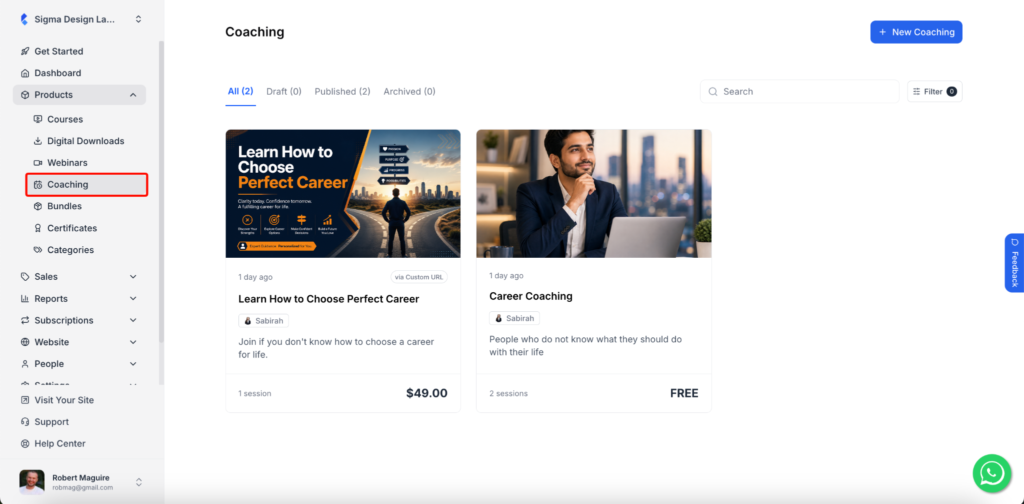
Bookings run through the calendar tool you already use. Klasio connects with Calendly, Cal.com, and Google Calendar, so your availability stays in sync. Your clients choose a time, book a session, and complete payment in one flow.
You decide how people access each coaching program. Publish it publicly for direct booking and payment, or keep it private and invite clients manually. Klasio automatically sends each student their booking link, so there’s no extra follow-up.
If you already teach on Klasio, you can now sell coaching without adding another platform to your workflow.
Copy a Course in Clicks
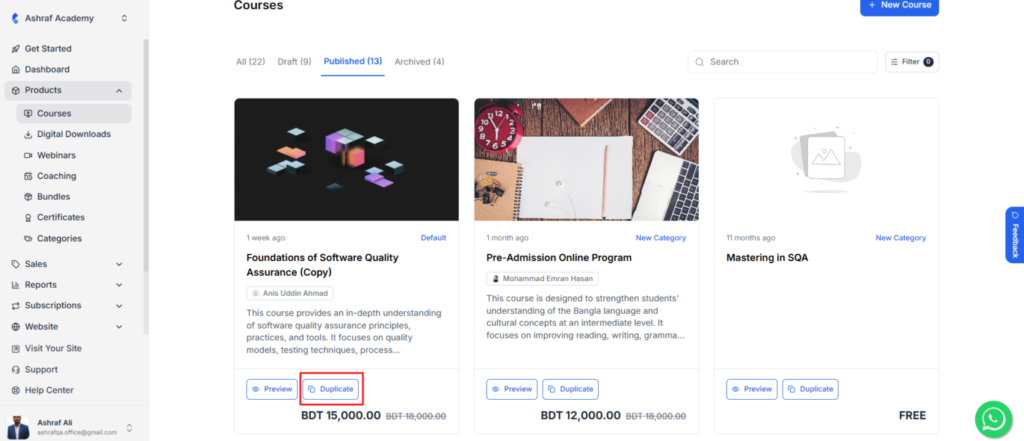
Reusing an existing course often meant rebuilding it by hand. Duplicate Course removes that repeat work. One click creates a copy of any recorded course, ready for you to edit into your next program.
The duplicated course keeps your lessons, sections, and structure in place. You keep what works, update only what needs to change, and start building from a proven foundation instead of a blank page.
See Your Numbers Clearly
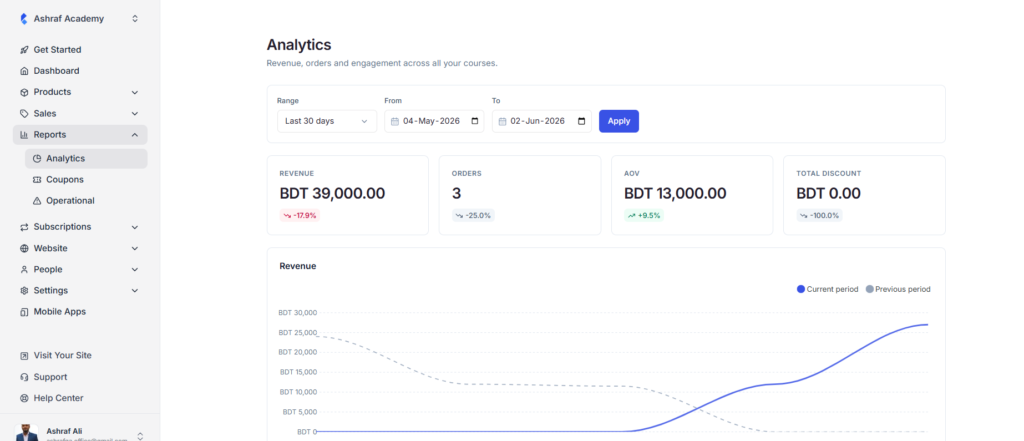
Analytics now lives under Reports, in one place built to help you understand your business performance. You can see revenue, orders, and engagement across your courses together instead of searching through separate screens.
Set a date range to review any period that matters to you. You can also compare one period with another, making it easy to see what changed and where to focus next.
Two new reports give you even more insight. The Coupons report shows redemptions, discounts given, revenue influenced, and unique students for each coupon. You can quickly see which promotions are driving results.
The Operational report tracks failed and pending payments. You can spot payment issues early, follow up quickly, and recover revenue that might otherwise be missed.
Support Students With Confidence
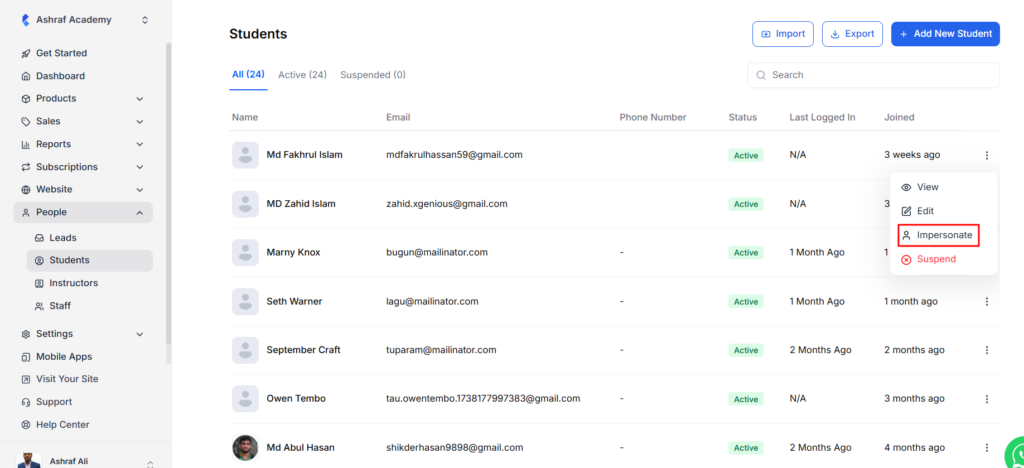
When a student reports a problem, guesswork slows you down. Student Impersonate fixes that. You view the platform from that student’s account and see exactly what they see. You can confirm their access, progress, or issue in seconds.
Assignments now accept audio submissions. Your students can record and upload spoken answers, not just text and files. That works naturally for language learning, coaching, music, and any course where speaking is part of the learning experience.
Testimonials now tie to specific courses. When a visitor views a course, the Testimonials Block shows reviews from that course. The proof matches the page, so the right social proof appears at the right moment.
More Flexibility Across Learning
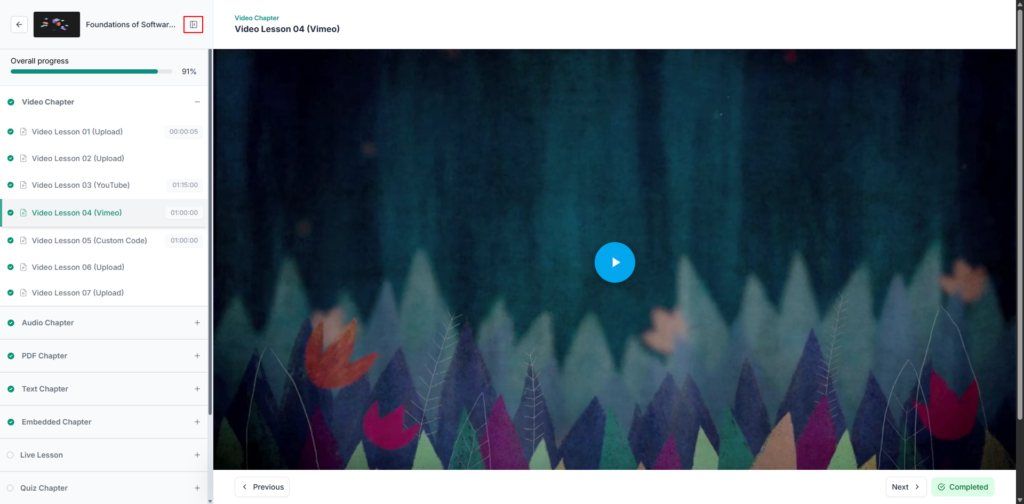
Small improvements across the platform make teaching easier and learning smoother. The lesson browser sidebar now collapses, giving your students a wider, cleaner reading space when they want to focus.
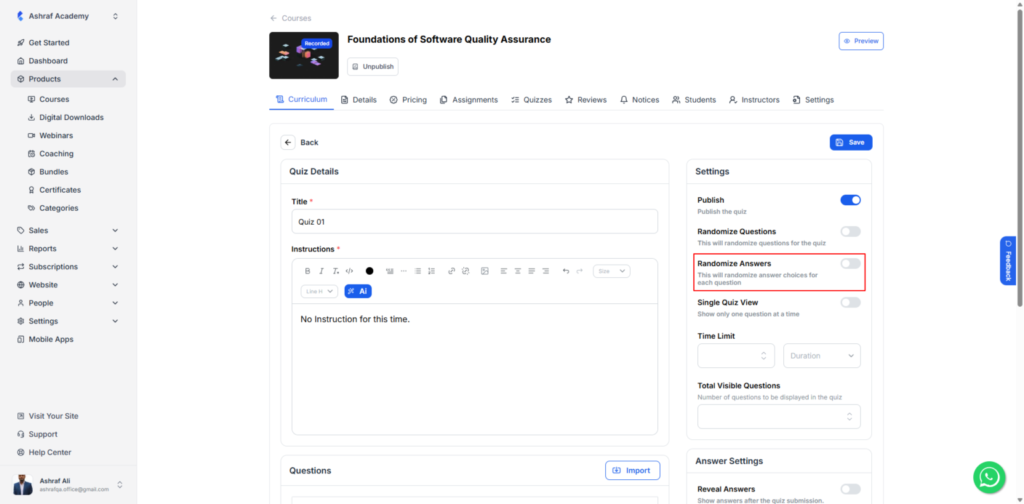
Quizzes gained two new controls. You can shuffle both the question order and the answer choices, making answer sharing much less effective while keeping every attempt more balanced.
Lessons and course descriptions now support native math equations. If you teach anything with formulas, they display properly instead of as plain text.
You can also export your leads in a few clicks, making it easy to bring them into your CRM, email platform, or reporting workflow.
Assignment time limits are now optional. Set a limit when an assessment needs one, or leave it open when your students need more time to complete their work.
More Control Across Quizzes and Cohorts
You can now archive quizzes and individual questions instead of deleting them. When a quiz or question is not in use, move it to the archive to keep your workspace clean. Restore it the moment you need it again.
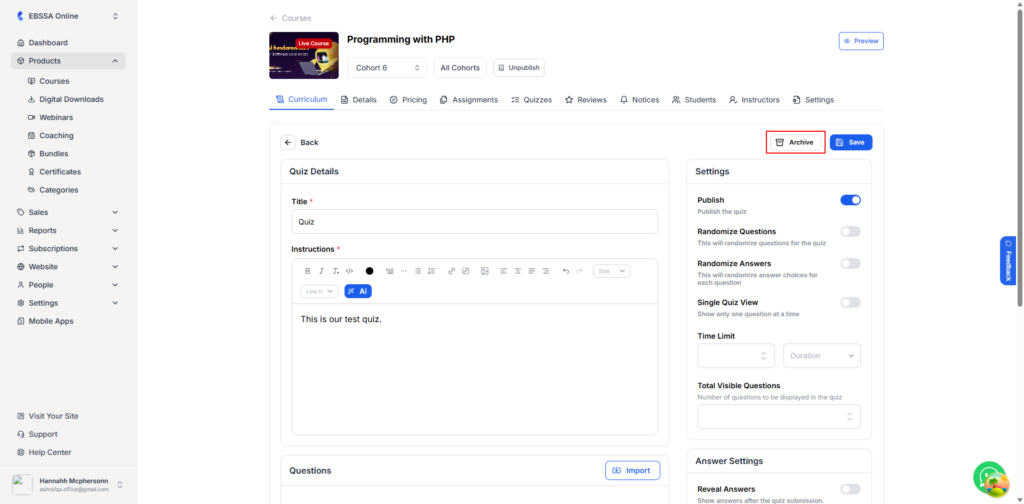
This gives you a safer way to manage your quiz library. You retire old assessments without losing the work, reuse questions across terms, and keep your active view focused on what matters now.
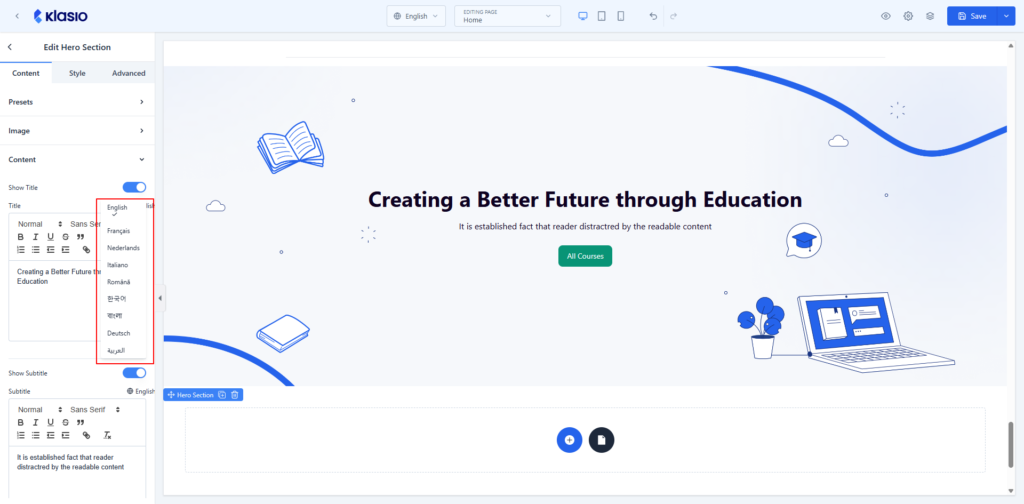
Your builder blocks now ship default text in multiple languages. When you add a block, its placeholder and default copy appear in your chosen language right away. For non-English audiences, the builder feels native from the first click.
You also control whether students see course content before their cohort starts. Keep it locked until day one to build anticipation, or open it early for pre-work and onboarding. For live cohorts, that timing control shapes the journey you planned.
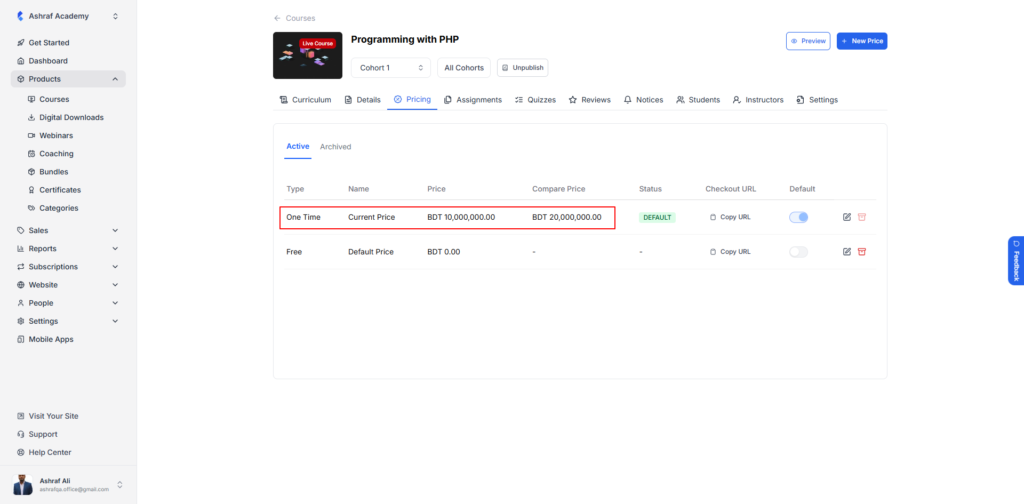
The product price column now holds larger values too. Premium courses, bundles, and high-ticket offers fit without hitting a limit, so your pricing has room to grow.
We Listen to You
From the start, we built Klasio to help experts, teachers, and creators, so technical hurdles never stop you.
If these updates make your work easier, a review on G2 would mean a lot to us. Your honest feedback keeps us building and helps us make Klasio better for you.




Leave a Reply