
Let’s be honest: when you think of a premium online course, you probably picture a slick, high-production video, right?
For years, the prevailing wisdom has been that “video is king.” We’ve been told it’s the only way to keep students engaged and justify a higher price point. But is that actually true?
While video is an incredibly powerful tool, it’s not the only tool. Some of the most successful and transformative courses rely heavily on well-written text, and for good reason. Text offers a level of depth, control, and ease of use that video often can’t match.
The real secret of expert course creators isn’t choosing video or text. It’s knowing when and why to use each one.
In this guide, we’re going to compare video vs text-based courses and give you a practical framework for deciding the right format for your content.
Video vs Text-based Courses: Quick Overview
| Criteria | Video-based courses | Text-based courses |
| Learner engagement | Keep learners engaged through visuals and audio | Depend on reading and self-guided focus |
| Control over pacing | Progress follows the video timeline, with pause and replay options | Learners control speed, order, and repetition |
| Content presentation | Best for showing workflows, processes, and demonstrations | Best for explanations, references, and detailed breakdowns |
| Depth of content | Usually covers concepts at a high or practical level | Allows deeper exploration and precise explanations |
| Ease of updating | Changes require re-recording or editing videos | Changes can be made quickly with simple edits |
| Creation effort | Involves recording, editing, and post-production | Involves writing, editing, and formatting |
| Production cost | Higher due to tools, equipment, and time | Lower and easier to manage |
| Accessibility support | Requires captions or transcripts for accessibility | Works well with screen readers and translation tools |
| Technical requirements | Needs a stable internet and higher bandwidth | Works well even with limited connectivity |
| Use as a reference | Less convenient for quick lookups | Easy to scan, search, and revisit |
Video Courses Support Learner Engagement Compared to Text-Based Courses
Think about the last time you tried to assemble a piece of furniture using only a manual. You probably found yourself re-reading steps, getting confused by diagrams, and maybe even feeling a little frustrated.
Now, imagine if you had a video walking you through the entire process. The experience would be completely different, right?
That’s the power of video, and it translates directly to online courses.
Video is a powerful medium for several reasons. Firstly, it allows you to convey emotion and personality in a way that text simply can’t. Your learners get to see your face, hear the passion in your voice, and feel like they are in the room with you.
This builds a sense of connection and trust, making the learning experience feel more personal and less like a solo journey through a textbook.
Secondly, video makes it easier to demonstrate complex concepts. If you’re teaching a skill like photo editing, coding, or even cake decorating, showing the process is far more effective than describing it.
Finally, video naturally breaks up the monotony of learning. A long page of text can feel intimidating and quickly lead to fatigue. A video, on the other hand, provides a dynamic and multi-sensory experience.
The combination of visuals, audio, and your on-screen presence helps to hold your learners’ attention for longer periods, making the entire process more enjoyable and, ultimately, more engaging.
Winner: Video

Text-Based Courses Allow More Control Over Pacing Than Video Courses
Imagine you’re watching a video tutorial. If you miss a key point, you have to pause, scrub back through the timeline, and try to find the exact moment you need.
If the instructor is speaking too quickly, you might feel rushed. If they’re speaking too slowly, you might get bored and tune out.
Now, think about learning from a well-structured article or a lesson written in text.
With text, your learners are in the driver’s seat. They have complete control over the speed at which they consume the information. Someone who is already familiar with a concept can skim through it quickly, picking out the key takeaways without having to sit through a five-minute video.
On the other hand, a learner who is new to a topic can take their time, reading and re-reading sentences until the idea fully clicks. There’s no need to constantly pause or rewind.
This level of control is particularly valuable for complex theoretical subject matter.
Also, text makes it incredibly easy for your students to find specific information when they need to review it. Instead of scrubbing through multiple videos to find that one tip you mentioned, they can use a simple search for a keyword and jump directly to the relevant section.
Winner: Text
Video Courses Excel at Demonstration, Text-Based Courses Excel at Detail
Both video and text are powerful teaching tools, but they serve different purposes.
Video lessons are for showing. It’s the natural choice when you need to demonstrate a process, a technique, or a physical action. The strength of video lies in its ability to convey dynamic information that would be clumsy to describe with words alone.
Imagine you’re teaching someone how to knit a specific stitch. Writing out the instructions—”loop the yarn over the needle, then pull it through the existing loop…”—can quickly become confusing.
A short, clear video showing your hands performing the action is infinitely more effective. The learner can see the motion, the tension in the yarn, and the end result in a way that text could never capture.
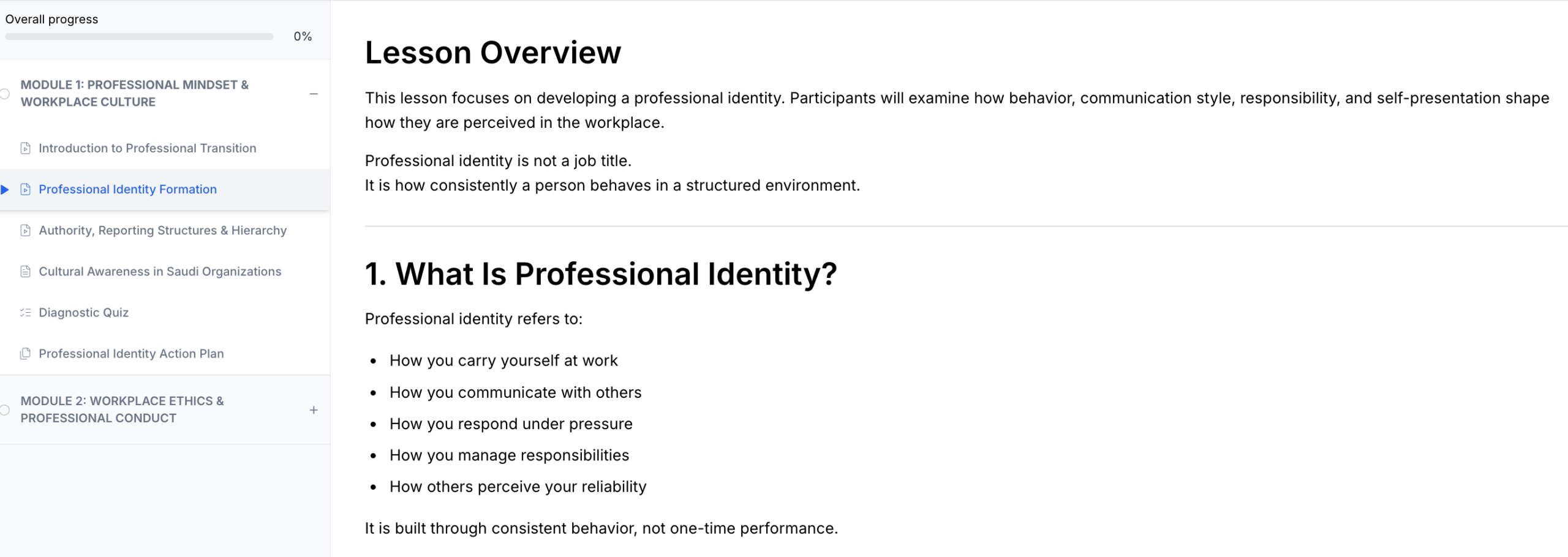
On the other hand, text is for explaining. When your goal is to explore a topic in great depth, provide detailed explanations, or lay out complex theories, text is your most powerful tool.
Let’s say you’re teaching a course on digital marketing. While you might use a video to show how to set up an ad campaign, you would use text to explain the intricate details of ad bidding strategies.
You could include tables with different bidding models, bulleted lists of pros and cons, and links to external case studies. Trying to fit this level of dense, static information into a video would result in a boring, slide-after-slide presentation that would have been better as an article.
Winner: Tie

Text-Based Courses Are Easier to Update Than Video Courses
Think about what happens when a small but important detail in your course becomes outdated. Maybe a software interface you teach has changed one of its menu items, a statistic you cited is no longer current, or you’ve discovered a better way to explain a concept.
If your lesson is text-based, making the update is simple. You just open the document, find the sentence or paragraph, and make your changes. You can fix a typo, add a new link, or rewrite a section in a matter of minutes. The process is quick, easy, and costs you nothing but a few moments of your time.
Now, consider if that same information is in a video. The process is far more complex.
To fix that one outdated number, you can’t just edit the video file. You have to:
- Find your original project files.
- Set up your recording equipment again.
- Record yourself saying the new line.
- Open your video editing software and splice in the new audio and video.
- Render and export the entire new video file, which can take time.
- Finally, upload the new video to your course platform.
What was a one-minute fix for a text-based course has become a multi-step, time-consuming project.
In many cases, the effort is so high that creators simply don’t bother, leaving outdated information in their courses.
Or, they resort to adding a note in the text description below the video, which can look unprofessional and confusing for learners.
This ease of updating is a huge long-term advantage for text. It allows your course to be a living, breathing resource that you can keep fresh and relevant for your students with minimal friction.
Winner: Text
Video Courses Cost More to Produce Than Text-Based Courses
Creating a high-quality text-based course is one of the most budget-friendly ways to get started. Your primary investment is your time and your expertise.
You can write and edit your course content using software you probably already have, like Google Docs or Microsoft Word. The “cost” is measured in the hours you spend researching, writing, and refining your lessons.
Video production, on the other hand, introduces a whole new set of potential expenses.
1. Equipment Costs: While you can start with just a smartphone, creating a professional-looking video course that commands a premium price often requires some investment in gear. This can include:
- A good camera: You will need a good video camera to ensure your video is crisp and clear.
- A dedicated microphone: This is arguably the most important piece of gear. Bad audio is much more distracting than slightly blurry video.
- Lighting: A simple three-point lighting setup (even a budget-friendly one) can dramatically improve your video quality, making you look more professional.
- A teleprompter: To help you deliver your lines smoothly without looking like you’re reading from notes.
These items can add up, costing anywhere from a few hundred to several thousand dollars.
2. Software Costs: Once you’ve recorded your footage, you need to edit it. Professional video editing software like Adobe Premiere Pro or Final Cut Pro comes with a monthly subscription or a one-time fee.
While free options exist, they are often more limited in their features. You might also need software for creating animations or on-screen graphics.
3. Time and Outsourcing Costs: The time investment for video is also much higher. You have to script, record, edit, and render your videos. The editing process alone can take several hours for every hour of finished video.
Because it’s so time-consuming, many creators choose to outsource parts of the process. You might hire a video editor to handle the post-production. While this saves you time, it’s a direct monetary cost.
For example, hiring an editor could cost anywhere from $50 to $150 or more per finished video, depending on its length and complexity.
In contrast, the cost of producing a text-based course is minimal. You can write it yourself for free, and if you decide to hire an editor or proofreader, the cost is typically much lower than hiring a video editor.
This doesn’t mean you should avoid video. The investment can absolutely pay off in terms of student engagement and the price you can charge. But for creators who are on a tight budget or want to launch their course quickly, the low financial barrier to entry for text-based courses is a massive advantage.
Winner: Text

Video vs Text-based Course: When to Choose Which and Why?
So, we’ve explored the unique strengths of both video and text-based courses. We’ve seen that video boosts engagement and is perfect for demonstrations, while text offers control, depth, and is far easier to create and maintain.
Now for the big question: How do you decide which one to use for your lessons?
The answer isn’t to pick a side, but to think like a strategist. The best courses often use a blend of both formats, letting each one do what it does best.
Instead of asking, “Should I create a video or a text-based course?” ask, “What is the best format for this specific lesson?”
Here’s a simple framework to help you decide, lesson by lesson.
When to Choose a Video Lesson:
Choose video when your primary goal is to show something in action. Video is the right tool if your lesson involves:
- Demonstrating a physical process: Think of anything that involves your hands, like cooking techniques, craft tutorials, musical instrument instruction, or workout routines. Your learners need to see the motion.
- Teaching software or a digital tool: A screen recording that walks students through a process step-by-step is far more effective than written instructions. It removes ambiguity and shows them exactly where to click.
- Explaining a highly visual concept: If you’re explaining something like the water cycle or how an engine works, an animated video can make the abstract concrete and easier to understand.
- Building personal connection: Use video for your welcome module, your introduction, or any lesson where you want to share a personal story. Seeing your face and hearing your voice builds trust and makes the experience more personal.
The Litmus Test: Ask yourself, “Would it be easier to show this than to explain it in words?” If the answer is yes, choose video.
When to Choose a Text-Based Lesson:
Choose text when your primary goal is to explain something in detail. Text is the superior choice when your lesson involves:
- Providing dense, detailed information: If you need to cover complex theories, legal information, or in-depth strategic frameworks, text allows learners to absorb the information at their own pace.
- Presenting data or reference materials: Any time you want to share checklists, code snippets, glossaries, step-by-step instructions, or tables of data, text is the only practical option. It’s searchable, copy-and-paste-friendly, and easy to reference.
- Concepts that require deep thought: For topics that require your students to stop and think, text is ideal. It gives them the space to pause, reflect, and re-read without the pressure of a video moving forward.
- Content that will need frequent updates: As we discussed, if the information is likely to change (like statistics, software features, or market trends), using text will save you a massive amount of time and effort in the long run.
The Litmus Test: Ask yourself, “Do my students need to be able to easily search, copy, or re-read this information?” If the answer is yes, choose text.
The Hybrid Approach: The Best of Both Worlds
Remember, you don’t have to choose just one. The most effective lessons often combine both. You could create a short video to demonstrate a core concept and then support it with a detailed text-based lesson below it.
For example, A video could show you setting up a Facebook Ad campaign (the “how”), while the text below it explains the detailed bidding strategies and provides a checklist for writing ad copy (the “why” and “what”).
Klasio Makes It Easy, No Matter Your Format
Choosing between video and text isn’t about finding a single “best” way to teach. It’s about building the best possible learning experience for your students.
As we’ve seen, video is perfect for engaging demonstrations, while text excels at providing detailed, easy-to-update information. The most powerful courses often use a thoughtful combination of both.
The good news is that you don’t have to make a definitive choice before you start. The best platform should give you the flexibility to do what’s right for your content and your audience.
That’s where Klasio comes in.
Whether you’re a video-first creator ready to upload your polished lessons or a writer who wants to build a comprehensive text-based resource, our platform is designed to support your vision. With Klasio, you can:
- Easily upload your videos and embed them directly into your lessons.
- Use our intuitive page builder to write detailed articles, add images, and format your content beautifully.
- Seamlessly blend both formats in a single lesson, giving your students a rich, multi-faceted learning experience.
Stop worrying about the technical limitations and start focusing on what you do best: sharing your knowledge. Klasio handles the technology so you can focus on creating a course that delivers real transformation.
Your expertise deserves a platform that is as flexible and powerful as your content.




Leave a Reply