
Choosing a learning management system is not just a software decision. It’s a decision about how your team will work, who will manage the technology, and what you’re willing to spend.
The two main paths most organizations consider are SaaS LMS and Open Source LMS. On the surface, they both do the same thing: help you create, deliver, and track learning.
But the way they do it, and what they ask of you in return, is quite different. This guide walks through those differences in plain terms so you can figure out which one actually fits your situation.
TL;DR
- Choose SaaS LMS if you want a hassle-free experience with quick setup and minimal technical involvement. It’s perfect for educators and businesses who need a reliable, managed platform with predictable costs.
- Choose Open Source LMS if you require complete control over every aspect of your learning platform and have the technical resources to manage it. It’s ideal for organizations with specific customization needs, a dedicated IT team, or those who want to build a truly unique and deeply integrated learning environment.
What is a SaaS LMS?
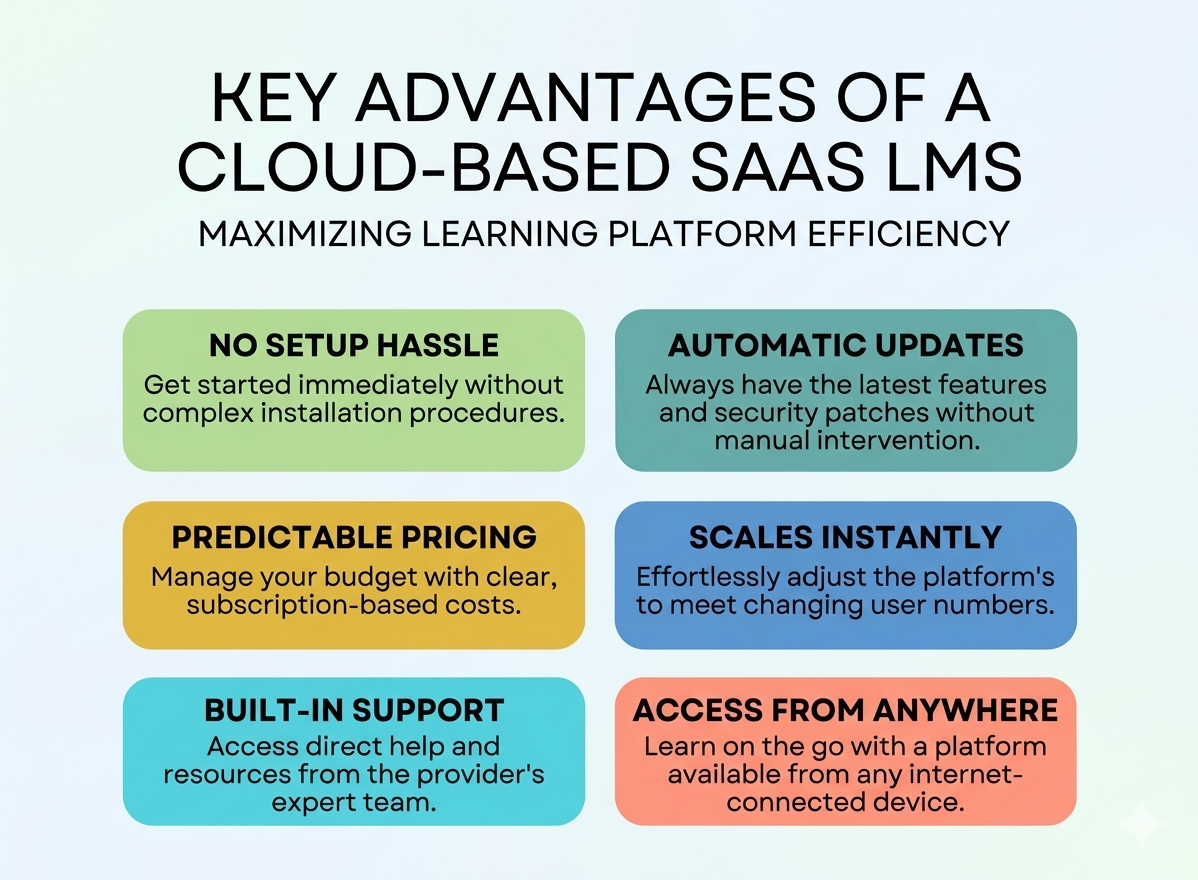
A SaaS LMS (Software as a Service Learning Management System) is a platform you access through your browser and pay for on a subscription basis. The company that built it also hosts it, maintains it, and keeps it running.
You don’t install anything, manage any servers, or worry about updates. You sign up, configure your settings, upload your content, and start running courses.
Platforms like Klasio, TalentLMS, Docebo, Absorb LMS, etc., work this way.
Think of it like using Gmail. You don’t own the servers your email sits on, but the service works reliably, and you can access it from anywhere.
What is an Open Source LMS?
An Open Source LMS is a platform where the underlying code is made publicly available. Anyone can download it, install it, and modify it. You’re responsible for hosting it on your own server, keeping it updated, and managing everything that keeps it running.
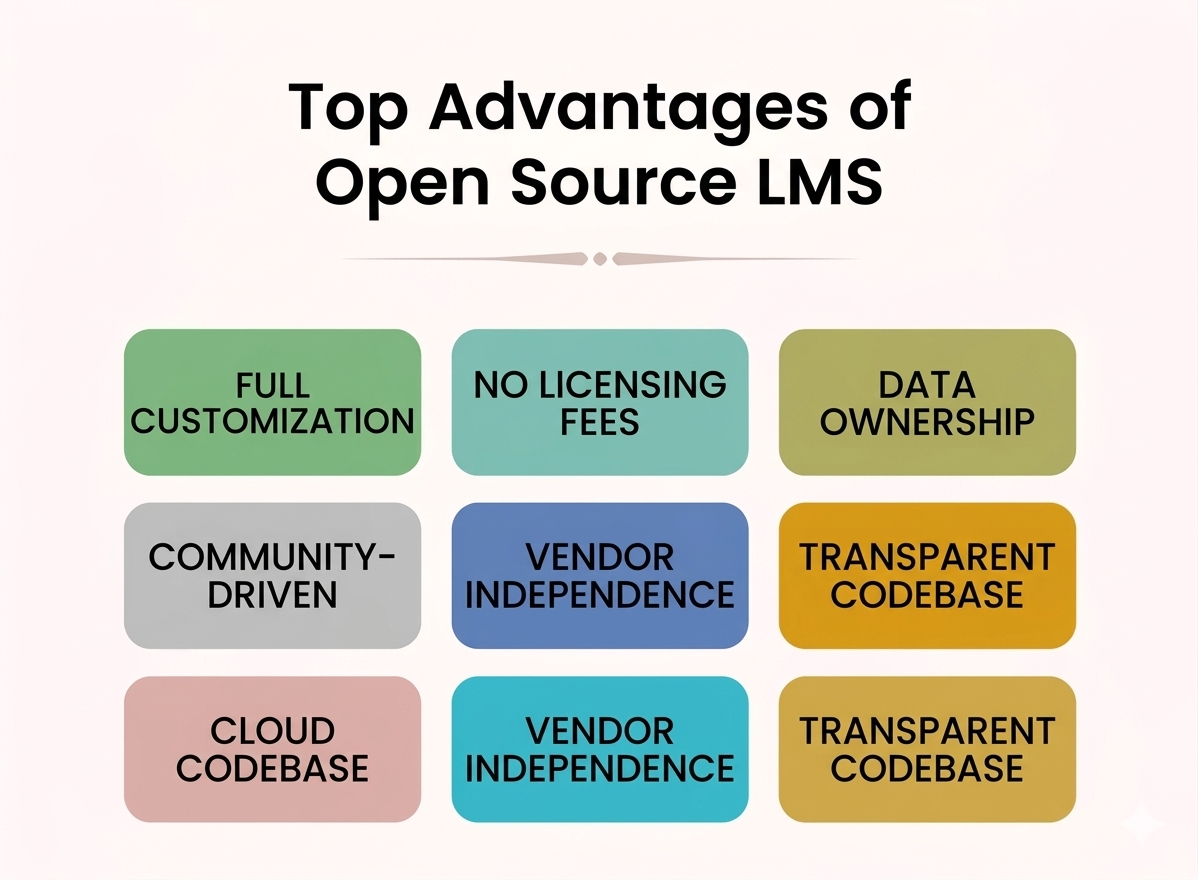
Because you have direct access to the source code, you can modify how the platform functions and develop custom features. You can also integrate it with other systems in ways that standard platforms typically don’t support.
Moodle and Canvas are two of the most widely used open-source LMS platforms. The software itself is free, but running it properly takes technical resources and ongoing effort.
Comparison Table: Open Source vs. SaaS LMS
| Comparison Factor | SaaS LMS | Open Source LMS |
| Ease of Use | High | Low |
| Customization | Moderate | High |
| Performance | Consistent | Variable |
| Scalability | Seamless | Manual |
| Security | Managed | Self-managed |
| Initial Cost | Low | Higher upfront |
Now let’s talk about these differences between open source and SaaS LMS platforms in detail.
SaaS LMS Offers Easier and Faster Deployment Than Open Source LMS
One of the main differences between a SaaS and an open source LMS is how quickly you can start using a SaaS LMS compared to an Open Source LMS.
For a SaaS LMS, the provider has already set up all the necessary infrastructure. This means the servers, databases, and software are all in place and ready to go. All you need to do is create an account on their platform.
Once your account is active, you can simply start creating your course by uploading your course materials, setting up user profiles, etc. There’s no need to install any software on your own computers or manage any complex technical settings.
For example, if you decide to use a platform like Klasio, you would simply register, log in, and begin building your courses. The technical heavy lifting is handled entirely by us, allowing you to focus on the educational content.
In contrast, using an open source LMS involves a more hands-on approach. This process is similar to coding a custom website from scratch. First, you’ll need to acquire and configure a server, which could be a physical server you own or a virtual server from a cloud provider.
Then, you’ll install an operating system, a web server, a database system, and the LMS software itself. After installation, you’ll likely spend time configuring various settings, ensuring all components communicate correctly.
For instance, if you choose Moodle, you would download the software, upload it to your server, create a database, and then go through a series of installation steps. This entire process requires a certain level of technical knowledge and can take a significant amount of time. It can take from several days to weeks, depending on your experience and the complexity of your setup.
Therefore, if speed and simplicity in getting started are your main priorities, a SaaS LMS generally provides a much smoother and quicker path to deployment.
Open Source LMS is More Flexible Than SaaS LMS
Let’s talk about one of the most practical things you’ll think about when choosing a learning platform: how much you can customize it.
This matters more than you realize. You might start with a platform thinking it checks all your boxes, and then six months in, you need it to do something slightly different. What happens next depends entirely on which type of system you chose.
With an Open Source LMS, you’re working with the source code itself.
Think about what that actually means. The people who built the platform have made all the underlying instructions available to you. If you have developers on your team, or you’re willing to hire some, you can go in and change almost anything.
Say you’re running a training program for nurses, and you need a specific kind of quiz that tracks not just whether an answer is right or wrong, but how long a learner took to respond. Because in a medical setting, speed of recall matters.
A SaaS platform might not have this. But with an Open Source LMS like Moodle, a developer can build that feature from scratch and plug it right in. It becomes part of your system, built exactly the way you need it.
The same goes for the way things look. If your brand has very specific guidelines, particular fonts, a certain way navigation should behave, a non-negotiable color system — you can build all of that in.
Now, this comes with a real trade-off. All of that work takes time, money, and technical skill. You’re responsible for updates, security patches, and making sure everything still works when something changes. It’s a lot to manage, and it’s not the right fit for everyone.
On the contrary, with a SaaS LMS, the provider has already made most of the decisions for you.
You’re logging into a system that’s fully built, maintained, and updated by someone else. That’s genuinely useful. You don’t need a technical team. You don’t need to worry about servers or software updates. You just use it.
However, you’re working within the boundaries the provider has set. Take something as simple as the gradebook.
Let’s say you want grades to be calculated in a way that’s a little different from what the platform offers. In most SaaS systems, you can adjust settings, but you can’t change how the gradebook fundamentally works. If the platform doesn’t support it, you either work around it or you go without.
The same applies to integrations. Many SaaS platforms give you a list of tools they connect with. A video conferencing app, a CRM, maybe a content library. If you need to connect with something that’s not on that list, you’re stuck.
Some platforms offer APIs that a developer can work with, which helps, but it still depends on what the vendor has made accessible.
Customizing the look of a SaaS LMS is usually possible to a degree. You can add your logo, change colors, and maybe adjust a few layout options. But you’re not redesigning the interface. The navigation, the learner experience, and the overall structure stay the way the vendor built it.
SaaS LMS Offers Better Performance and Management Than Open Source LMS
With a SaaS LMS, performance and management are the vendor’s job. They handle the servers, the updates, the security patches, and the backups. If something breaks at 2 am, their team deals with it, not yours.
If a hundred students log in at the same time for an exam, the system is already built to handle that. You don’t think about any of it.
With an Open Source LMS, that responsibility sits with you. You choose the server, you manage the updates, you monitor performance.
If your Moodle site starts loading slowly during a busy period, you or someone on your team has to figure out why. Is it the server capacity? A database issue? A plugin causing problems? That kind of troubleshooting takes real technical knowledge and time.
Neither of the approaches is wrong. If you don’t have a technical team and want to focus entirely on your courses and learners, a SaaS LMS removes a lot of work from your plate.
If you do have that technical capacity and want full control over your environment, managing an Open Source LMS is a reasonable trade-off.
SaaS LMS is Easier to Scale Than Open Source LMS
Think about what happens when your organization grows. Maybe you start with 200 learners and a year later you have 2,000. How your LMS handles that shift matters.
With a SaaS LMS, scaling is mostly a billing conversation. You contact the provider, move to a larger plan, and the platform adjusts. The infrastructure behind it, the servers, the storage, the processing capacity, is already built to grow with you. You don’t touch any of it.
With an Open Source LMS, growth means more planning. More learners putting a load on your server means you might need to upgrade your hosting, optimize your database, or restructure how the system is set up.
None of that is impossible, but it requires someone who knows what they’re doing. And it takes time. Time you might not have if growth happens faster than expected.
For example, if you suddenly need to onboard an entire new department before a product launch, a SaaS LMS can accommodate that almost immediately. With an Open Source LMS, you’d want to have already prepared your infrastructure for that kind of jump.
SaaS LMS Provides Managed Security and Maintenance, Unlike Open Source LMS
Security isn’t something you want to think about after something goes wrong.
With a SaaS LMS, the security and maintenance are taken care of. They run regular security updates, patch vulnerabilities as they’re discovered, and monitor the system continuously.
If a new threat shows up, their team responds to it. You’re not involved. Your learner data is being looked after by people whose job is specifically that.
With an Open Source LMS, security is your responsibility. When a vulnerability is found in Moodle, for example, a patch is released. But you have to actually apply it. If your team misses an update or delays it, that window of exposure is on you.
The same goes for the server itself, the database, and any third-party plugins you’ve installed. Each one is a potential weak point that needs monitoring.
Maintenance follows the same pattern. A SaaS vendor pushes updates automatically. You log in one day, and things have quietly improved.
With an Open Source LMS, updates need to be tested, scheduled, and applied carefully, especially if you’ve made custom changes, because updates can sometimes break things you’ve built.
SaaS LMS Offers More Predictable Costs Than Open Source LMS
All open source LMS software is free to download. That part is true. But free to download isn’t the same as free to run.
With an Open Source LMS, the costs are huge. They’re just spread out and sometimes hard to predict. You’ll pay for hosting, and as your user numbers grow, that cost grows too.
You’ll pay for developers when you need something built or fixed. You’ll spend time on maintenance, and time has a cost. If something breaks unexpectedly, fixing it might mean hiring someone urgently, which is rarely cheap.
With a SaaS LMS, you know what you’re paying. There’s a subscription fee, monthly or annual, and it covers the platform, the hosting, the maintenance, and the support. You can plan around it. It goes into a budget line and stays there.
For a small organization without a technical team, the open source route can end up costing more than a SaaS subscription once you add everything up.
For a larger organization with developers already on staff, the calculation might look different.
SaaS LMS vs Open Source LMS: Which One Should You Choose?
You should choose a SaaS LMS if:
- You want to get started without a lot of technical setup,
- You have a small or non-technical team,
- Predictable costs matter to your budget planning, and
- Your training needs are fairly standard.
You should choose an open source LMS if:
- You have specific requirements that off-the-shelf platforms can’t meet,
- You have developers available to build and maintain the system,
- You need deep integrations with internal tools, or
- You’re running a large operation where long-term hosting costs are lower than ongoing subscription fees.
FAQs
What are the benefits of using a SaaS LMS for small businesses?
SaaS LMS platforms benefit small businesses primarily through low upfront costs, zero IT overhead, and fast deployment. Most SaaS platforms also offer ready-made integrations, mobile access, and vendor-managed security out of the box.
What are the total cost of ownership differences between self-hosted and cloud-based learning platforms?
Self-hosted platforms typically have higher total cost of ownership than cloud-based ones when factoring in server costs, developer salaries, maintenance, and security. SaaS platforms roll most of these into a predictable subscription, though at scale, a well-managed self-hosted setup can eventually become cheaper.
Which type of LMS offers more customization flexibility: proprietary or open source?
Open source LMS platforms offer significantly more customization flexibility than proprietary ones, since you have full access to the source code. Proprietary systems limit you to what the vendor allows, while open source lets you modify workflows, UI, and features without restriction.
How do open source LMS platforms handle customer support compared to SaaS options?
Open source LMS platforms generally rely on community forums, documentation, and third-party contractors for support, unlike SaaS options which offer dedicated helpdesks and SLAs. This means open source support can be slower and less consistent unless you pay for a commercial support plan.
What LMS do schools use?
Schools most commonly use platforms like Moodle, Google Classroom, Canvas, and Blackboard. Moodle dominates globally in higher education due to its open source flexibility, while Canvas and Google Classroom are popular in K-12 settings.
What is the easiest LMS to use?
Klasio is widely considered the easiest LMS platform to use, thanks to its clean interfaces and minimal learning curves. For corporate training, TalentLMS consistently ranks high for ease of setup and day-to-day use.
Are there any free LMS platforms?
Yes, there are several free LMS options, including Moodle, Klasio, and Google Classroom.
Is ChatGPT considered SaaS?
Yes, ChatGPT is considered a SaaS product, as it is a cloud-hosted AI service accessed via a browser or API without any local installation. Users subscribe to access it, which fits the classic SaaS delivery model.
What is the dark side of open source?
The dark side of open source is that it can create a false sense of “free”. Hidden costs in developer time, security patching, hosting, and ongoing maintenance can quickly add up. Projects can also become abandoned by maintainers, leaving users with unsupported, vulnerable software.




Leave a Reply