
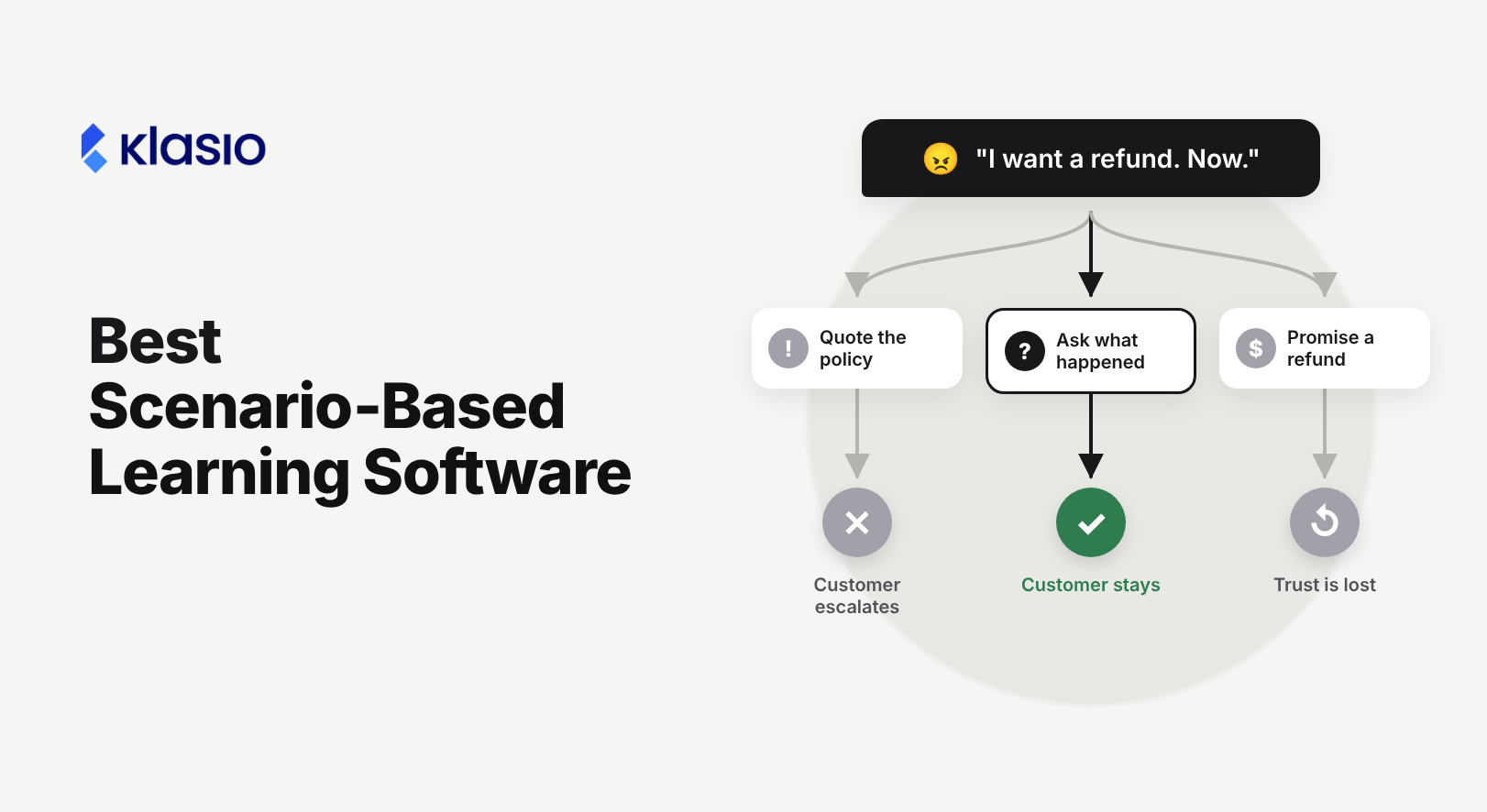
Information alone doesn’t always help in a real situation. You also need to know how to use it.
Suppose you train your staff on your refund policy. Then an upset customer asks for a refund after the allowed time. Should your staff member just say no? Or should they offer something else? How do you prepare your team for moments like this?
This is where scenario-based learning helps. Learners face a realistic situation, choose what to do, see what happens, and try again. They practice the hard moments before they face them for real.
The tools for this do different jobs. Some build scenarios, some run AI role-play, and some only host what you built elsewhere. In this guide we compare 11 of them. Let’s begin.
Quick Picks
- Our pick for dedicated branching dialogue: BranchTrack. The whole product is built around branching conversations, and the free plan includes one full simulation with SCORM and xAPI export.
- Our pick for custom branching logic: Articulate Storyline 360. Variables, triggers, and states let you score choices and carry consequences forward.
- Our pick for a free, self-hosted option: H5P. Its Branching Scenario content type is open source and runs on your own WordPress, Moodle, or Drupal site.
- Our pick for custom AI role-play: VirtualSpeech. Teams write their own scenarios, characters, and scoring criteria without code.
- Our pick for practice inside an existing LMS: TalentLMS. Learning Playground adds AI role-play and branching simulations to its paid plans.
Comparison Table
| Tool | Best use case | Builds or delivers? | Plan needed for this use | Delivery route |
|---|---|---|---|---|
| 1. BranchTrack | Branching dialogue | Builds | Free: 1 simulation. Professional: from $83/mo, billed annually | SCORM, xAPI, embed in authoring tools |
| 2. Storyline 360 | Custom branching logic | Builds | Articulate 360 AI: $1,449/seat/yr (Personal), $1,749 (Teams) | SCORM, xAPI, cmi5, trackable link, Reach |
| 3. iSpring Suite | PowerPoint-based dialogue sims | Builds | $970/author/yr. Suite AI: $1,290 | SCORM 1.2, SCORM 2004, xAPI, cmi5 |
| 4. H5P | Free branching on your own site | Builds | Free to self-host. Hosted H5P.com: 3-author minimum | Your site, embed, LTI |
| 5. Twine | Prototyping the story | Builds | Free | HTML file you host |
| 6. Adobe Captivate | Software simulations | Builds | US$39.99/mo | SCORM 1.2, SCORM 2004, AICC, xAPI |
| 7. CenarioVR | 360° and VR scenarios | Builds | Starter: $89/mo billed annually (third-party figure) | SCORM, xAPI, cmi5, HTML, apps, headsets |
| 8. ThingLink | 360° hotspot scenarios | Builds | Team: from $500/mo, billed annually | Link, embed, VR app |
| 9. VirtualSpeech | Custom AI role-play | Builds and runs practice | Organization plans: quote | Browser, optional VR, LMS connection |
| 10. TalentLMS | Practice inside an LMS | Delivers, with native practice | Core: $119/mo for 1 to 40 users (Learning Playground on promo) | Native LMS |
| 11. Docebo | Enterprise AI role-play | Delivers, with native practice | Quote. Roleplay entitlement not confirmed | Native LMS |
Should you get a Scenario Builder, a Practice Platform, or an LMS?
Scenario-based learning software is any tool that lets learners make decisions in a realistic situation and see the result. Three kinds of tools sit under that label. Most teams need more than one.
- Scenario builders create the scenario. You write the dialogue, set the choices, and add feedback. Then you publish a package, a link, or an embed.
- Practice platforms run the practice for you. An AI character plays the customer or employee, and the platform scores the learner.
- LMS or course platforms deliver the training. They enroll learners, play the scenario package, and keep the records. If you sell training, the checkout lives here too.
Best Scenario-Based Learning Software by Use Case
Branching and Dialogue Scenarios
1. BranchTrack: Dedicated Branching Dialogue Authoring
Best for: Trainers and L&D teams who want a tool built only for branching conversations.
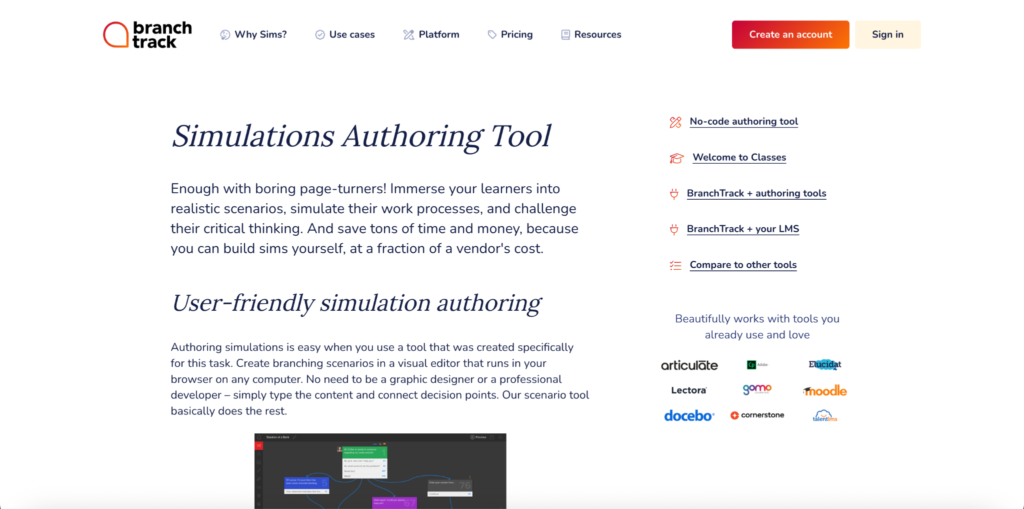
What it builds: Branching simulations with characters, locations, voice-overs, and attached files. Authors work in the browser with no code . You can also embed a BranchTrack simulation inside Storyline and similar tools.
Why consider it: The free plan is a full working tier. You get 1 simulation with unlimited scenario depth, SCORM and xAPI export, and mobile publishing.
Why rule it out: BranchTrack focuses on dialogue. If your scenarios need custom interactions beyond conversation, a general authoring tool will give you more room. Paid plans also come with simulation caps: 10 on Professional and 50 on Team.
Plan for this use: Free for one simulation. Professional starts at $83/mo and Team at $299/mo. Both paid plans are billed annually only.
Delivery and tracking: BranchTrack says SCORM sends completion status, score, and progress to your LMS. Its xAPI output can also send decision paths, time on task, and interactions to an LMS or an LRS . So if you need choice-level data, plan for xAPI and a system that stores it.
Choose it over Storyline 360 if your scenarios are conversations and you want a dedicated dialogue editor in place of a general authoring tool.
2. Articulate Storyline 360: Custom Branching Logic
Best for: Instructional designers who need full control over branching rules.
What it builds: Custom interactive courses with variables, triggers, layers, and states. Those tools let you score choices, carry consequences into later scenes, and build retry loops.
Why consider it: Almost any rule is possible. A variable can track empathy, accuracy, or policy compliance across a whole scenario. Articulate 360 AI also includes Rise, review tools, and trackable links.
Why rule it out: This control comes with a learning curve. Authors need to understand variables, triggers, and conditions. Storyline authoring also requires Windows 11. Mac users need Parallels or VMware.
Plan for this use: Articulate 360 AI costs $1,449 per seat per year on Personal or $1,749 on Teams. Translation and AI avatars use credits sold separately.
Delivery and tracking: Export SCORM, xAPI, or cmi5 for your LMS, or share a trackable link. Articulate’s own LMS, Reach 360, has a Starter plan included in Articulate 360 Teams subscriptions with “room for 300 active learners per year”. The FAQ does not say whether this applies to Articulate 360 AI Teams, so confirm with Articulate. Larger audiences need Reach 360 Pro.
Choose it over BranchTrack if your scenarios need scoring rules, several variables, or interactions beyond dialogue.
3. iSpring Suite: PowerPoint-Based Dialogue Simulations
Best for: Teams whose training content already lives in PowerPoint.
What it builds: Courses, quizzes, and branching role-plays built inside PowerPoint. iSpring runs as a PowerPoint add-in, so authors work in a familiar tool.
Why consider it: iSpring publishes to SCORM 1.2, SCORM 2004, xAPI, and cmi5. A 14-day free trial is available.
Why rule it out: Authoring requires Windows 10 or 11 and a desktop version of PowerPoint. Mac is listed for viewing content only.
Plan for this use: $970 per author per year. iSpring Suite AI costs $1,290 per author per year.
Delivery and tracking: Any SCORM, xAPI, or cmi5 LMS. iSpring says its packages give “accurate progress and score tracking.” Which choice data reaches your reports depends on the LMS. Not confirmed in the documentation reviewed.
Choose it over Storyline 360 if your authors know PowerPoint well and your scenarios are mostly dialogue.
4. H5P: Free Self-Hosted Branching
Best for: Teachers and trainers who already run WordPress, Moodle, or Drupal and have no budget for authoring.
What it builds: The Branching Scenario content type. Authors can create any number of branches and endings, each with its own feedback. Scoring can be set per ending or from points collected along the path. Scenes can hold video, interactive video, image hotspots, and other H5P types.
Why consider it: The open-source plugin is free on your own site. You own the content and the hosting.
Why rule it out: Self-hosting means you handle updates, security, and storage. On the hosted version, H5P.com, the smallest license covers 3 authors, so it does not suit a solo creator.
Plan for this use: Free if you self-host. H5P.com offers Pro, Premium, and Enterprise plans. Its pricing page shows Premium at $1,560 per year for 3 authors on annual billing. Premium adds AI tools. The Pro price and whether Pro includes Branching Scenario are not confirmed on the pages reviewed.
Delivery and tracking: On your own site, tracking depends on the plugin and your LMS. On H5P.com, gradebook scoring needs an LTI connection, and drill-down reports are an optional extra.
Choose it over BranchTrack if you need more than one free scenario and you can run your own site.
5. Twine: Story Prototyping
Best for: Writing and testing the branches before you build the final version.
What it builds: Interactive text stories. Twine says, “Publishing a story creates an HTML file that can opened in a web browser”.
Why consider it: It is free and open source. Every passage sits on a visual map, so dead ends and loops are easy to spot.
Why rule it out: Twine has no built-in LMS reporting. You can host the HTML file on a website or share it, but nobody’s progress is recorded.
Plan for this use: Free.
Delivery and tracking: A single HTML file that you host or send. Twine’s reference names hosts such as Itch.io. No tracking.
Choose it over H5P if you are still writing the scenario and want to test the logic with a colleague first.
Software Simulations
6. Adobe Captivate: Software Simulations
Best for: Teams training people to use software, where the scenario happens on screen.
What it builds: Adobe lists software simulations and branching scenarios as content the new Captivate can create. Every subscription includes Captivate Classic, the legacy version, which Adobe documents for VR and 360° projects.
Why consider it: Recording a task and turning it into a practice exercise is a core Captivate workflow.
Why rule it out: Features differ between the new Captivate and Captivate Classic. Check which version holds the features you need before you build.
Plan for this use: US$39.99/mo.
Delivery and tracking: Adobe lists HTML5 packages for SCORM 1.2, SCORM 2004, AICC, and xAPI. Choice-level reporting depends on your LMS. Not confirmed in the documentation reviewed.
Choose it over Storyline 360 if most of your scenarios teach people how to use a software screen.
Immersive 360° and VR Scenarios
7. CenarioVR: 360° and VR Scenarios

Best for: Safety, equipment, and site training where learners need to look around a real space.
What it builds: 360° and VR scenarios with hotspots and decision points, authored without code.
Why consider it: It has broad publishing options. ELB Learning lists SCORM, xAPI, cmi5, and HTML downloads, plus web, iOS, Android, Windows, and headsets such as Meta Quest.
Why rule it out: You need good 360° photos or video before you start. Headset delivery also brings device setup and hygiene work.
Plan for this use: ELB Learning’s product page compares CenarioVR at “$89/month” against a competitor but does not list plan tiers. Capterra lists Starter at $89/mo billed annually or $166 billed monthly. Confirm with ELB Learning.
Delivery and tracking: ELB Learning says you can “View live scores and a dashboard of xAPI analytics.” Scores can also go to any SCORM or xAPI LMS.
Choose it over ThingLink if you need SCORM, xAPI, or cmi5 packages for an existing LMS.
8. ThingLink: 360° Scenario Builder
Best for: Visual, place-based scenarios that live on ThingLink’s own platform.
What it builds: Scenarios built from images, 360° media, and hotspots with the “Immersive Scenario Builder with AI” .
Why consider it: You can share a scenario by link, embed it in a website or LMS with an iframe, or open it in the ThingLink XR app on a headset.
Why rule it out: The sharing guide does not mention SCORM or xAPI. Progress is not tracked for scenarios set to “Anyone with the link.” The support guide also uses different plan names than the pricing page, so confirm which license lets you share.
Plan for this use: Team starts at $500/mo, billed annually, with up to 5 creator seats and limited learner testing. Business starts at $1,500/mo and adds LMS integration, learner analytics, cohort reporting, SSO, and LTI 1.3.
Delivery and tracking: Results for signed-in viewers appear in scenario statistics. Learner dashboards and cohort reports are listed on Business.
Choose it over CenarioVR if you want scenarios hosted and reported inside one platform and you do not need a SCORM package.
AI Role-Play
9. VirtualSpeech: Custom AI Role-Play
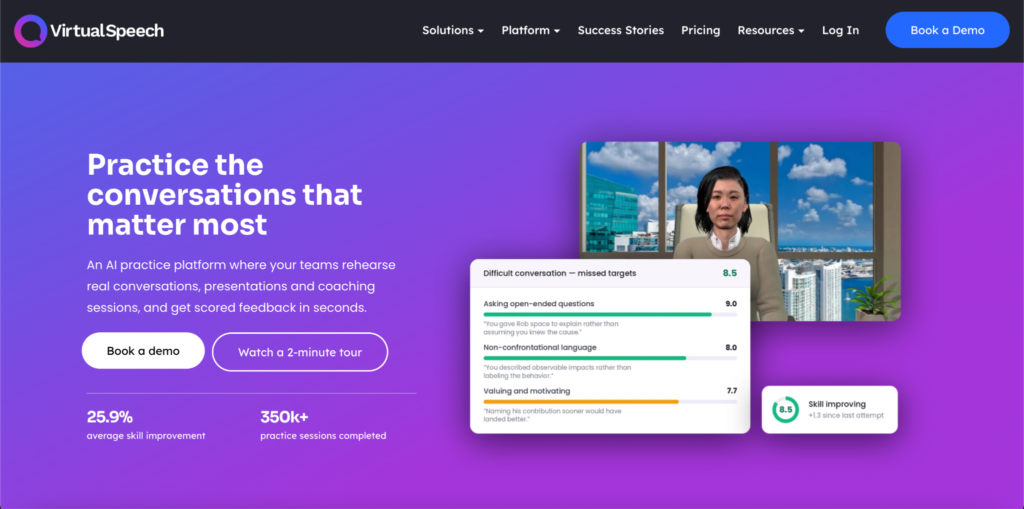
Best for: Organizations that want learners to practice difficult conversations, sales calls, and feedback talks.
What it builds: Your team writes the situation, the character, and the scoring criteria. You set the character’s position, knowledge, and how hard they push back. Scoring uses five criteria written in your own terms, plus a Delivery score. Each session returns a written explanation.
Why consider it: No headset is required. VirtualSpeech says practice runs in a browser on a laptop or tablet, with VR as an option.
Why rule it out: Custom role-plays sit on organization plans with quote-based pricing. The $45/mo individual plan is personal practice access with the ready-made library. It does not include team authoring.
Plan for this use: Organization and education plans: quote. Individual practice: $45/mo or $399/yr.
Delivery and tracking: Admins can see scores at individual, team, and organization level, review full sessions, and export CSV files. VirtualSpeech names Moodle and Blackboard as supported LMSs and offers custom API work on request. Transcripts are not mentioned.
Choose it over Docebo if you want dedicated AI role-play and plan to keep your current LMS.

Platforms with Native Practice
10. TalentLMS: Practice Inside an LMS
Best for: Small and mid-size teams that want practice features in the same LMS as their courses.
What it builds: Learning Playground includes Role Play, where learners type or speak with an AI partner, and Simulation Mode, where learners work through branching workplace scenarios and get a wrap-up with feedback.
Why consider it: Courses, practice, reports, and SCORM 1.2, Tin Can (xAPI), and cmi5 content live in one portal. TalentLMS can also sell individual courses or catalog subscriptions through Stripe Checkout.
Why rule it out: TalentLMS says “Nothing is graded or counts toward course completion” in Learning Playground. Reporting on Playground activity is not described on the pages reviewed. If you need scored role-play records, confirm this first.
Plan for this use: Core costs $119/mo for 1 to 40 users. Learning Playground is a promo on Core and Grow and “may move to a higher plan in the future.” It is a standard feature on Pro, which costs $449/mo for 1 to 100 users. A Flex add-on charges by users who log in each month, with soft limits. Annual billing saves 20%. A free plan covers 5 users and 10 courses.
Delivery and tracking: Native LMS reports cover courses. Playground reporting is not confirmed. A portal can sell individual courses or subscriptions, but not both at once.
Choose it over Docebo if you want published pricing and a self-serve free plan to start.
11. Docebo: Enterprise AI Role-Play
Best for: Large organizations running sales, support, or leadership role-play across many teams.
What it builds: Docebo Roleplay lets learners practice by voice or chat with an AI character. Admins customize objectives, avatars, context, and prompts. Pre-set templates cover sales tasks such as objection handling.
Why consider it: Learners get a scorecard on clarity, confidence, energy, and non-verbal cues, and they can review past simulations. Practice sits in the same platform as Docebo’s integrations with Salesforce, Microsoft Teams, and Zoom.
Why rule it out: Docebo publishes no pricing. It describes Roleplay as part of its Creator experience, so confirm your plan includes it.
Plan for this use: Quote-based.
Delivery and tracking: Native LMS with AI scorecards. Docebo says the feature offers “deep analytics.” The specific manager reports are not detailed on the product page.
Choose it over TalentLMS if you need AI role-play tied to enterprise systems such as Salesforce.
Capability Comparison
This table shows the features that change a purchase. “Not confirmed” means the vendor documentation we reviewed does not say. It does not mean the feature is missing.
| Tool | Choice format | Consequences carry forward | Authoring device | Delivery without an LMS | Choice-level data |
|---|---|---|---|---|---|
| BranchTrack | Fixed choices | Unlimited scenario depth | Browser | Embed, Classes platform | Via xAPI (decision paths) |
| Storyline 360 | Fixed choices | Yes, with variables | Windows 11 | Trackable link, Reach | Depends on LMS |
| iSpring Suite | Fixed choices | Not confirmed | Windows 10/11 + PowerPoint | Not confirmed | Depends on LMS |
| H5P | Fixed choices | Points along the path | Browser | Your own site | Not confirmed |
| Twine | Fixed choices | Yes, story logic | Browser | HTML file | None |
| Captivate | Fixed choices and screen actions | Not confirmed | Not confirmed | Not confirmed | Depends on LMS |
| CenarioVR | Hotspots and choices | Not confirmed | Browser editor | App, web, headset | xAPI dashboard |
| ThingLink | Hotspots and choices | Not confirmed | Browser | Link, embed, VR app | Scenario statistics |
| VirtualSpeech | Open conversation | AI responds live | Browser | Browser, VR | Scores and session review |
| TalentLMS | Open conversation and branching | Not confirmed | Browser | Native LMS | Not confirmed |
| Docebo | Open conversation | AI responds live | Browser | Native LMS | Scorecards |
Fixed choices or open conversation? Fixed choices give every learner the same path and the same feedback. That suits compliance, safety, and policy decisions. Open conversation asks learners to write or speak their own answer. That suits sales calls, coaching talks, and complaints, where learners must find the words themselves.
How to Choose the Right Tool
Please work through this checklist before you book a demo. Each item removes tools that will not fit.
- Name the skill. Conversations point to dialogue builders or AI role-play. Software tasks point to Captivate. Spotting hazards in a space points to 360° tools. Policy decisions point to branching builders.
- Decide who builds. Storyline rewards authors who can work with variables and triggers. BranchTrack offers a dedicated dialogue editor. iSpring keeps authors in PowerPoint. If nobody has time to write branches, AI role-play may fit better.
- Check the authoring device. Storyline and iSpring need Windows. Browser-based tools work on any computer.
- Check accessibility. Ask each vendor for its accessibility statement. Then try the scenario with only a keyboard, check captions on audio and video, and check that feedback does not rely on color alone.
- Plan for updates. Policies change. Ask how you change one line of dialogue, swap a policy rule, or fix a broken branch. Then ask whether learner records survive a republish.
- Confirm where it runs. Check that your LMS or course platform accepts the export format and version. Then test on a phone. Our guide to mobile-friendly LMS platforms covers what to look for.
- Check what you can track. Completion and score are the minimum. Ask whether choice-level data reaches a report you can read.
- Price the full setup. Add the builder, the delivery platform, learner allowances, and any credits.
Questions to Ask Every Vendor
- Which plan includes the scenario feature I saw in the demo?
- Is pricing per author, per learner, per active user, or per credit?
- Is billing monthly or annual only?
- What learner data can managers see, and can I export it?
- Does a public link record learner progress?
- Who owns the content, and can I export it in an open format?
- What happens to published scenarios when my subscription ends?
- Can I use the content inside courses I sell to clients?
- Which accessibility standards does the player support?
- Which languages does the authoring tool and the learner view support?
Read the Price Before You Compare It
Scenario tool pricing is hard to compare. Watch for these five differences:
- Free software is different from free hosting. H5P is free to install, but you pay for the site it runs on.
- A free plan is different from a free trial. BranchTrack’s free plan has no end date. iSpring offers a 14-day trial.
- Monthly billing is different from annual billing. BranchTrack’s paid plans and ThingLink’s business plans are annual only.
- Author seats are different from learner seats. Storyline and iSpring charge per author. TalentLMS charges by users. Articulate and TalentLMS also sell AI credits.
- Public prices are different from quotes. Docebo and VirtualSpeech organization plans need a sales call.
A Sample Branching Scenario
Here is a design example of a short branching scenario. It is an illustration for planning your own build. A customer asks for a refund after the policy window has closed. The learner plays the support agent.
| Step | Learner choice | What happens | Feedback the learner sees |
|---|---|---|---|
| Decision 1: Open the call | Ask what happened | The customer explains the delay | You learned the real problem before you offered anything. |
| Decision 1: Open the call | Quote the refund policy | The customer escalates | Leading with the rule made the customer feel dismissed. Try asking what went wrong first. |
| Decision 2: Make an offer | Offer store credit within policy | The customer considers it | You stayed inside policy and gave the customer a real option. |
| Decision 2: Make an offer | Promise a full refund | Ending B: a manager reverses the refund | You made a promise you could not keep. Trust is lost. |
| Decision 3: Close the call | Confirm next steps in writing | Ending A: the customer stays | Written next steps show the customer you will follow through. |
| Decision 3: Close the call | End the call quickly | Ending B: the customer leaves | The customer left without knowing what happens next. |
| Ending B | Retry | Back to Decision 1 | Start again and try a different opening. |
Why the tempting mistake feels reasonable. Quoting the policy feels safe. The agent is following the rules, and the rule is clear. That is why it makes a good distractor. A weak opening does not end this scenario. It makes Decision 2 harder, the way a real call would. The best scenarios punish mistakes the way the job does, with a harder conversation and not a red “Wrong” message.
Delivering and Selling Scenario-Based Training
Coaches, compliance trainers, and sales trainers often sell practice to clients. For them, the scenario is one part of the product. They also need a course platform to manage checkout, enrollment, live sessions, and learner records.
Ask these questions before you combine an authoring tool with a course platform:
- Does the authoring license allow paid distribution? Check whether you can sell courses that include the scenario, or deliver it to external clients.
- Are there extra charges for publishing or learners? Some tools charge for hosting, learner volume, or reports on top of the author seat.
- Where does the scenario actually run? A SCORM package runs inside your course platform. A link or embed runs on the vendor’s servers, under the vendor’s terms.
- Can you tie completion to enrolled learners? A public link may record nothing. A SCORM package inside your platform can link results to the learner who paid.
- How does the scenario fit with live practice? Many trainers pair a self-paced scenario with a live role-play session, an assignment, and a certificate.
- What happens when the authoring subscription ends? Ask whether exported packages keep working and whether you can still edit them.
Not every format works on every course platform. Test one package end to end before you build a full program. Our guide to creating online courses covers the rest of the build, and our guide on how to price an online course helps with the offer.
Where Klasio Fits
Klasio is a course platform. It does not build branching scenarios. It delivers and sells training that includes them.
Klasio’s provides Native SCORM Support on all paid plans. This means you can upload a package from a builder such as BranchTrack or Storyline and place it inside a course.
Around the scenario, Klasio adds the parts a training business needs:
- Quizzes with explanations. Set pass marks, time limits, and retry attempts, and show learners why an answer was right or wrong.
- Live practice. Run role-play sessions in live cohorts through Zoom or Google Meet, or sell 1:1 debriefs with coaching.
- Course certificates, assignments, and a student mobile app on every monthly plan.
- Checkout with 0% platform commission on monthly plans. Your payment provider, such as Stripe or PayPal, still charges its own processing fee. Starter costs $49/mo for 25 courses and 2,500 students.
If you also run 1:1 or group sessions, our comparison of coaching platforms for course creators covers that side in detail.
Choose Klasio if you sell scenario-based training to clients or students and want SCORM delivery, live practice, and payments in one academy.
Look elsewhere if you need AI role-play or branching built into the platform itself. TalentLMS and Docebo include native practice features. If you train employees inside a large company, our list of enterprise LMS platforms compares options built for that job.
Start your free Klasio account. No credit card required.
Frequently Asked Questions
Will a scenario built in one tool work in my existing LMS?
A scenario built in one tool will usually work in your existing LMS when both support the same standard and version, but a match is only the starting point. SCORM 1.2 and SCORM 2004 behave differently, and some LMSs handle one better than the other. Upload a small test package first. Then check that it launches, saves progress when a learner leaves, resumes in the right place, and sends a completion and a score to your reports. If anything fails, ask both vendors before you build the full course.
How do I see which choices learners made in a branching scenario?
You see which choices learners made by checking two things: what the scenario sends and what your platform stores. SCORM can record learner responses as interactions, but many LMSs only show completion and score in their standard reports. xAPI can send decision paths to a Learning Record Store, as BranchTrack documents for its xAPI output. Decide which decisions you want to measure before you write the scenario. Then confirm your LMS or LRS can show those records in a report you can read.
Can I share a scenario without an LMS?
You can share a scenario without an LMS, and some platforms track results on their own. ThingLink tracks progress for signed-in viewers through scenario statistics, but not for public links. Articulate 360 AI includes trackable links. CenarioVR offers its own app with an xAPI dashboard. H5P runs on your own website through its plugin. Twine is different: it produces an HTML file that you host or send yourself, with no tracking. If you need named records, choose a route that asks learners to sign in.
Do scenario-based courses work on phones?
Scenario-based courses work on phones when the vendor supports mobile delivery and the scenario is designed for a small screen. BranchTrack lists mobile publishing on every plan. CenarioVR lists iOS and Android apps. VirtualSpeech documents browser practice on laptops and tablets but does not mention phones. For other tools, check the vendor’s device list. Long dialogue choices and small hotspots are the usual problems, so test every scenario on a real phone before launch.
Should I use AI role-play or a written branching scenario?
You should use AI role-play or a written branching scenario based on what you need to assess. A branching scenario gives every learner the same choices, consequences, and feedback, which helps when consistency matters for records or audits. AI role-play asks learners to form their own answers, which helps when the skill is finding the right words. Many programs use both. They teach the decision with a branching scenario and then practice the conversation with AI or a live partner.
How much does a complete scenario-based training setup cost?
A complete scenario-based training setup costs the authoring tool, the delivery platform, and any learner or credit charges added together. A small team could pair one Articulate 360 AI seat at $1,449 per year with an LMS subscription. A course creator might pair BranchTrack’s free plan with a course platform plan. Add extra author seats, learner allowances, AI credits, and any VR headsets. Then compare the total for your audience size, not the starting price on each vendor’s page.




Leave a Reply