

You’ve got the course built. Maybe you’ve even got a few students. But growing beyond your immediate network feels like a second full-time job — and every tool someone recommends online comes with a price tag, a learning curve, and three upsells you didn’t ask for.
This guide compiles the best content marketing tools for course creators, organized by job. Each section covers what the category actually does for your business and which tools are worth your attention. Pick the gaps in your current stack and start there.
Editor’s Pick: Best Content Marketing Tools in Each Category
- Best Email Marketing Tool: Kit; Built for creators, covers newsletters, automations, landing pages, and digital product selling in one place
- Best AI Content Creation Tool: ChatGPT; Best all-around tool for drafting, outlining, repurposing, and scripting across every content format
- Best SEO Tool: Ahrefs; Go-to for keyword research and finding what topics are worth writing about before you invest the time
- Best Social Media Management Tool: Buffer; Simple, creator-friendly scheduler that covers all major platforms without the bloat
- Best Video & Repurposing Tool: Descript; Turns recorded lessons and webinars into edited clips, captions, and transcripts via text-based editing
- Best Tool for Webinars: Demio; Clean, engagement-focused webinar tool built around the live launch experience
- Best Tool for Automation & Analytics: Zapier; Connects your entire stack so leads, tags, and follow-ups flow automatically between tools
Best Email Marketing Tools for Course Creators

Kit
If you’re a course creator running a newsletter alongside your products, Kit was basically built for your workflow. You get visual automations, forms, landing pages, and even digital product selling baked in. Your email list and your checkout can live in the same ecosystem without duct-taping anything together.
MailerLite
MailerLite makes sense when you want email automation and sales pages without a steep learning curve or a steep price tag. The interface is clean, the automation builder gets the job done, and the free-tier landing pages mean you can start building your list before you’re even making revenue.
weMail
If your course site runs on WordPress, weMail is worth a serious look. It handles newsletters, automation workflows, subscriber management, and WooCommerce emails, all from inside your WordPress dashboard. So, you’re not juggling a separate SaaS login.
The automation builder lets you trigger drip sequences based on signups, purchases, or abandoned carts. This covers most of the enrollment nurture flows a course creator actually needs. The pricing stays lean as your list scales, making it a practical pick if you’re early-stage and watching your tool spend closely.
ActiveCampaign
Once your list grows and your segments get specific — cold leads, mid-funnel prospects, repeat buyers — ActiveCampaign gives you the granular control to treat each group differently. The ability to layer in SMS or WhatsApp alongside email sequences is useful if you’re running high-touch launch campaigns.
Best AI Tools for Course Creators

ChatGPT
Most course creators use ChatGPT as a first-draft engine, such as outlining a module, drafting a launch email, or repurposing a lesson into a LinkedIn post. The paid plans add projects and deep research features that let you keep context across different campaigns without starting from scratch every session.
Also Read: ChatGPT Prompts for Every Stage of Course Creation
Jasper
Jasper is better suited when you have a team or a defined brand voice that needs to stay consistent across a lot of output. The marketing-specific workflows and brand voice controls mean you’re not rewriting AI drafts just to make them sound like you every single time.
Claude
Claude is a strong fit for course creators who need a thinking partner, not just a content generator. Where other AI tools focus on output volume, Claude tends to produce more nuanced drafts.
The extended context window means you can paste in an entire module and ask it to rewrite, summarize, or repurpose without losing thread. Projects let you keep your brand voice, course details, and audience context saved, so every session picks up where the last one left off.
Manus AI
Manus is designed to go beyond generating text; it plans and executes complex tasks end-to-end, which makes it a different kind of tool than most AI writing assistants.
For most course creators, the practical angle is delegation: teachers have used it to build interactive lesson plans, and small business owners have automated entire content creation pipelines.
Hand it a research goal or a content brief, and it works through the steps autonomously rather than waiting for you to prompt each stage. Worth watching if you want to offload multi-step workflows, not just single tasks.
Best SEO Tools for Course Creators
Ahrefs
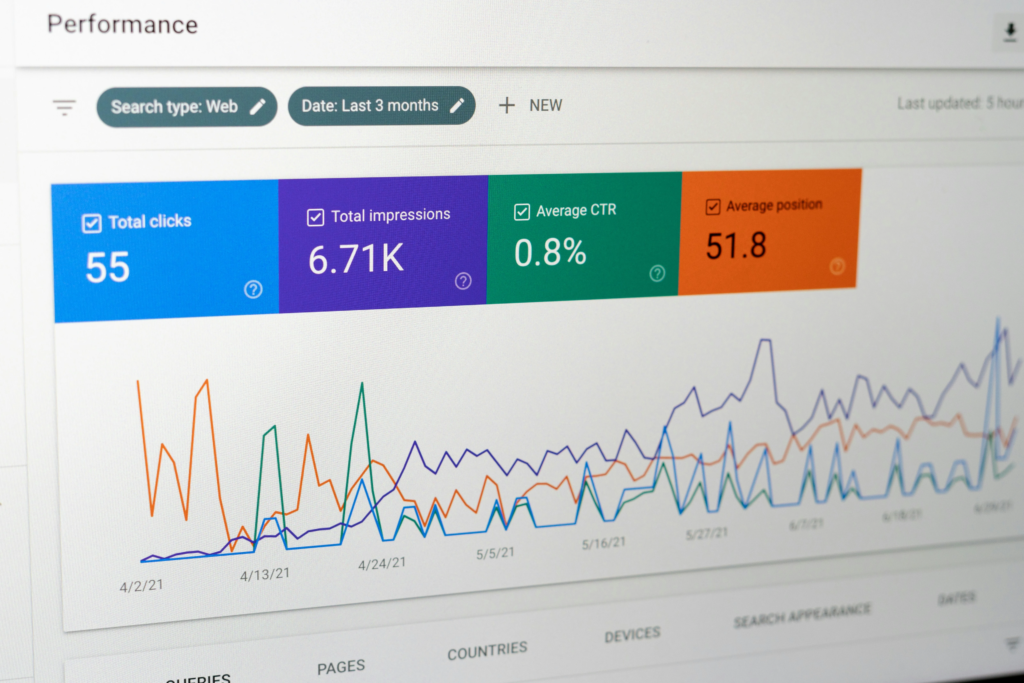
Keyword research and topic discovery are where Ahrefs earns its place in your stack. Keywords Explorer helps you find what your audience is searching for, and Content Explorer shows you what’s already ranking and getting backlinks in your niche — useful before you spend time writing something with low organic potential.
Semrush
Semrush covers the full content lifecycle: creating, optimizing, tracking, and analyzing. If you’re trying to build a blog that compounds over time and drives consistent enrollment traffic, having keyword data, content audits, and rank tracking inside one platform keeps your editorial workflow tighter.
Surfer
Surfer is most useful while you’re actually writing. The Content Editor gives you live optimization guidelines — semantic terms, headings, word count benchmarks — based on what’s already ranking. Pair it with the Topical Map feature to plan clusters of content that build your site’s topical authority over time.
AnswerThePublic
Before you write a single blog post or plan your next module, AnswerThePublic tells you exactly what your audience is already searching for. Type in a short seed keyword, and it pulls autocomplete data from Google, Bing, YouTube, Amazon, TikTok, and Instagram — organized into questions, comparisons, and phrase patterns.
For course creators, that means you can build your content calendar around real search demand rather than guesswork. It’s particularly useful for building topic clusters and signaling topical authority to Google. Pair it with Ahrefs or Surfer to validate the ideas with search volume before you commit to writing them.
Best Social Media Marketing Tools for Course Creators

Buffer
Buffer keeps scheduling simple. You connect your channels like Instagram, TikTok, LinkedIn, YouTube Shorts, Threads, Pinterest, and queue content without much friction. There’s no bloated feature set to navigate around, which makes it a solid pick if social media is one piece of your stack, not the whole thing.
Hootsuite
When you need more than a scheduler, Hootsuite adds publishing, analytics, content creation, social listening, and a broad integration library in one dashboard. Course creators running paid social alongside organic content tend to find the consolidated analytics useful for understanding what’s actually moving the needle.
Metricool
Metricool sits comfortably between a basic scheduler and a full analytics suite. You can plan and schedule content, then pull reports that cover both organic performance and paid campaigns from the same place. Useful if you want one dashboard instead of switching between platform-native analytics tabs.
Tailwind
If Pinterest is a meaningful traffic source for your course topics, Tailwind is worth looking at. It’s been an official Pinterest partner for years, and the scheduling and optimization tools are specifically built around how Pinterest’s algorithm works — not retrofitted from a generic social scheduler.
Later
If Instagram and TikTok are core parts of your audience-building strategy, Later’s visual-first approach makes content planning feel less like a spreadsheet. Instead, it feels more like a mood board.
The drag-and-drop calendar lets you see your entire feed layout before anything goes live. The Linkin.bio feature turns your Instagram profile link into a clickable, shoppable page.
Later also now supports scheduling across Threads and Snapchat alongside Instagram, TikTok, Facebook, Pinterest, YouTube, and LinkedIn PR Newswire. So, your whole short-form content calendar lives in one place.
Best Video and Design Tools for Course Creators

Canva
Canva handles a wide range of course creator assets: thumbnails, lead magnets, worksheets, carousels, promo graphics, and basic video editing with auto-captions. The template library is large enough that you can maintain visual consistency across formats without a dedicated designer on your team.
Descript
Descript is a great tool specifically for repurposing: take a recorded webinar, pull a transcript, cut clips by editing text, add captions, and publish. That workflow turns one piece of content into several without spending hours in a traditional video editor.
Adobe Express
Adobe Express is a practical choice for fast social graphics and short-form video. If you’re already in the Adobe ecosystem, the brand kit and template features carry over well. You can go from idea to published post without opening Premiere or Photoshop for straightforward content.
CapCut
For short-form video — Reels, Shorts, TikToks — CapCut‘s AI features save real time. Auto-captions, background removal, text-to-speech, and AI-assisted editing are all accessible without a complex interface. If short-form is a core part of your top-of-funnel strategy, CapCut keeps the production cycle fast.
Also Read: Most Profitable Places To Sell Videos Online
Best Webinar Tools for Course Creators

Zoom Webinars
Zoom’s biggest advantage for course creators is its familiarity. Your attendees probably already know how to join a Zoom call, so no time is wasted on tech support at the start of your launch event.
It’s worth noting that Zoom Webinars is a separate product from standard Zoom Meetings. In webinar mode, attendees are in view-only mode while you control who can present or come on stage, making it far better for structured events like course launches or paid workshops.
AI Companion features, such as smart chapters, summaries, and automated recaps, also let you repurpose your recordings into evergreen assets without extra editing. The gap is that it doesn’t include native landing pages or lead gen tools, so you’ll need to connect it to your email platform separately.
Google Meet
Google Meet isn’t a purpose-built webinar platform, but if you’re already deep in Google Workspace, it’s a practical option for smaller live sessions and coaching calls without adding another tool to your stack.
Scheduling through Calendar, presenting from Slides, collecting pre-event feedback via Forms, and storing recordings in Drive all work together without any configuration. The Business Standard plan at $14/user/month unlocks recording, breakout rooms, polls, Q&A, and Gemini AI capabilities, which are enough to run structured live sessions.
Where it falls short is anything marketing-related: no registration pages, no automated reminders, and limited CRM integration compared to dedicated webinar tools.
Demio
Demio is built around engagement during live events, which matters a lot for course launches. Chat, Q&A, polls, surveys, and handouts all run in real time without the clunky experience that kills webinar energy. When your conversion window is 60 minutes, the attendee experience directly affects your close rate.
Livestorm
Livestorm handles the full event workflow: registration pages, reminder sequences, live engagement features, and post-event analytics. If your launches include branded live sessions with segmented attendee lists and integration hooks into your CRM or email tool, Livestorm gives you the infrastructure to run that cleanly.
WebinarJam
WebinarJam leans into the sales side of webinars. The offer display, chat tools, polls, automated webinar option, and replay features are all oriented around conversion. If your webinar is the primary mechanism for selling a high-ticket course, these features are directly relevant to your bottom line.
Also Read: How to Host a High-converting Webinar
Best Automation and Analytics Tools for Course Creators

Zapier
Zapier connects the rest of your stack. New lead from a landing page triggers a tag in your email tool, which starts a nurture sequence, which logs to a spreadsheet. With 8,000+ app integrations and AI workflow features, you can automate the repetitive operational layer without writing any code.
Make
Make gives you a visual no-code automation builder that handles more complex, multi-step workflows than Zapier’s standard interface. If you’ve hit the limits of simple linear automations and want branching logic, data transformation, or longer multi-step flows, Make’s canvas-style builder is easier to reason through visually.
Google Analytics 4
GA4 is the baseline for understanding which blog posts, landing pages, and traffic sources are actually driving conversions. The event-based model lets you track specific actions — not just pageviews — and the predictive audience features are useful once you have enough data to inform your paid acquisition strategy.
Hotjar
Where GA4 tells you what happened, Hotjar shows you why. Heatmaps and session recordings on your sales and landing pages reveal where people drop off, what they read, and what they ignore. If your funnel has a conversion problem, Hotjar is where you start diagnosing it.
Build Your Content Marketing Tool Stack One Gap at a Time
No stack is ever really finished. Tools change, platforms shift, and what works at 100 subscribers looks different at 10,000. But the goal was never to have the perfect setup from day one. It was to stop leaving growth to chance.
If you’re just getting started, pick one tool from the categories where you’re currently doing everything manually or not doing it at all. Get that working before you add the next one. The creators who grow consistently are using fewer tools more deliberately.
Come back to this list when your needs change. The right tool at the wrong stage is just noise.




Leave a Reply