
If you are moving your students to Klasio, adding your students manually can be a lot of hassle. But the good thing is, it is possible to import your students in bulk in Klasio. Here’s how:
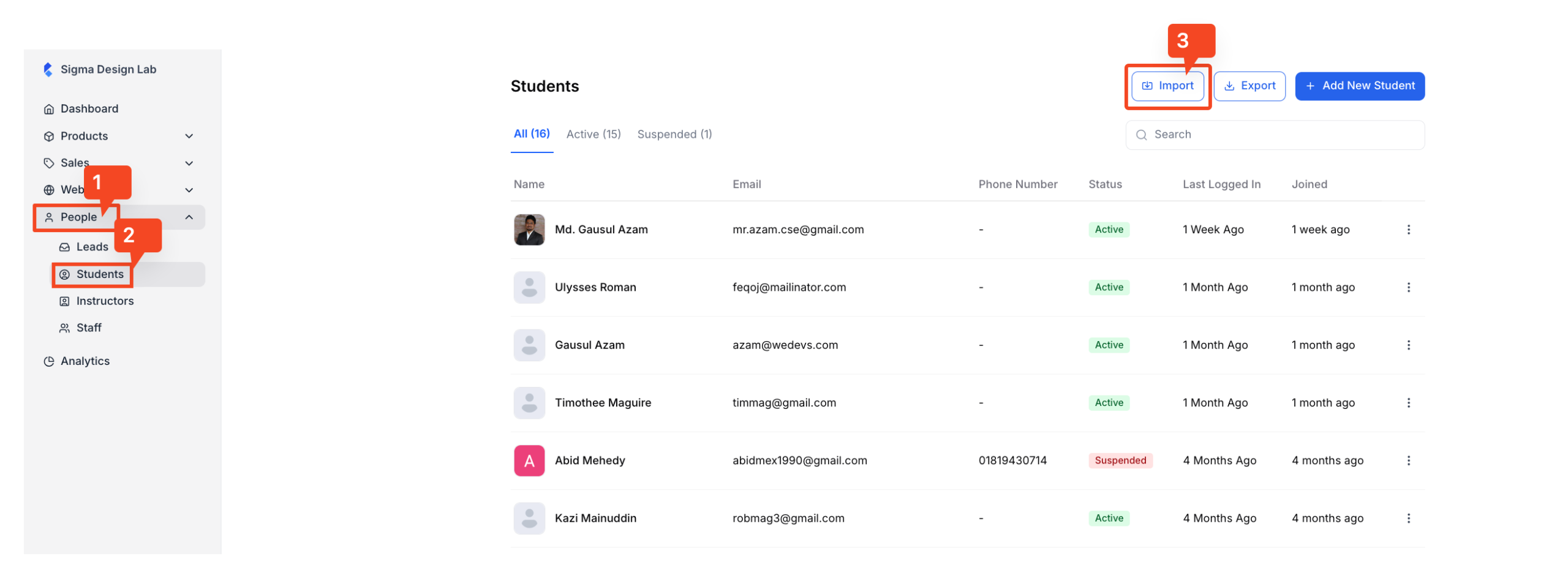
1. From your dashboard, expand “People” and go to “Students.” In the new window, you will see a list of all the students you currently have in your academy. In the top right corner, you will find the “Import” button; click on it.
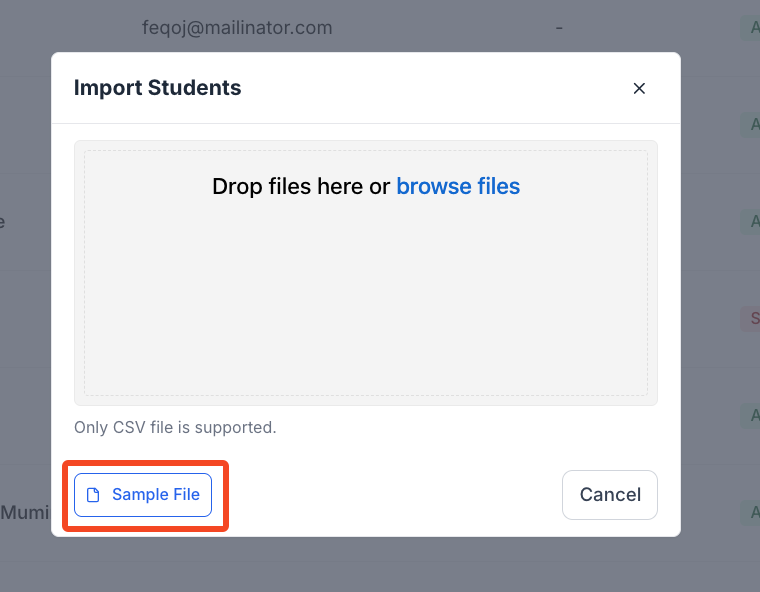
2. Once you click on the “Import” button, a popup will appear where you can upload the .csv file with your student information. If you are not sure how to prepare the .csv file, click on the “Sample File” button to download a sample .csv file.
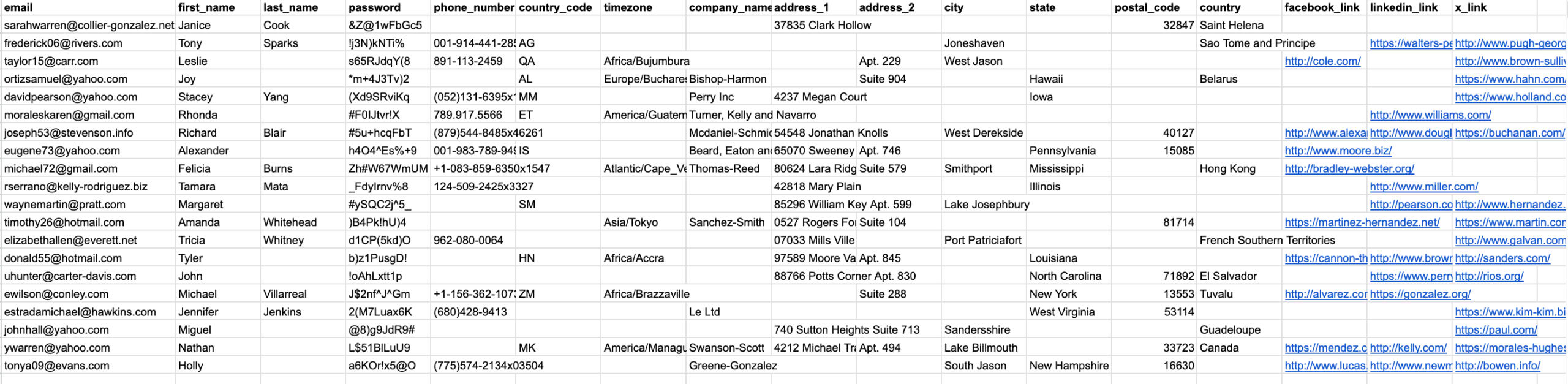
3. Here’s how the csv file should look:
4. Once you have the file ready, simply upload the file through the uploader and you will be good to go.