
By optimizing your site for SEO, you can increase your site’s visibility. Klasio lets you add your site title, meta title, meta description, and OpenGraph image.
Here’s how you can add and optimize these SEO elements to your academy website.
1. From your admin dashboard, expand Settings, and then click General. On the new screen, scroll down to find the SEO section.
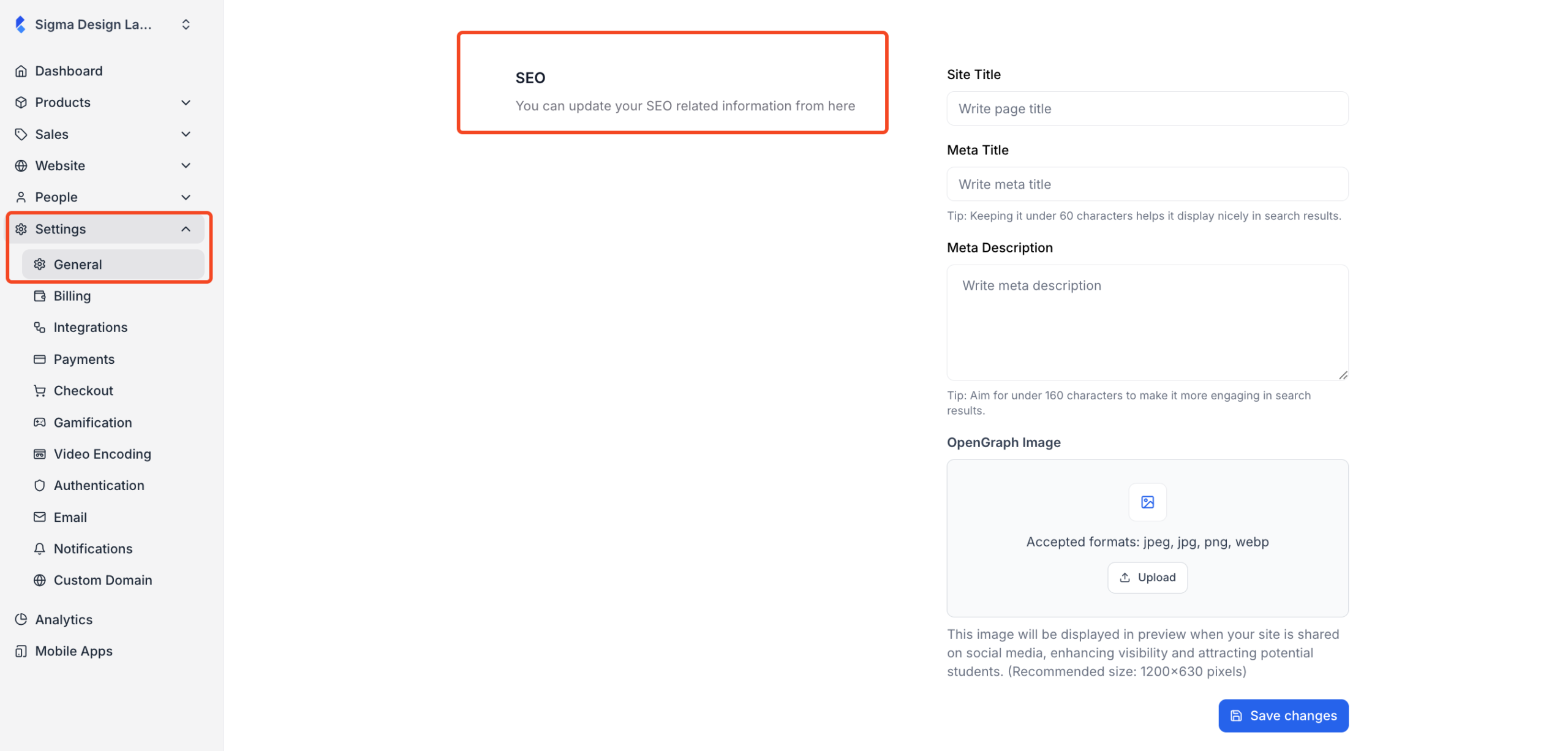
2. On the SEO section, you will see the fields for adding your site title, meta title, meta description, and the OpenGraph image.
- Site Title: The site title is the main name of your website and often appears in browser tabs and search results. Keep it clear, branded, and under ~60 characters.
- Meta Title: The meta title is what search engines display as the clickable headline in search results. Include your primary keyword and brand name, keep it concise, and make it compelling to improve click-through rates.
- Meta Description: The meta description is a short summary shown below the meta title in search results. Write a clear, benefit-driven description (150–160 characters) that encourages users to click.
- OpenGraph Image: The OpenGraph image is the preview image shown when your site is shared on social media. Use a high-quality image (1200×630 px recommended) that reflects your course branding and looks good on all platforms.
3. Once you have added them, click on the “Save Changes” button to save the changes.