
If you charge tax on one-time purchases, you’ll likely want the same for subscription plans – but subscription tax works a little differently: it’s turned on per plan, not academy-wide. This covers both enabling tax on a subscription plan and reading what’s collected in the Subscription Tax Report.
Before you start, make sure you’ve configured tax rates for your target regions under Settings → Tax – see How to Set Up Tax Rates in Klasio. Subscription plans use those same regional rates; there’s no separate rate to set up.
Here’s how to turn it on.
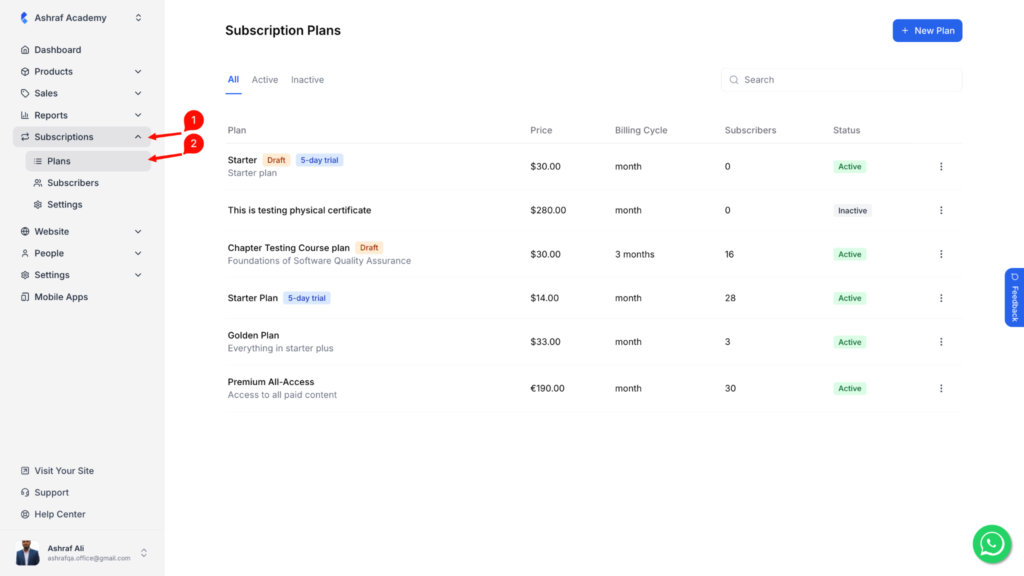
1. From the admin dashboard, expand Subscriptions, then click Plans. This opens your list of subscription plans, along with each plan’s price, billing cycle, subscriber count, and status.
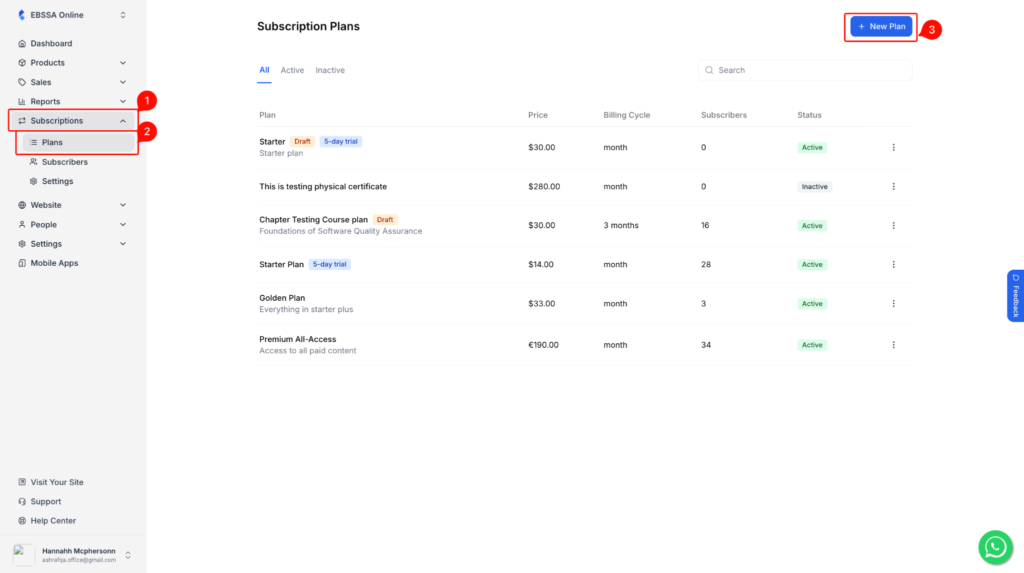
2. Click New Plan to create one, or click an existing plan to edit it – tax can be turned on either way.
3. On the Plan Details tab, fill in the plan’s name, description, and visibility as usual, then switch to the Pricing & Trials tab.
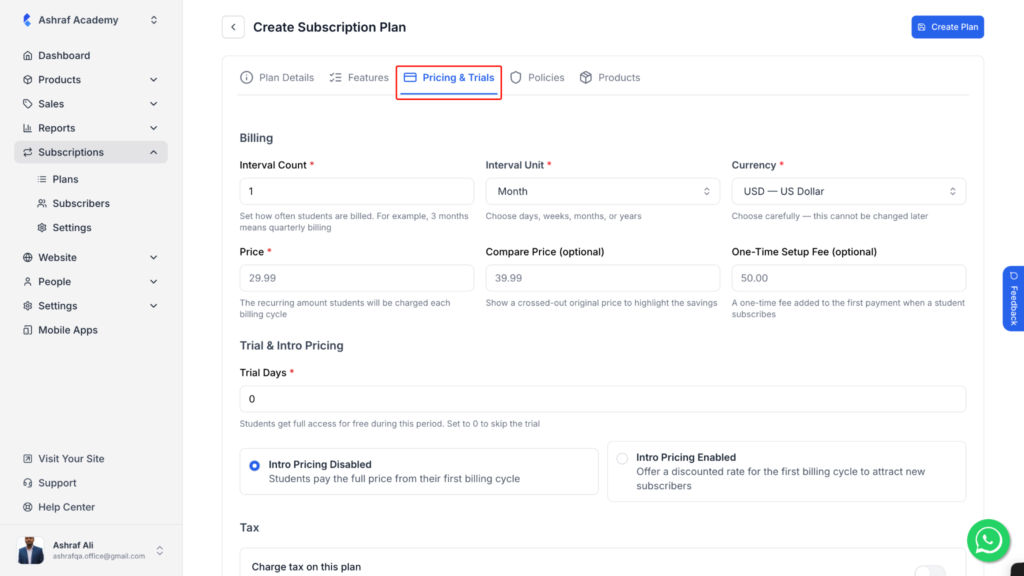
Set your billing details – Interval Count, Interval Unit, Currency, Price, and any optional Compare Price or Setup Fee – along with your trial settings, same as any other plan.
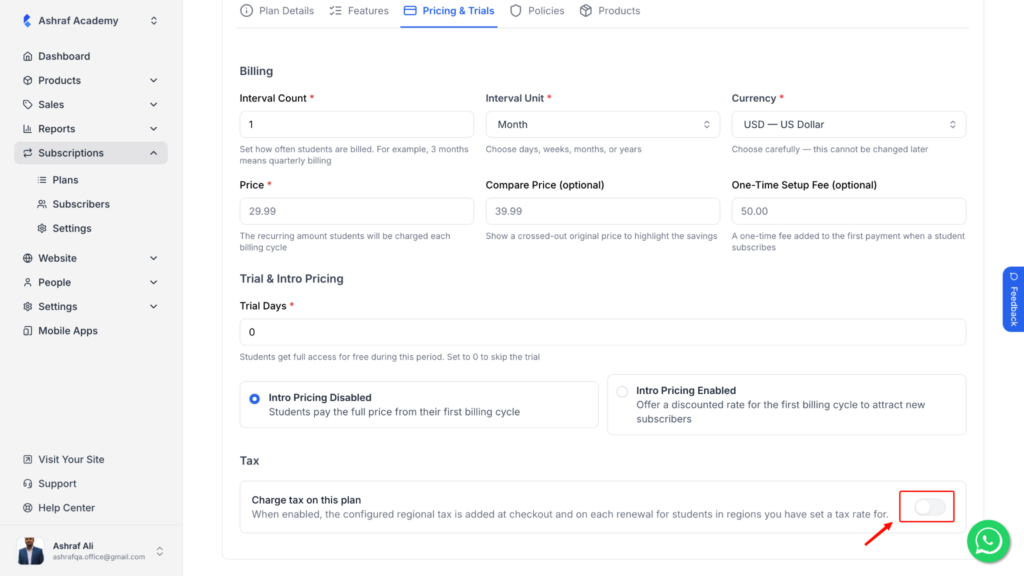
Scroll down to the Tax section and turn on Charge tax on this plan. Once enabled, the tax rate configured for a student’s region is added automatically – both at initial checkout and on every renewal. Students in regions with no tax rate configured still won’t be charged tax, regardless of this toggle.
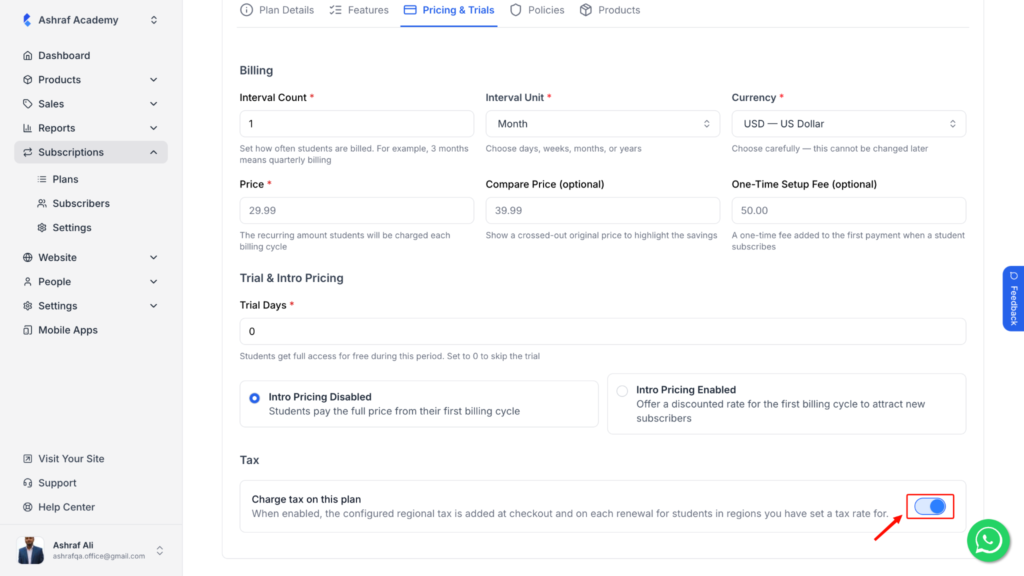
Click Create Plan (or Save, if you’re editing an existing plan).
Once tax is active on a plan, here’s how to see what it’s collecting.
From the admin dashboard, expand Reports, then click Subscription Tax.
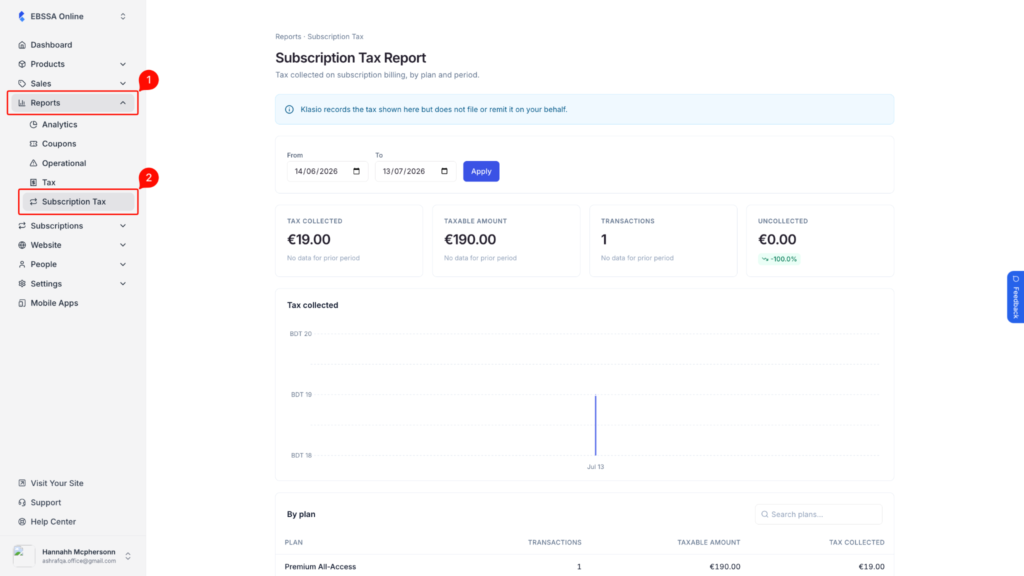
Set your From and To dates and click Apply. This report doesn’t have a region filter like the main Tax Report – it’s scoped to subscription billing only, broken down by plan and period.
Once a plan with tax enabled has billed a student in a taxed region, this report populates with what’s been collected. Until then, you’ll see “No taxable subscription transactions for this period.”