Post-sales support is super important for course creators because it can make or break their businesses. To provide top-notch support, it’s crucial that your students can connect with you directly. That’s why Klasio offers a WhatsApp widget so your students can directly reach out to you.
Here’s how to set it up:
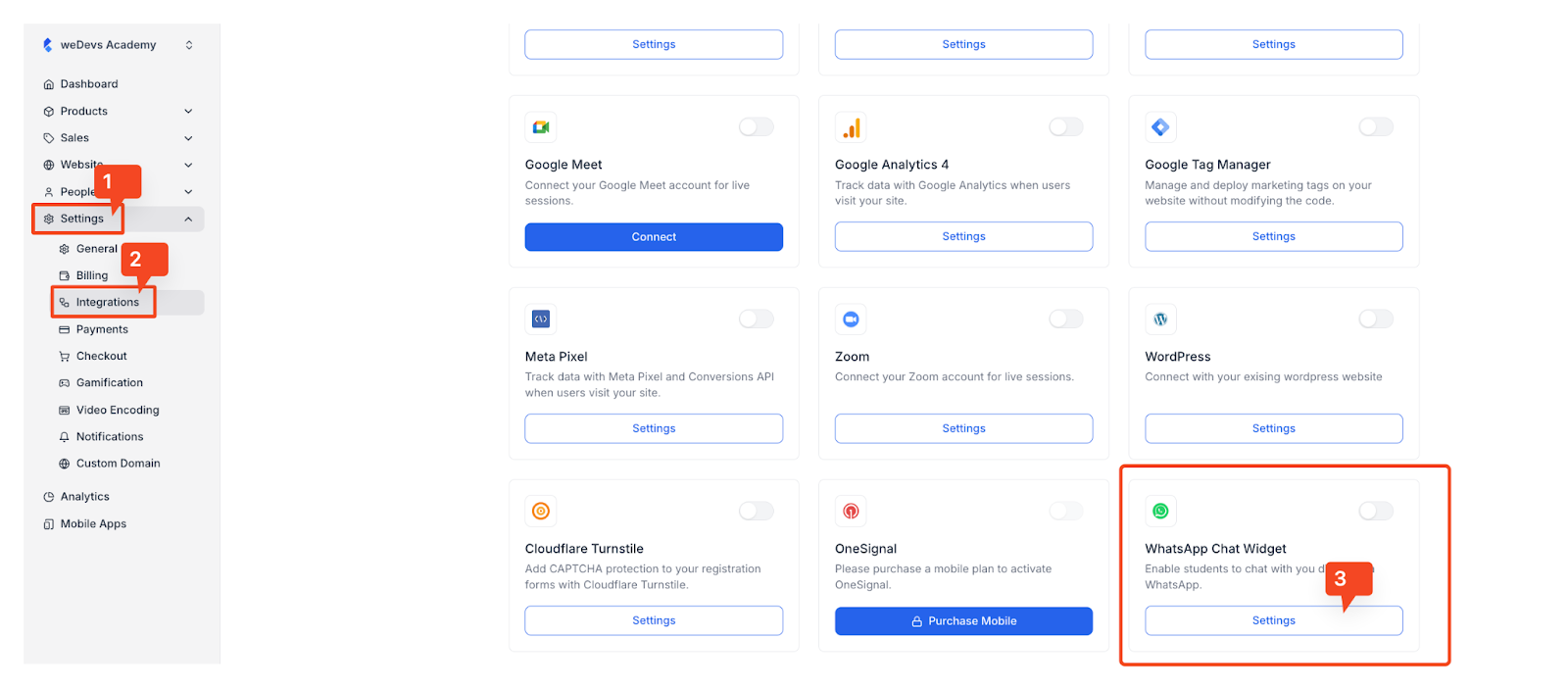
1. Log in to your Klasio admin account. Then, from the dashboard, go to Settings > Integrations. Once you do that, you will be taken to the Integrations page. Find the WhatsApp Chat Widget integration card and click on the Settings button.
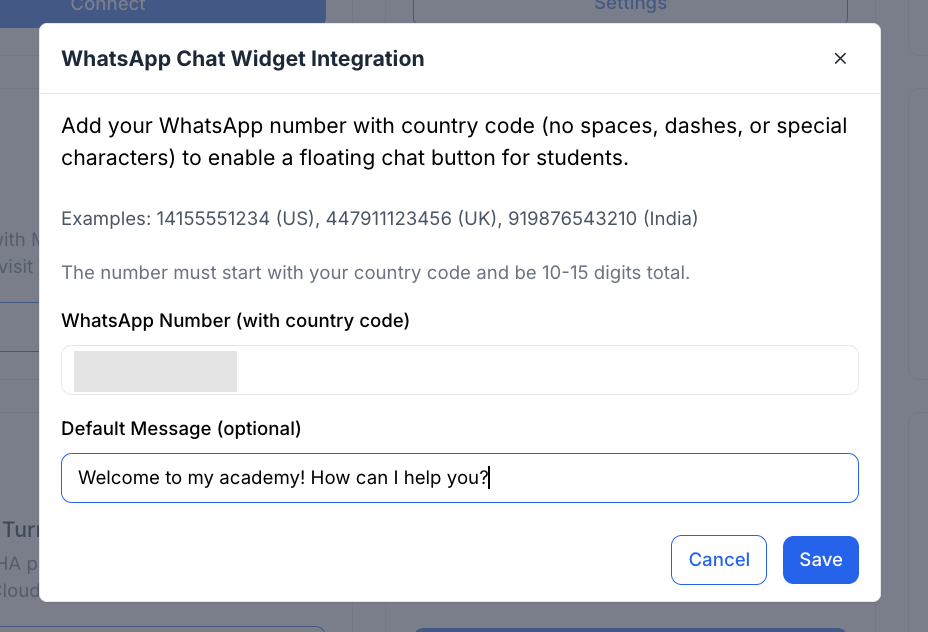
2. Once you click on the “Settings” button, a popup will appear, which will ask you to type in the WhatsApp number you want to use. While providing the number, remember to include the country code.
Also, you can use the “Default Message” field to craft a welcome message for your student.
Once you’re done, click on the “Save” button to save the changes.
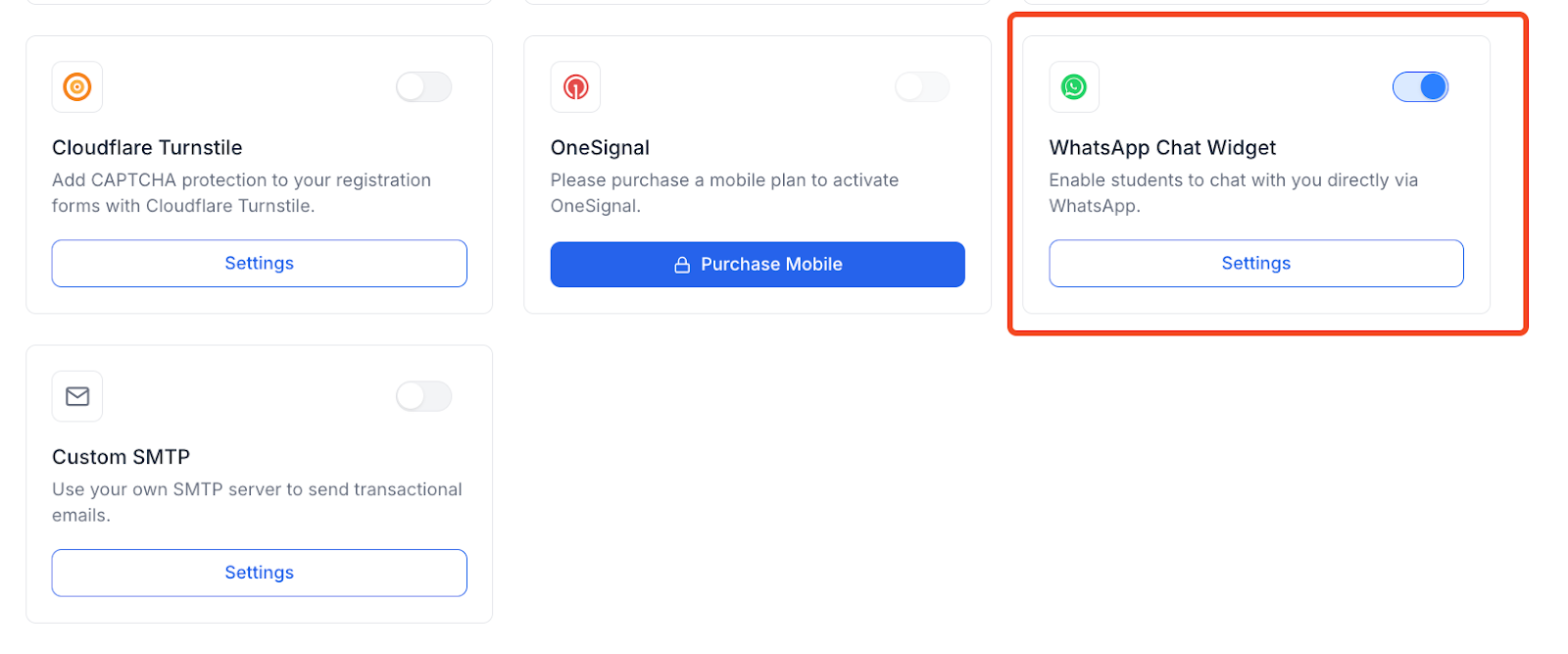
3. Then, you will be taken back to the integrations page, where you can see that the WhatsApp Chat Widget is toggled on, indicating that the integration is successful.
Now, let’s see how the experience will be for your students.
When your students log in to their accounts, they will see the WhatsApp icon in the bottom right corner of their dashboard.
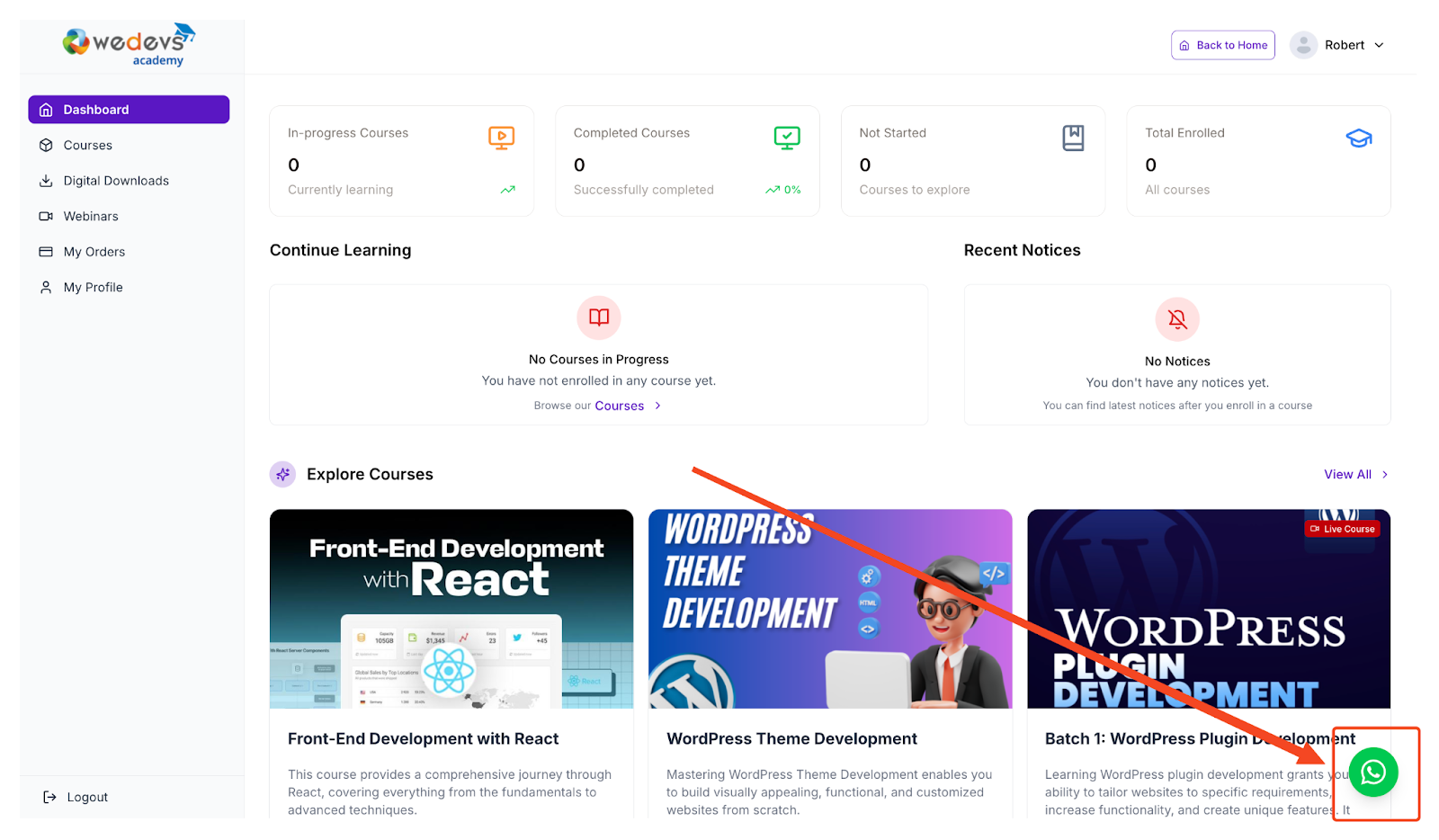
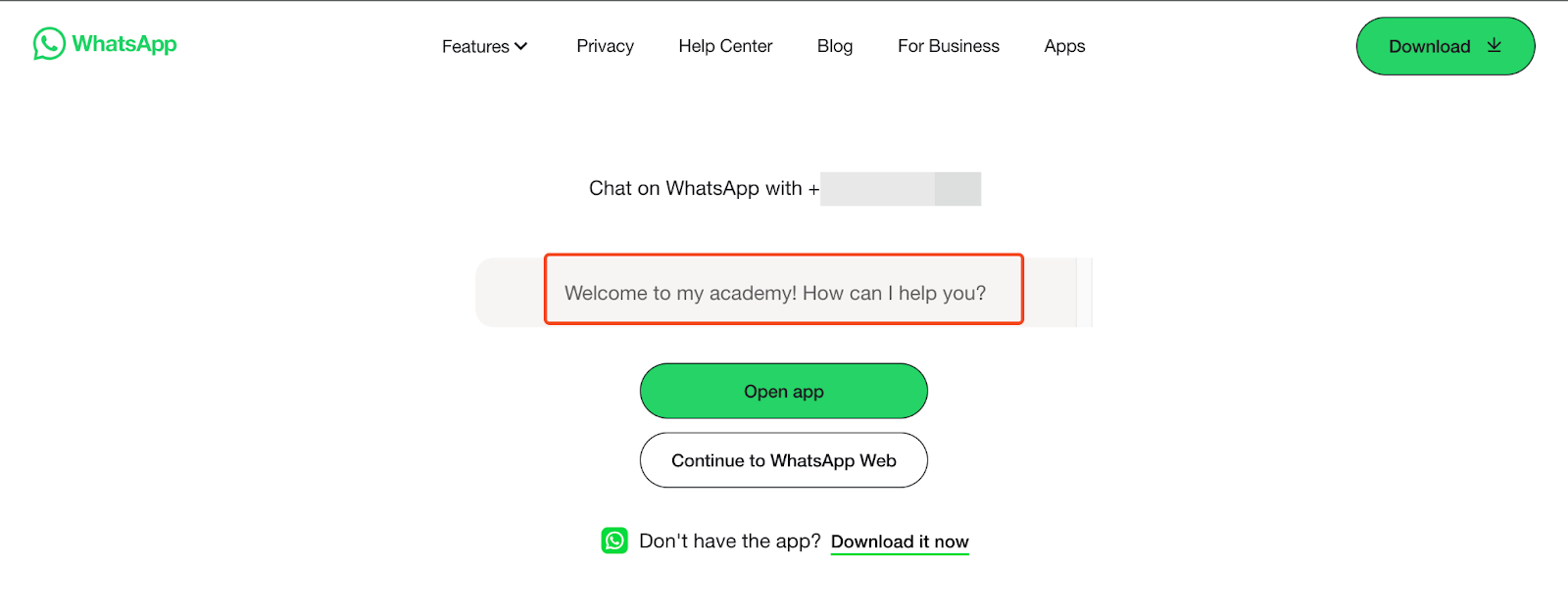
When students click on this icon, a new tab will open. On the new tab, the students will be presented with two options: Download the WhatsApp app or Continue with WhatsApp Web.
They will also see the welcome message you set up for them.