
Inside Klasio, you’ll come across Preferences while going through General settings. You’ll see you have 3 separate settings options under Preferences;Currency, Language and Timezone.
Please note that, at the moment, you can not change the currency on your own. You need to contact us via support and we’ll change it for you.
Regarding language, English is the default language of the system. We’re working on adding new languages to the system soon.
Here’s how to change the Timezone:
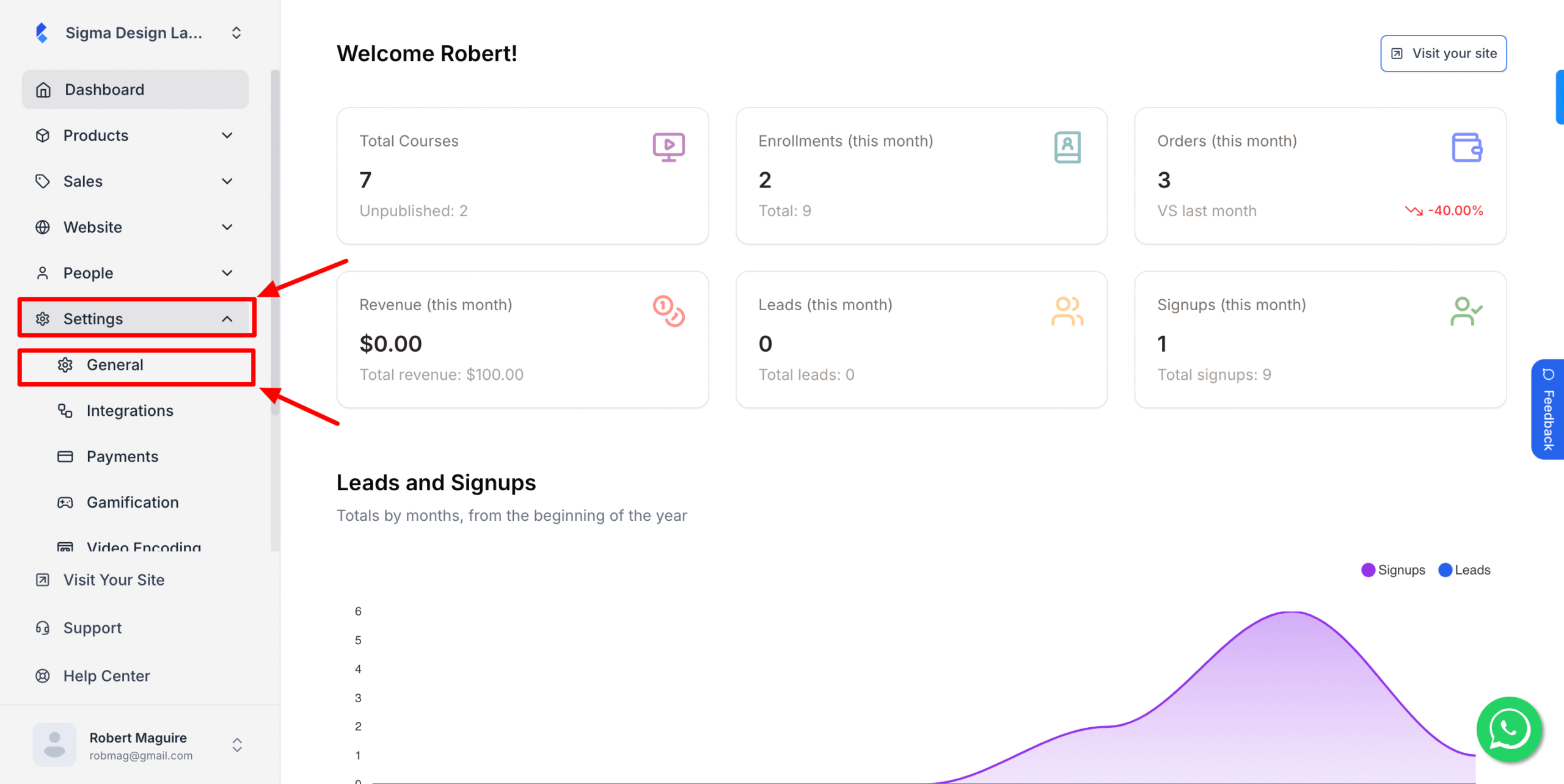
1. From the admin dashboard, go to Settings>General
2. Under Preferences, click on the drop-down below timezone and select your preferred timezone.
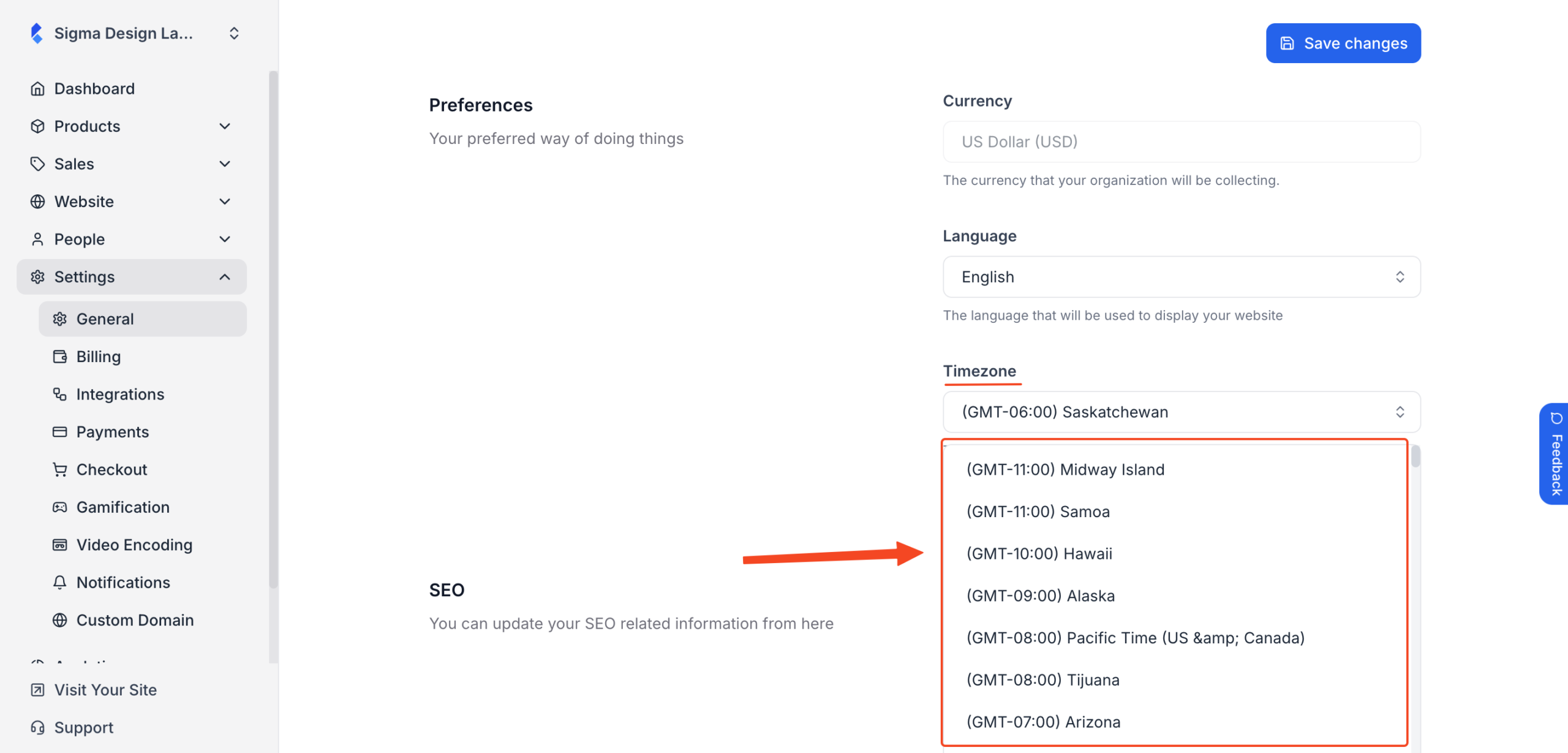
3. Hit Save Changes once you’re done.