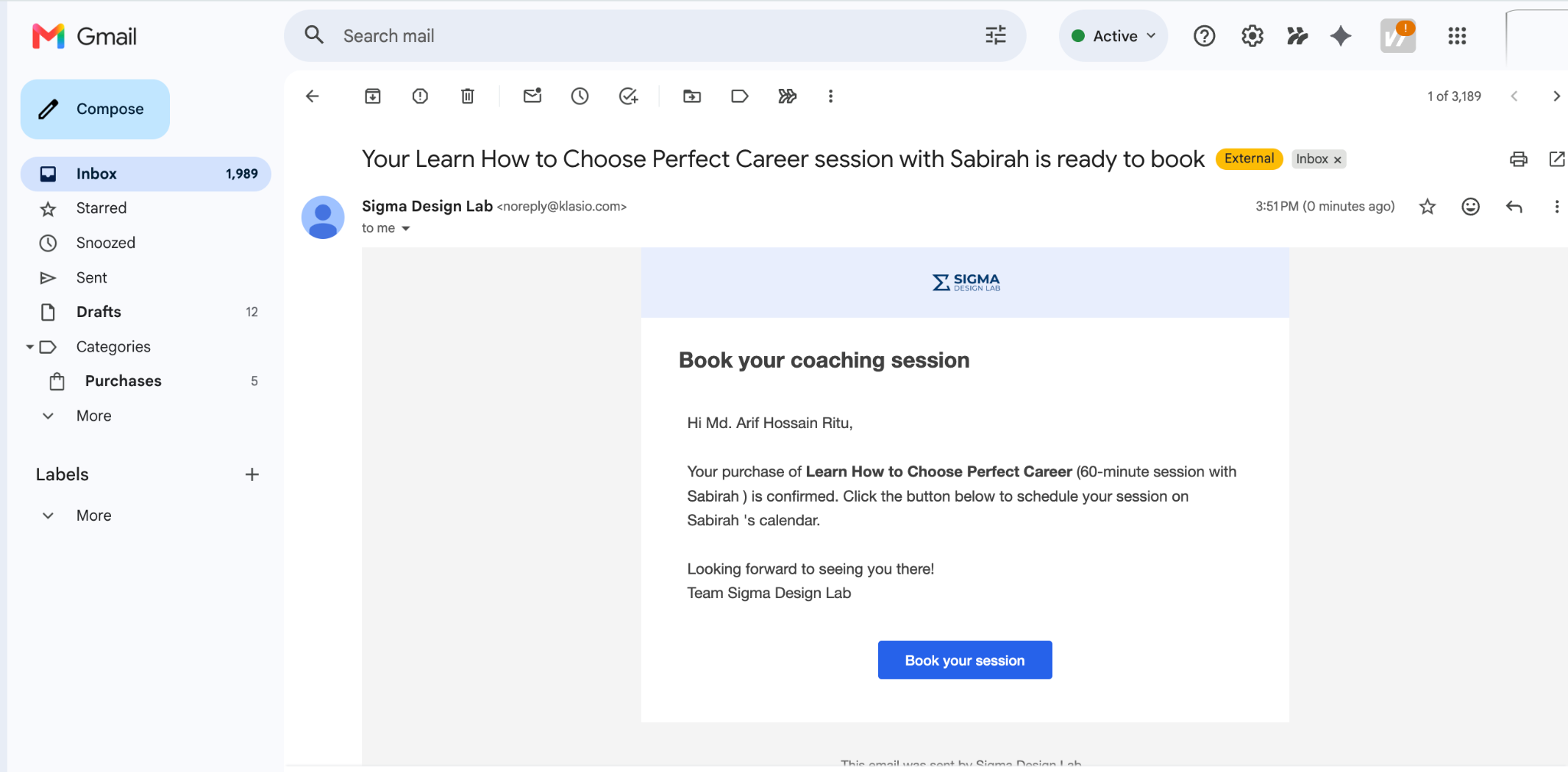
You can manually give a student access to a coaching session without requiring them to go through the purchase flow. When access is granted, the student receives a booking-link email with the session’s calendar URL on their My Coaching page.
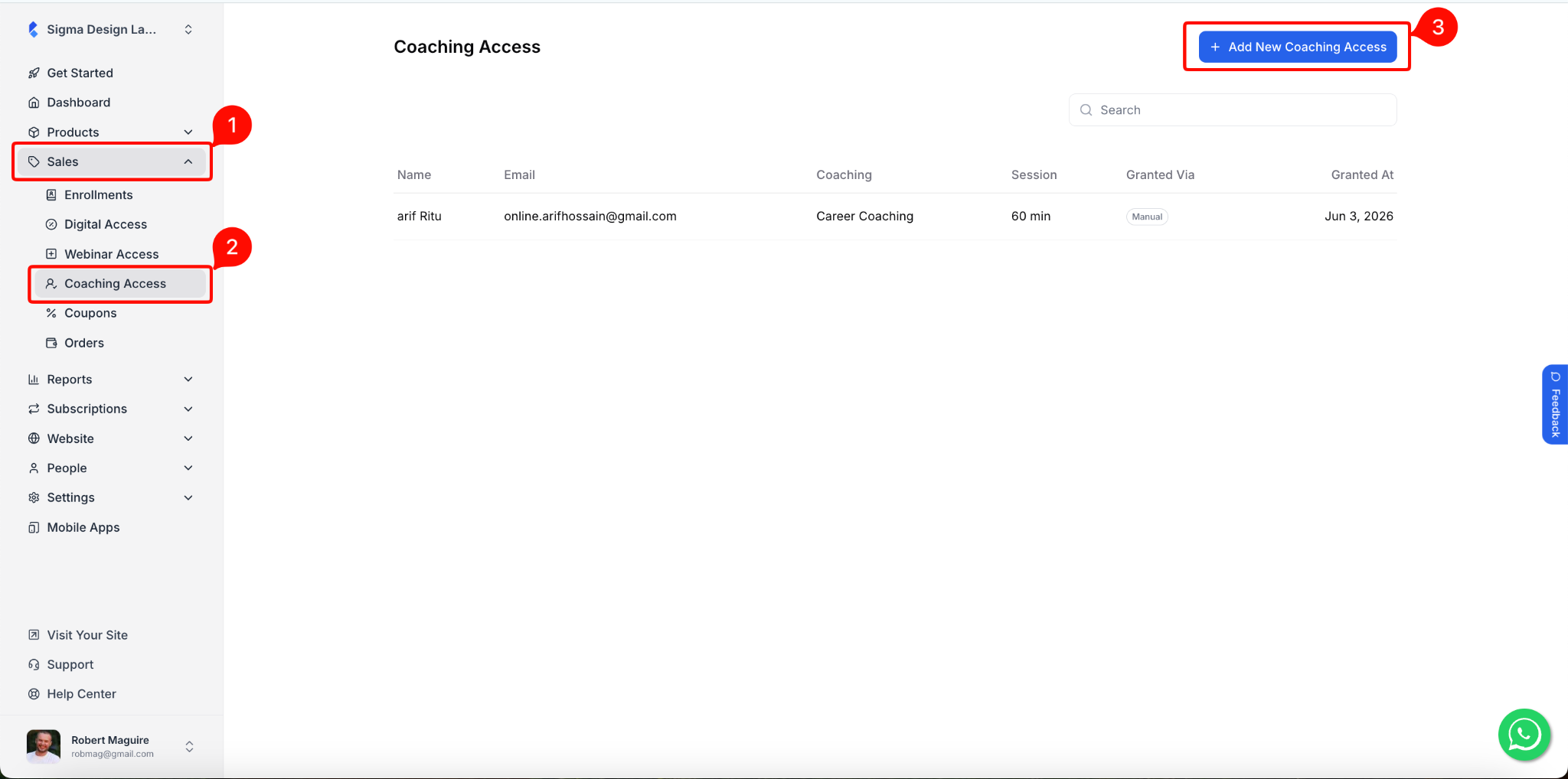
- From your dashboard, go to Sales > Coaching Access. Then, click the + Add New Coaching Access button in the top right corner.
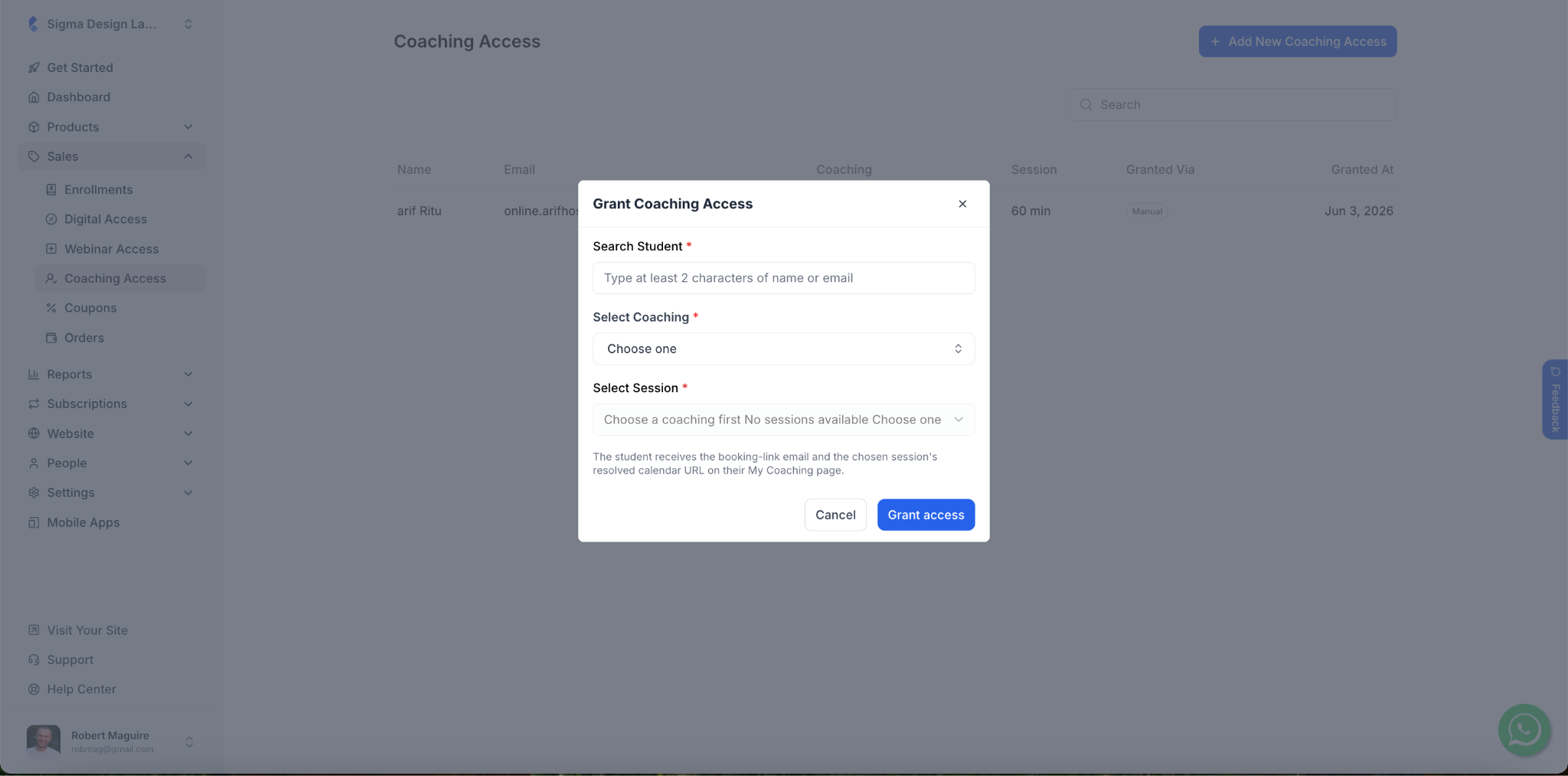
2. Once you click on the button, a pop-up will appear. You can grant any student access to any of your coaching manually using this pop-up.
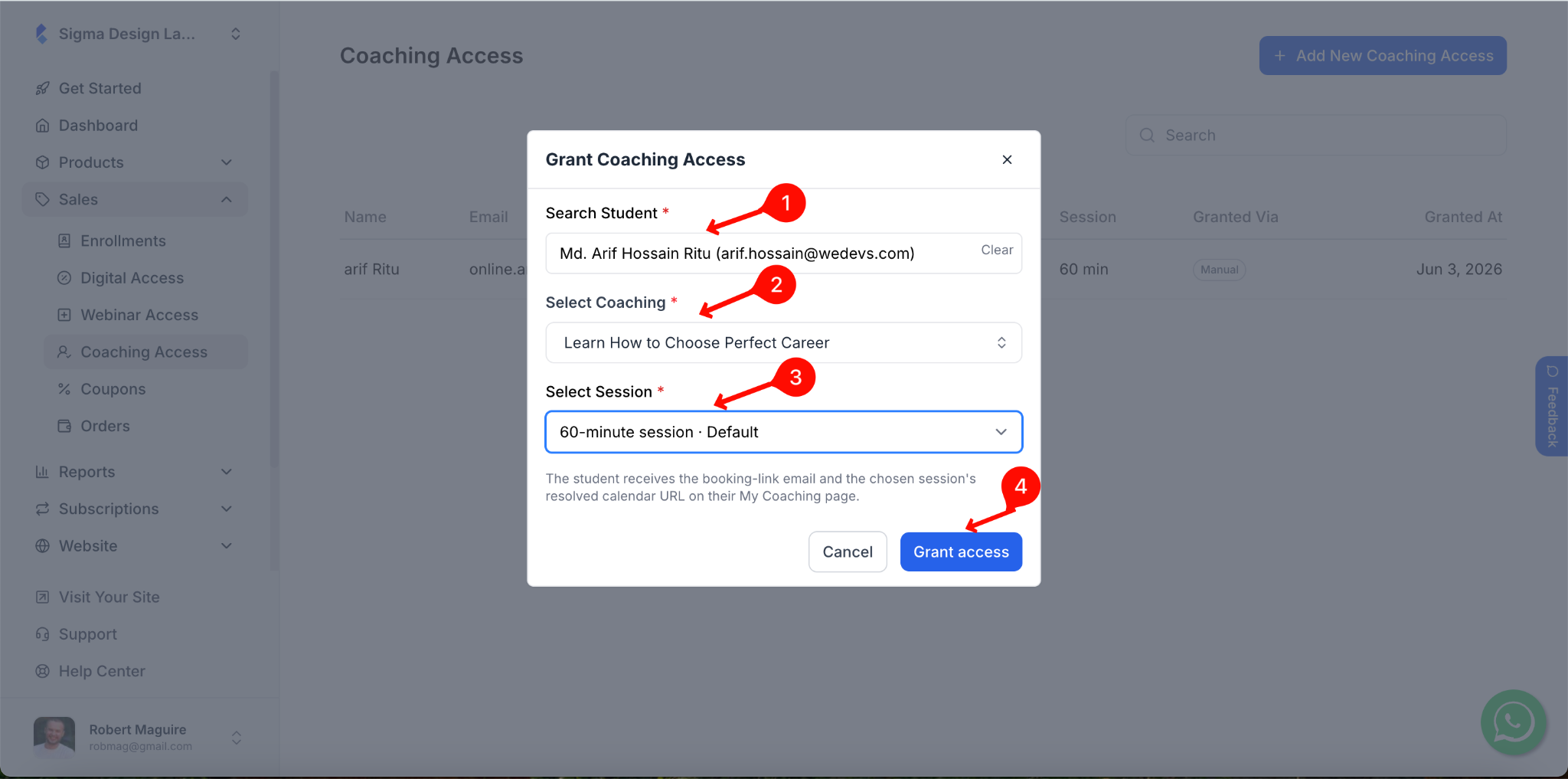
3. In the Search Student field, type at least 2 characters of the student’s name or email to find them.
4. From the Select Coaching dropdown, choose the coaching you want to grant access to.
5. From the Select Session dropdown, choose the specific session for this student. Then click Grant Access.
6. The student will receive an email with a Book your session button linking to the calendar booking page.