
Publishing notices can be very convenient when you want your students to stay aligned on important updates and course activities. Here’s how you can publish a notice in Klasio:
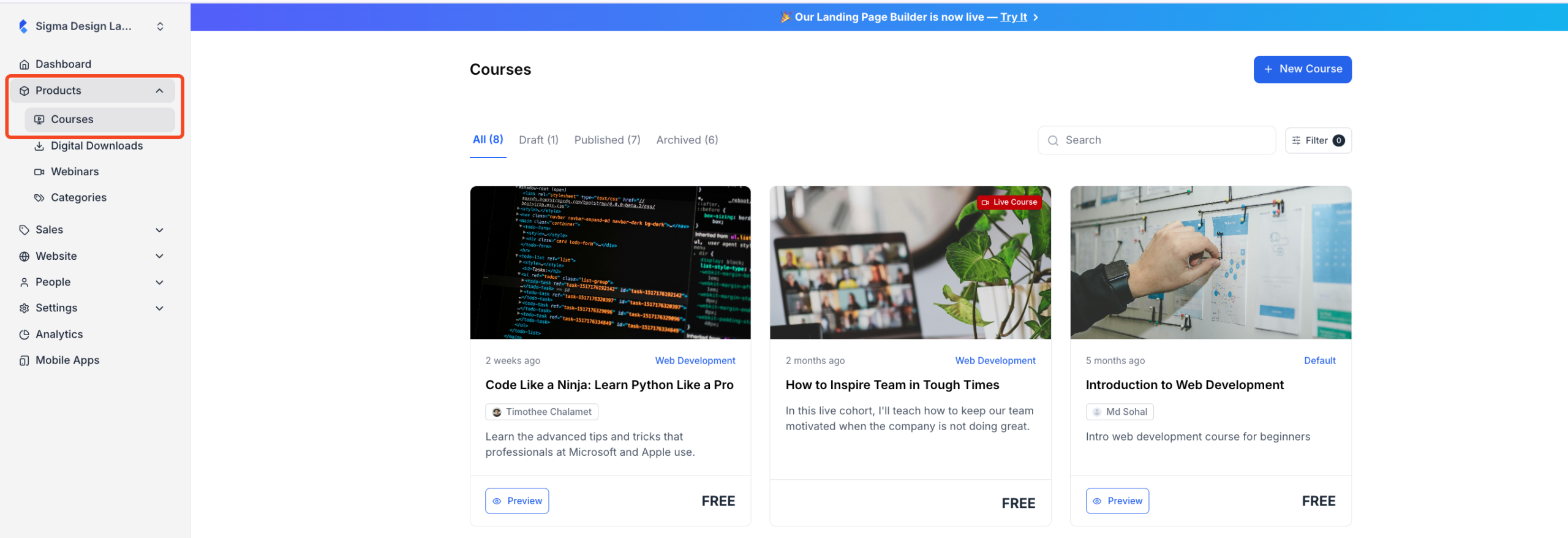
1. From the dashboard, expand “Products” and click on “Courses”. Then choose the course for which you want to add the notice.
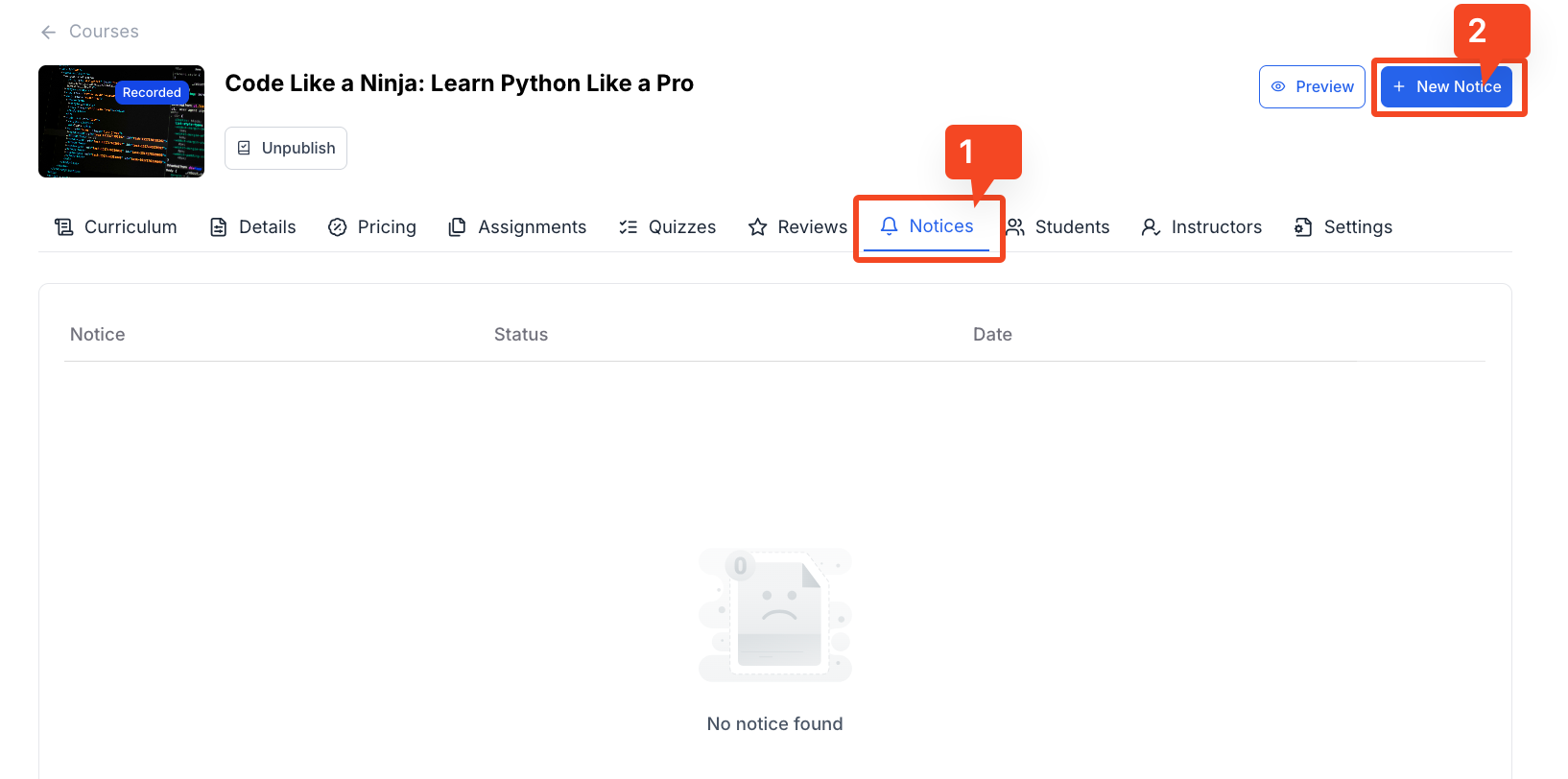
2. Once you do, you will be taken to the course editor. Click on the “Notice” tab and then click on “New Notice”.
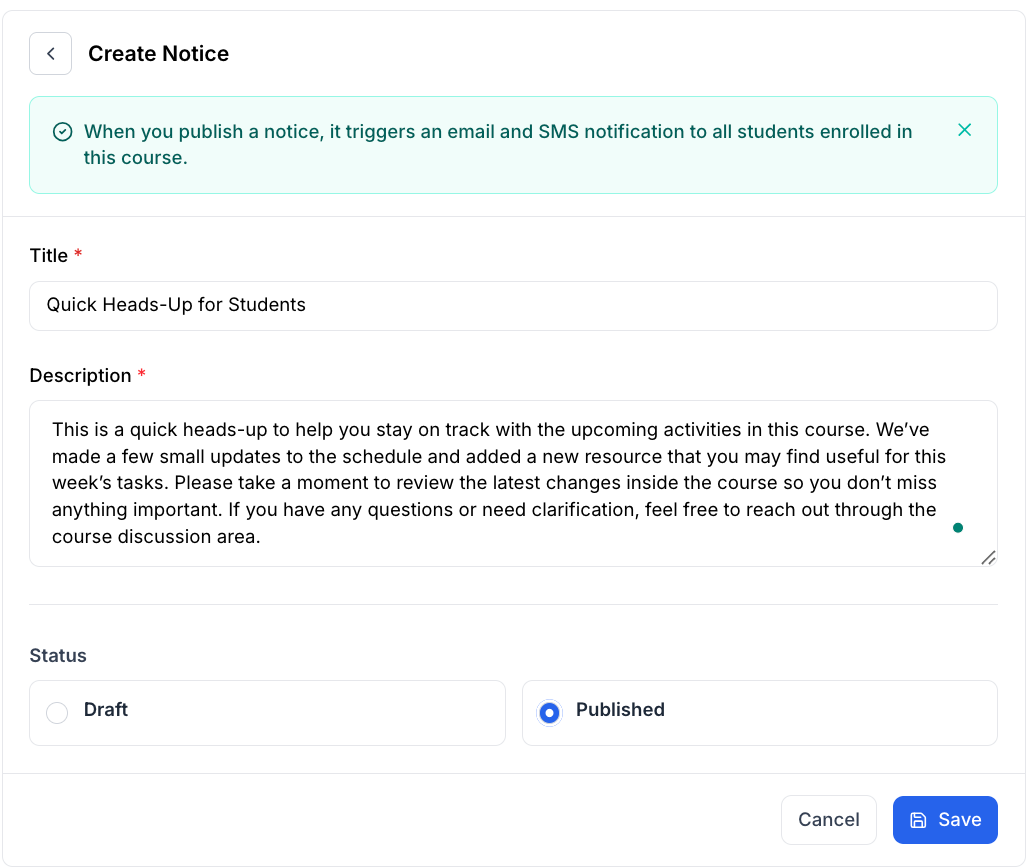
3. When you click on the “Add Notice” button, you will be taken to a new page where you can add the title and the description for the notice. If you want to publish the notice immediately, select “Published”. Then, click on “Save” to publish the notice.
Once you publish the notice, it will trigger an email and SMS notification to all the enrolled students in that course.
And this is how you can publish a notice in your course in Klasio.