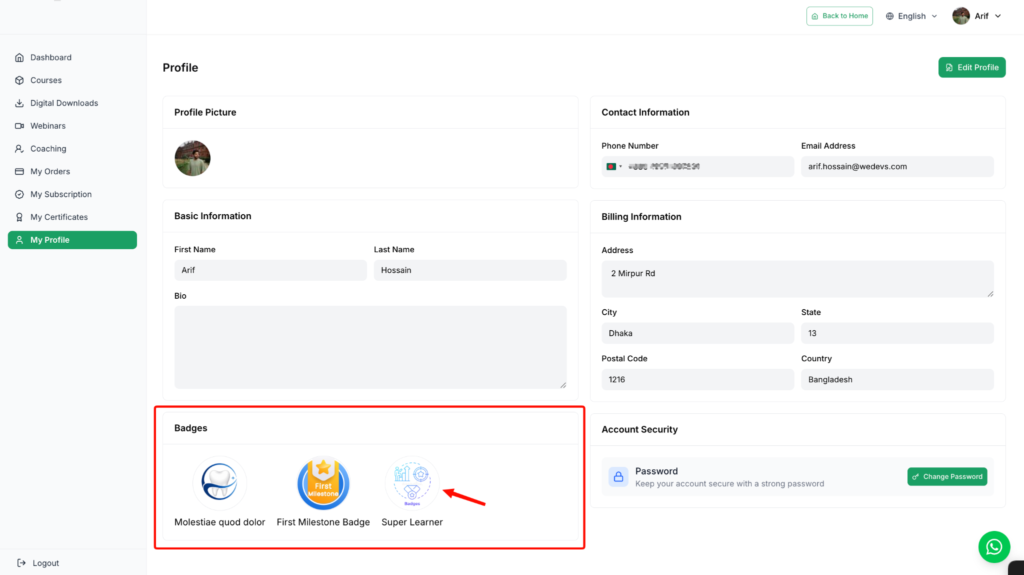
Implementing a leaderboard and points system is a powerful way to boost user engagement and motivation. By gamifying the experience, you can create a fun and competitive environment that encourages users to achieve goals, complete challenges, and interact more with your content. This guide will walk you through the process of setting up these features to enhance the gamification of your academy.
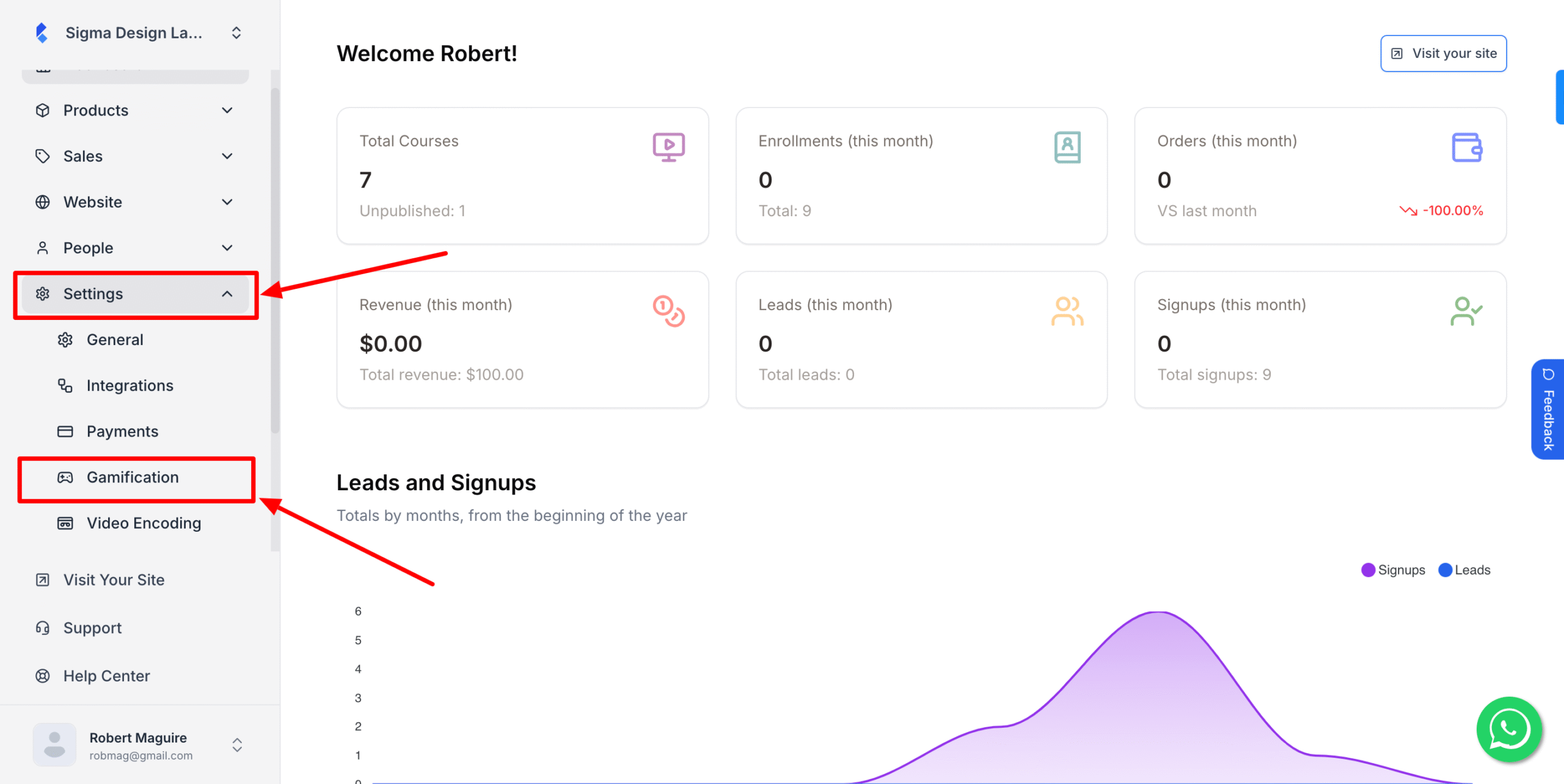
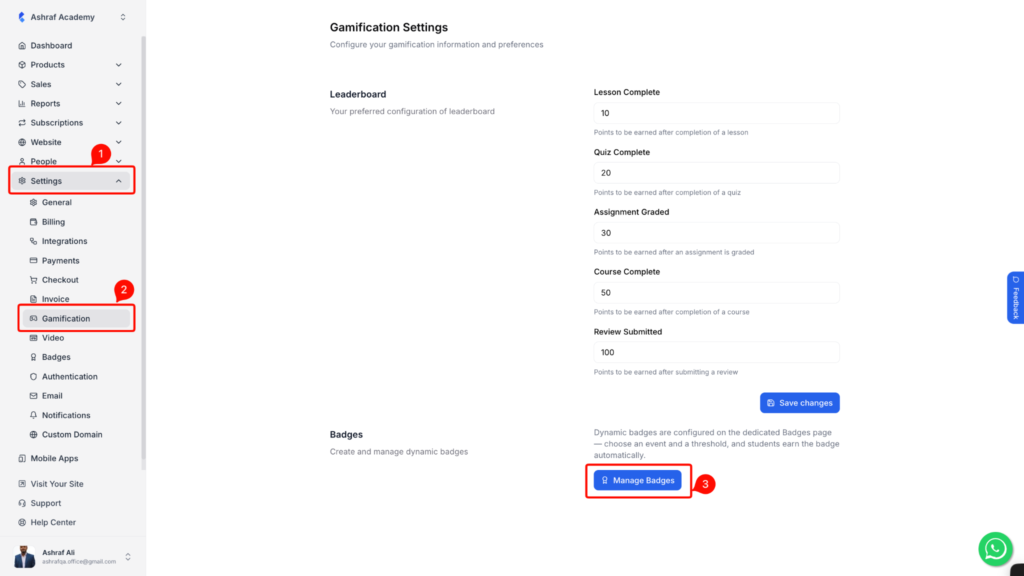
1. From the admin dashboard, go to Settings and click Gamification.
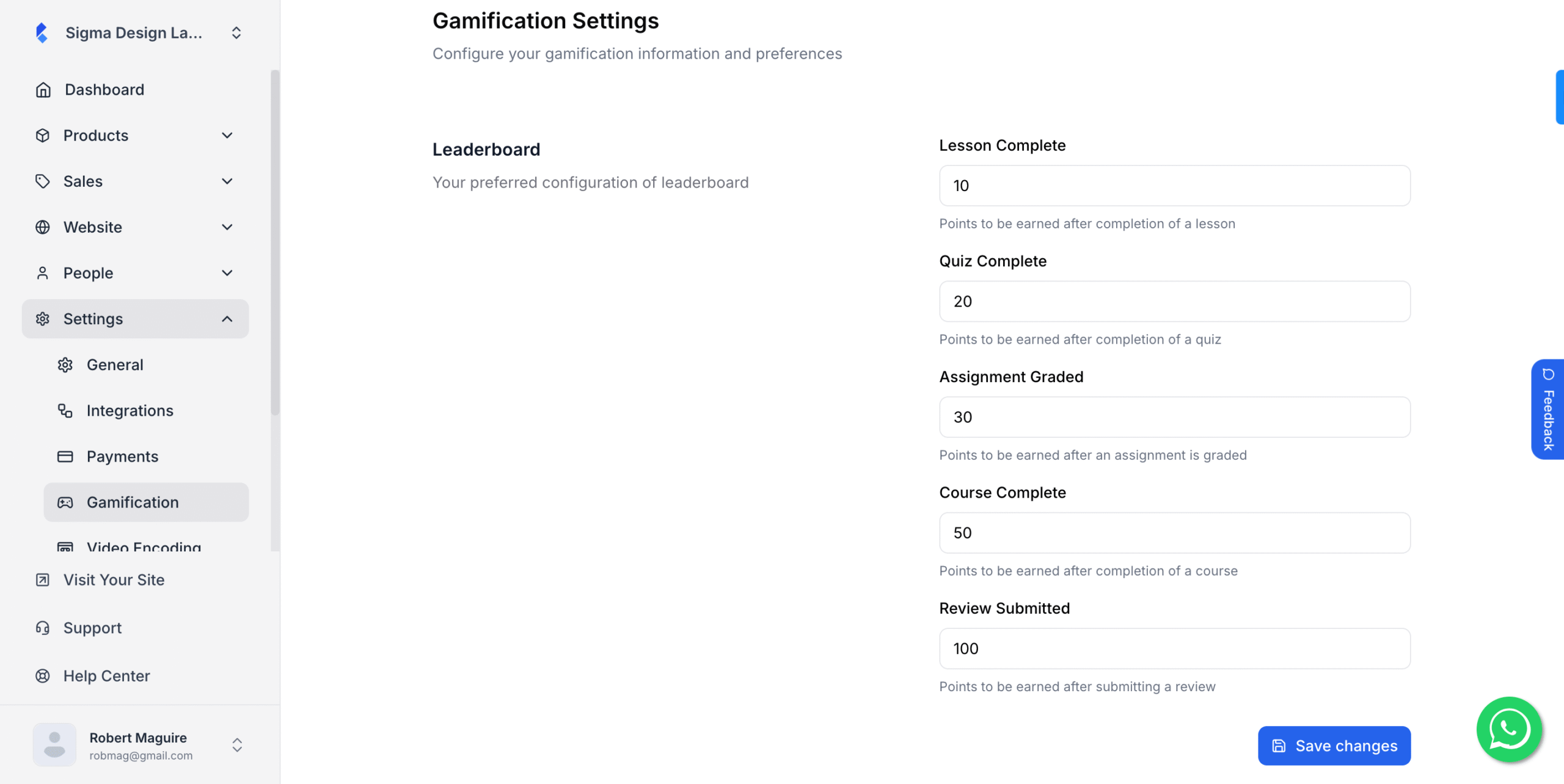
2. Now, here you’ll be required to set up points for various activities your students perform.
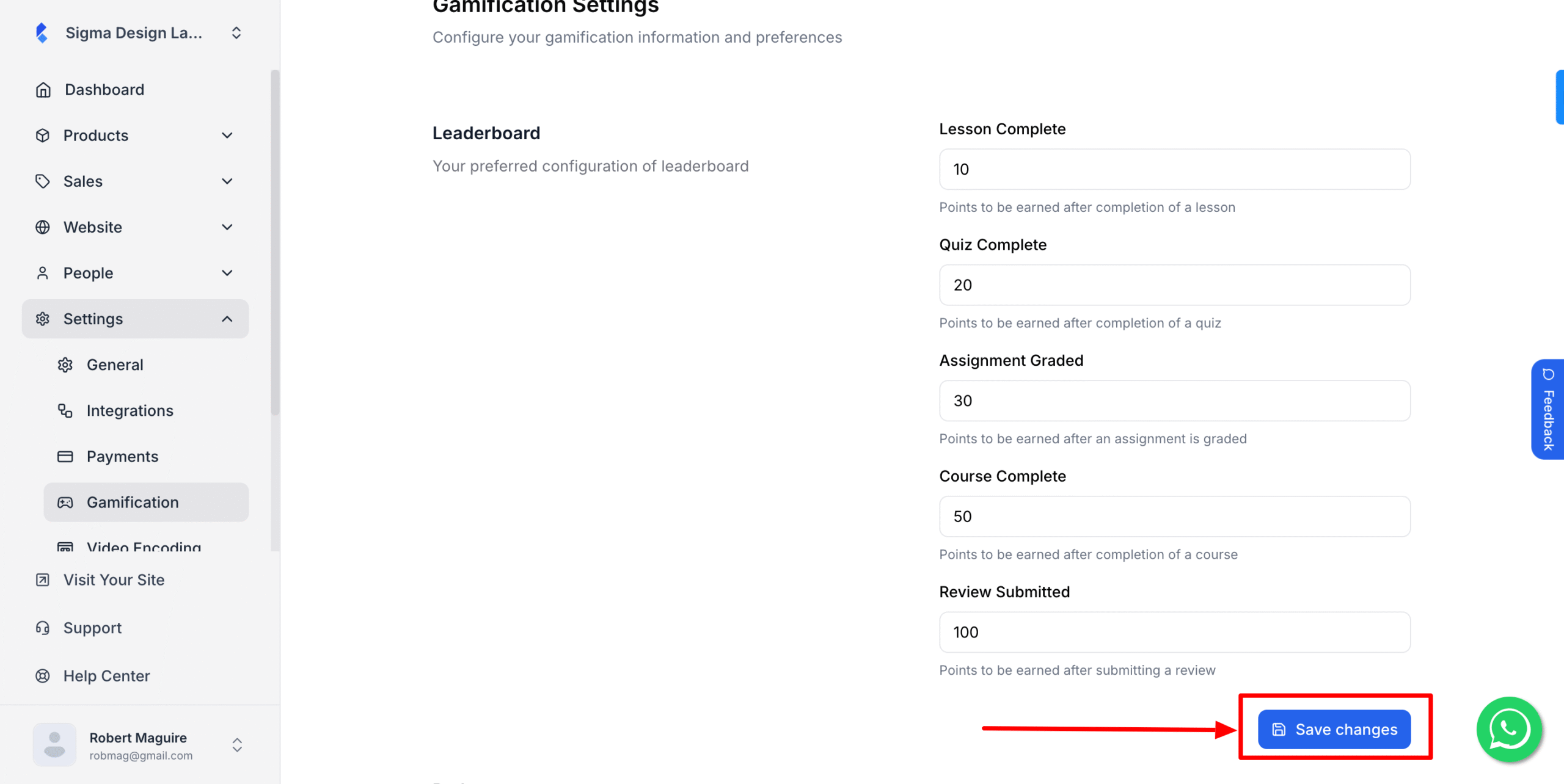
3.Then, hit Save Changes once you’re done inserting the desired points for each task.
Now when your students complete these tasks, the points will be added to their profile. And inside the course, they’ll be able to see the leaderboard. Along with points and the leaderboard, you can also create badges that students earn automatically when they hit a milestone.
4.Scroll down to the Badges section. Badges are awarded automatically when a student hits a milestone you set, such as completing 5 lessons or finishing a course. Click on the “Manage Badges” button to create and edit them.
- Students see their earned badges in the Badges section of their profile. They do not need to claim anything.